What's new

Truck Help

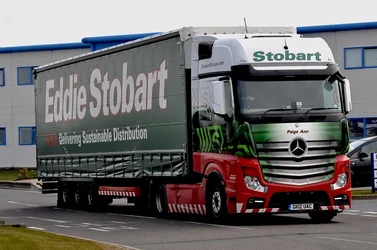
Look at your histogram. The black edge (left edge) meets the bottom of the graph before it gets to the left edge of the histogram. That is what causes the lack of depth in the image, there is no true black anywhere. Stretching the histogram to the edges by setting a black point and a white point will help a great deal.
 
Quick levels adjust leads to this. A bit of care could improve this lot more.

$8641597092_f85e439f10_b.webp
 
The truck also leans to the left.... Check the rear
 
Stretching the histogram to the edges by setting a black point and a white point will help a great deal.

May i ask how i would do this!
Jonathan

It's difficult to answer that without knowing what software you use since each software package does it differently. Some software has a tool to set the black and/or white points directly in the photograph. Others have sliders on the histogram to allow adjusting the range of the histogram. Still others, as was mentioned, require adjustment of the levels of the histogram.

If they are straight out of the camera with no additional editing I would set the exposure compensation to about -0.3EV which will darken things up slightly and increase the saturation.

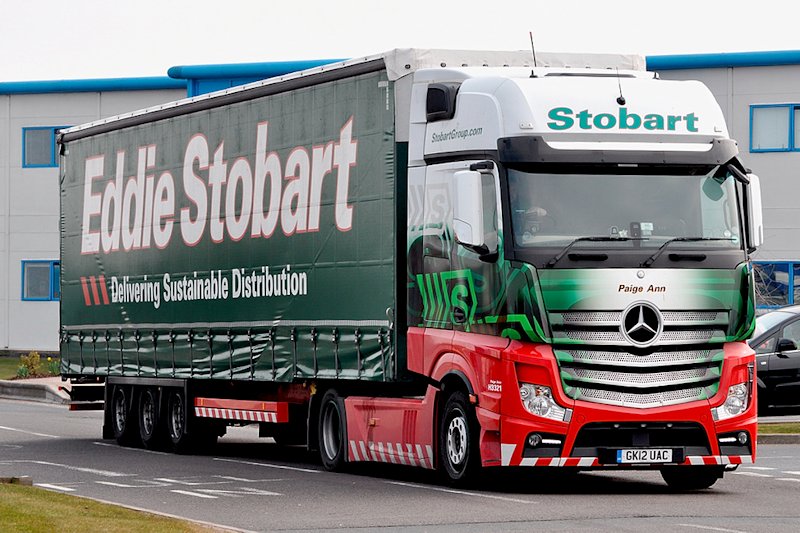
A bit of straightening, adjusted the black and white points, added some contrast, and darkened the side of the truck.

truck01.jpg
 

Create an account or login to comment

You must be a member in order to leave a comment

Create account

Create an account on our community. It's easy!

Log in

Already have an account? Log in here.

Back
Top Bottom