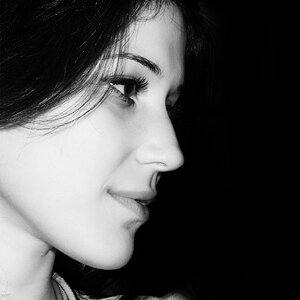
I upload an image to lightroom from a canon 5d mark 2 that I recently bought and it looks okay for a second then it's like lightroom does something to the dark areas and blacks of the image and makes it look bad. What is going on??? It's like the really dark areas get ruined, but when I export it looks normal.
Are you shooting in RAW ?
I believe It shows you the JPEG rendition before before jumping to the actual RAW file which doesn't have the process stuff. You'll have to bring out the SHADOWS slider to get them in there.
I also edited the post to show a screenshot of in lightroom versus when I export it. It's not extremely noticeable but a little annoying. I have used lightroom with nikon d800 and never had this issue, and I shot RAW with that.
I notice that too. No big deal though. I always figured it was just a little lag between preview and editable file. I never export without some adjustment anyway.




![[No title]](/data/xfmg/thumbnail/42/42269-bc38cb35884d46241dcf3623b338b43b.jpg?1734176665)
![[No title]](/data/xfmg/thumbnail/42/42492-60144191c917c21139f8acd72f6ba090.jpg?1734177011)


![[No title]](/data/xfmg/thumbnail/42/42270-4394b4f41a4b5d16152d8471f79ec2e4.jpg?1734176668)