What's new

What can you do with this picture?

Did you also boost the clarity and sharpness?

Don't touch the clarity slider! LOL! You don't need it and it will muddy up your skin tones.
Yes, you have to sharpen a raw image.
For processing raw there are some excellent books on the market. To say "it's complicated" would be an understatement

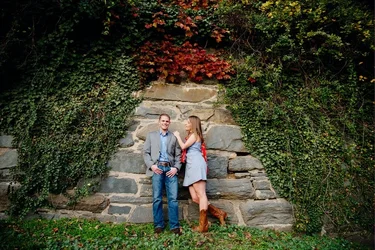
I don't use clarity on people, only on objects. I do sharpen at around 50-60 as the last step after all the edits have been done. My concern was more with colors. They are not vivid. Not lively. Very dull colors.
You should have a raw sharpen and a final sharpen for print.
The pop in the colors comes from the curves (parametric and point curve) second tab in Adobe Camera raw, second panel in LightRoom.
Make sure why you are saving as a jpeg you are using sRGB. If you are not you'll have dull problems all over again. If you are not working in sRGB you will have to CONVERT, not just change. Or you will have to change your process.
 
The Photoshop Bible and Real world Camera Raw are a couple of the books I have that are excellent for editing. Keith recommends another one for raw processing and I can't remember the title off hand.
 
You should have a raw sharpen and a final sharpen for print.
The pop in the colors comes from the curves (parametric and point curve) second tab in Adobe Camera raw, second panel in LightRoom.
Make sure why you are saving as a jpeg you are using sRGB. If you are not you'll have dull problems all over again. If you are not working in sRGB you will have to CONVERT, not just change. Or you will have to change your process.

It is sRGB. A final sharpen meaning when exporting from Lightroom to check Output Sharpening?
 
My take:

DSC_4788.jpg
 
I like Sparky's version. It makes this a very nice photo to my eye. Good job OP, and good edit Sparky! I bet the couple will like this a lot!
 
just used the version on here, still can't open the nef, lolz

So tiny, but you get the idea. looking back, I see mine came pretty close to the travelers...which I initially liked anyway...lol.


$DSC_4788-1.webp


$DSC_4788-2.webp
 
^^^ looks like they've been drinking since they were in diapers.

Wasn't sure how to crop, so I didn't. I took a lighter approach, but kept saturation and contrast high. Super quick edit, skin is too saturated:

$DSC_4788.webp
(be sure to click on the image for CM version)

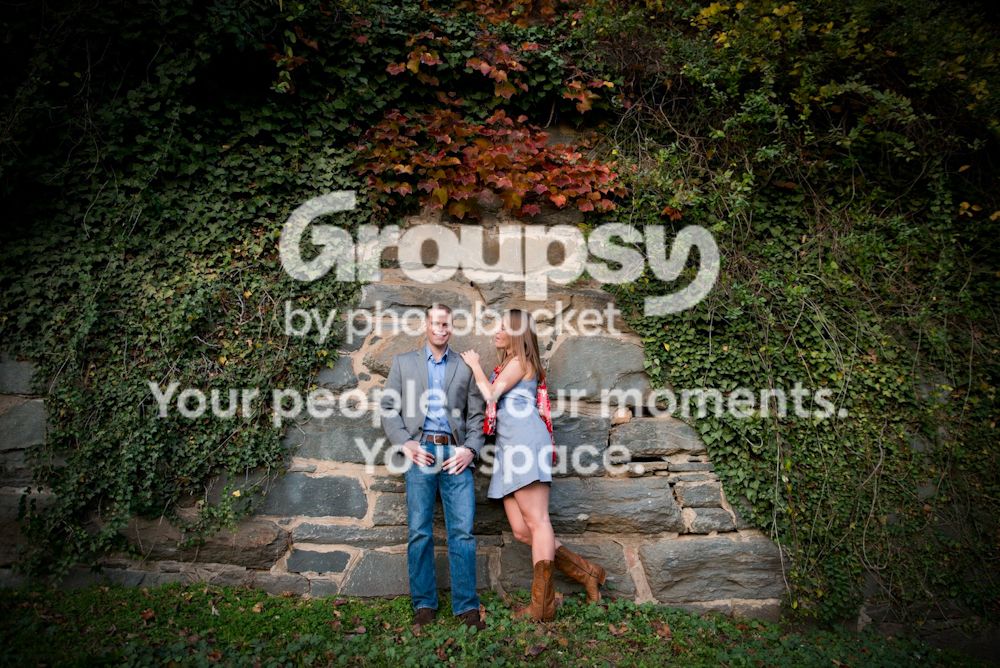
I think the bigger problem here is that the wall is more interesting than the subject. Not that they aren't interesting people ... but that wall is pretty domineering.
 
Last edited:
You should have a raw sharpen and a final sharpen for print.
The pop in the colors comes from the curves (parametric and point curve) second tab in Adobe Camera raw, second panel in LightRoom.
Make sure why you are saving as a jpeg you are using sRGB. If you are not you'll have dull problems all over again. If you are not working in sRGB you will have to CONVERT, not just change. Or you will have to change your process.


It is sRGB. A final sharpen meaning when exporting from Lightroom to check Output Sharpening?
No. Final sharpen is done when you are cropping and preparing for print. Raw sharpening is done in Lightroom/ACR.
LR works only in ProPhoto colorspace. You have to export to sRGB
 

Create an account or login to comment

You must be a member in order to leave a comment

Create account

Create an account on our community. It's easy!

Log in

Already have an account? Log in here.

Back
Top Bottom