wolfestone
TPF Noob!
- Joined
- Dec 24, 2010
- Messages
- 6
- Reaction score
- 0
- Location
- USA
- Can others edit my Photos
- Photos OK to edit
I've noticed this with my camera, and also with other cameras. I've tried searching google, and this forum but I'm not having any luck (probably because I don't know the correct name for this issue).
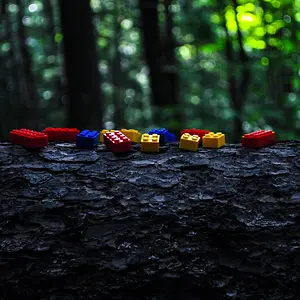
This picture shows what I'm talking about, it's a very pronounced brightly colored 'glow' where white meets black in a photo. Interestingly, on the bird picture it was a blue glow, whereas on the rock photo it was red.

My uneducated guess would be that this is something to do with the way the sensor captures red green and blue, but I could be way off.
If anyone could clue me in as to what causes this, and if there's anything you can do about it short of fixing it in post, I'd really appreciate it.
This picture shows what I'm talking about, it's a very pronounced brightly colored 'glow' where white meets black in a photo. Interestingly, on the bird picture it was a blue glow, whereas on the rock photo it was red.
My uneducated guess would be that this is something to do with the way the sensor captures red green and blue, but I could be way off.
If anyone could clue me in as to what causes this, and if there's anything you can do about it short of fixing it in post, I'd really appreciate it.


![[No title]](/data/xfmg/thumbnail/34/34115-73b827c6a6db1413dcead11e4caaae69.jpg?1734164571)




![[No title]](/data/xfmg/thumbnail/34/34590-9c0083ea54c78aad5db3d5884ae8b6c9.jpg?1734165572)