What's new

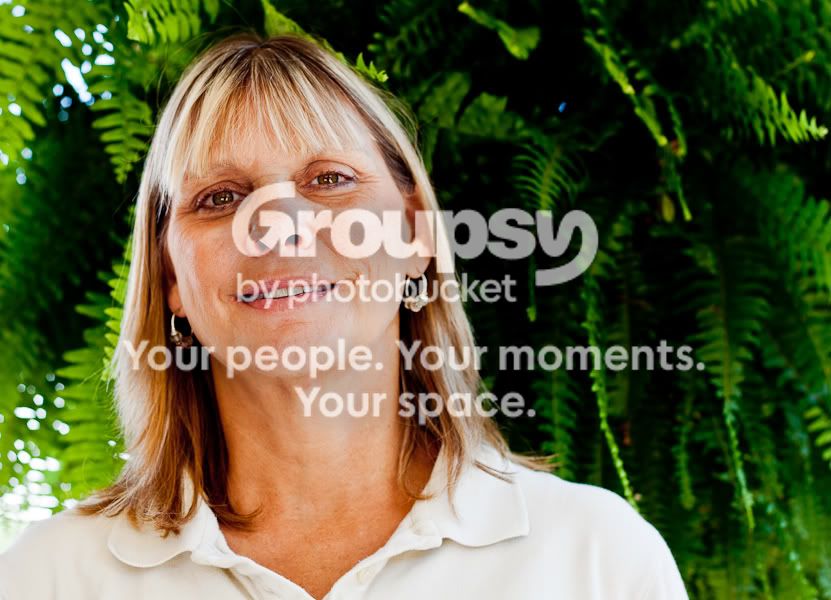
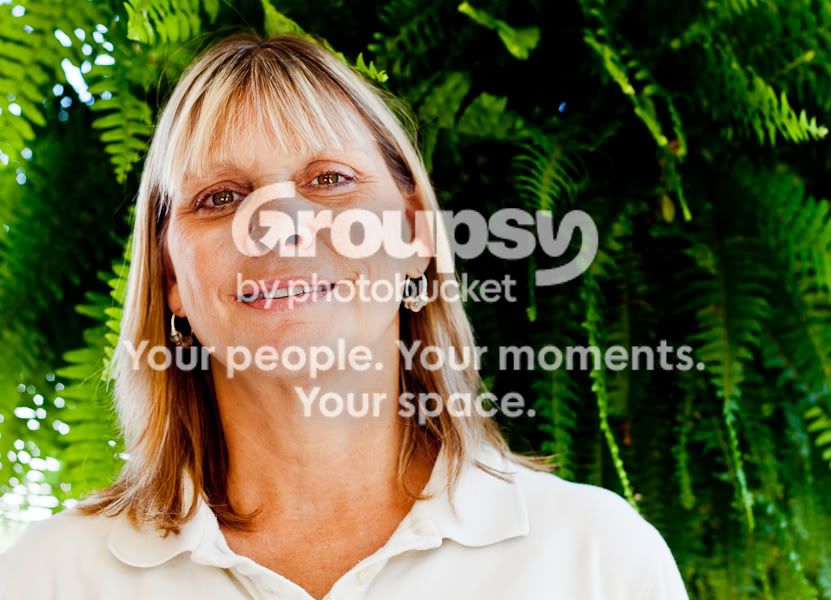
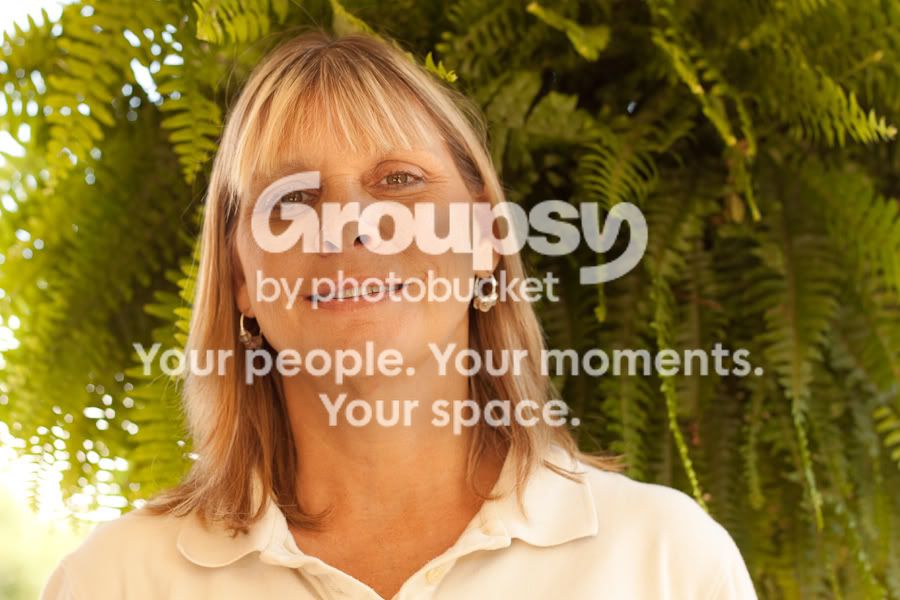
Which one looks better?

MWG

TPF Noob!
Joined
Jan 14, 2011
Messages
478
Reaction score
13
Location
Louisiana
Can others edit my Photos
Photos OK to edit
1
009-1-5.jpg

2
009-1-4.jpg

3
009-1-3.jpg


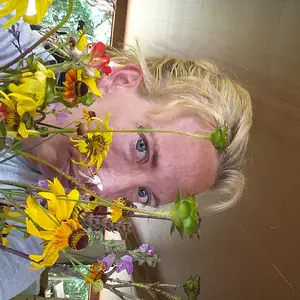
Can someone please let me know which one is best and why? Also if you can break down whats wrong with my this exposure. Im just starting to shoot with my camera in manual mode lol. This was edited in lightroom if anyone has any pointers.
 
Last edited:
Holy ORANGE!! Please fix the white balance! Which one is the best? The first one.. but that doesn't say much. Its underexposed and a little warm. It looks like you bumped up the exposure in 2 and 3 but with that came the neon ORANGE. So fix the wb then repost.
 
Yea, me being partially colorblind doesnt help the situation out lol. Thank you.

What about that one?
 
Yea, me being partially colorblind doesnt help the situation out lol. Thank you.

What about that one?

Are you really?


It looks like you changed out the 3rd picture. Its a lot better but still a little orange. It looks like you desaturated the orange (?) because she looks a little pale now. Maybe if you just use the yellow/blue slider in lightroom and slide it down to the blue side that would work better. But what did you do exactly?
 
Yes I really am, thats why presets are such a necessary thing for me.

Well for one, my mom is extremely tan. To the point were she has that color to her.

Yea thats exactly what I did btw.
 
It's not a white balance issue, but an over saturation issue. When you raise the saturation levels to bring the greens out, you are bringing out the orange'ness of your mother's tan also.

If you have a program to allow this, select the background, make a copy and raise the saturation on that layer so it doesn't affect the subject.
 
Well if she is naturally.. or artificially orange then I don't know what to say..lol. Just add some coolness to your new edits.
 
It's not a white balance issue, but an over saturation issue. When you raise the saturation levels to bring the greens out, you are bringing out the orange'ness of your mother's tan also.

If you have a program to allow this, select the background, make a copy and raise the saturation on that layer so it doesn't affect the subject.

Geaux... she changed out #2 and #3. It wasn't a saturation issue. It was clearly a wb issue because the greens weren't as vibrant as they were in these new pics. But her new edits, yes... they look oversaturated.
 
It's not a white balance issue, but an over saturation issue. When you raise the saturation levels to bring the greens out, you are bringing out the orange'ness of your mother's tan also.

If you have a program to allow this, select the background, make a copy and raise the saturation on that layer so it doesn't affect the subject.

I could do this in gimp I think. Thanks. Out of the three which one is best to you?
 
lol, not sure. I'm not a fan of any of them. Care to post the original? We'll know how to judge what her skin color really is.
 
009-1-7.jpg
 
Ok, so yeah ... definitely a white balance issue in the original as well.

Still doesn't give us a true representation of her skin color, due to the warmness.

If I HAD to pick an image, base off of what I've seen in the original...#3 is the better (but that doesn't mean it's the best you can do :) )
 
Gotcha, well I appreciate the help guys. Gives me an idea of what direction to head into. Thanks.

Im pretty sure the problem is I was using an 81a warming filter and i had my WB set to cloudy.
 
I hope you don't mind, but I did a quick 5 minute edit on the original.
*changed color balance to take the warmness out of the image, tried to get it as natural as I THOUGHT your mom's skin looked
*pasted her onto a new layer
*adjusted saturation on background
*softened skin a little bit (still new to this, might have overdone it)
*added a slight vignette.

316rvc9.jpg


Edit: Now that I look at it, if I were to re-do it ... I would have pulled the blue levels back just a bit more. She's a bit 'cool' looking imo now lol.
7
 
Thanks man, looks good considering how terrible the image looked to begin with. You used cs5 for this?
 

Create an account or login to comment

You must be a member in order to leave a comment

Create account

Create an account on our community. It's easy!

Log in

Already have an account? Log in here.

Back
Top Bottom