What's new

1st job with my Canon SX130 (Say ur opinion)

Really good info and thx alot

i didnt realize that i might be fooled from the monitor am looking too but will readjust them

Thanks again

NO, Don't. Not to be harsh, but there is no point in adjusting these photos. Yes, they are badly underexposed, most of them. Yes, you need to read about the exposure triangle and understand how ISO, shutter speed and aperture work together, and yes you need to calibrate your monitor and make sure you follow those GREAT guidelines MLeek gave for shutter speed usage...

BUT...none of that will matter unless you work on your Composition!!! Google "good photography composition" or "rule of thirds," for starters. You've got things cut off, photos with no apparent subject at all, tilted horizons, centered subjects....you've just got a plethora of problems, just with your composition.

If your camera has Aperture or Priority modes, and I assume it does, I'd really suggest you use those while you work on composition. Then, when you've actually got some interesting subjects in your photos, turn it to manual and start figuring out all the other technical stuff.

 
one word: DARK!
 
Really good info and thx alot

i didnt realize that i might be fooled from the monitor am looking too but will readjust them

Thanks again

NO, Don't. Not to be harsh, but there is no point in adjusting these photos. Yes, they are badly underexposed, most of them. Yes, you need to read about the exposure triangle and understand how ISO, shutter speed and aperture work together, and yes you need to calibrate your monitor and make sure you follow those GREAT guidelines MLeek gave for shutter speed usage...

BUT...none of that will matter unless you work on your Composition!!! Google "good photography composition" or "rule of thirds," for starters. You've got things cut off, photos with no apparent subject at all, tilted horizons, centered subjects....you've just got a plethora of problems, just with your composition.

If your camera has Aperture or Priority modes, and I assume it does, I'd really suggest you use those while you work on composition. Then, when you've actually got some interesting subjects in your photos, turn it to manual and start figuring out all the other technical stuff.


No problem at all , i accept Criticism because i'm a beginner and not a pro even pro should accept it too.

And yes my CAM got Shutter priority and Aperture priority modes.

BTW i meant to readjust my contrast and brightness of my monitor.

Thanks for ur reply , simple and useful
 
I have a Canon SX30, find I use it more than my DSLR because of the smaller package and convenience. I rarely need to use full manual, prefer to stick to Program, Av or Tv depending upon what I'm shooting.

Here's a dawn shot taken with my camera showing early photos do not need to be dark:

Sunrise1Feb09.jpg
 
I have a Canon SX30, find I use it more than my DSLR because of the smaller package and convenience. I rarely need to use full manual, prefer to stick to Program, Av or Tv depending upon what I'm shooting.

Here's a dawn shot taken with my camera showing early photos do not need to be dark:

Sunrise1Feb09.jpg

Thanks friend its really fine photo

so u sticked to shutter or aperture mode in this? and ISO auto or manual setting ?

Thanks and good photo :)
 
Last edited:
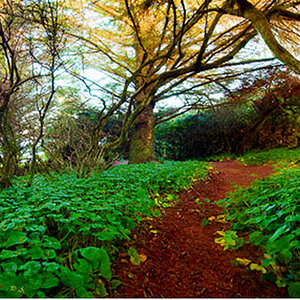
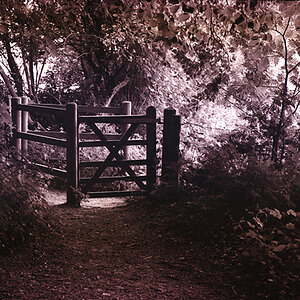
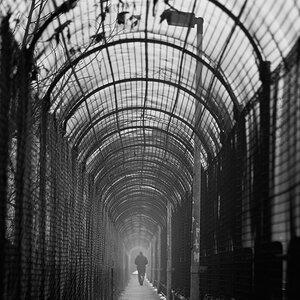
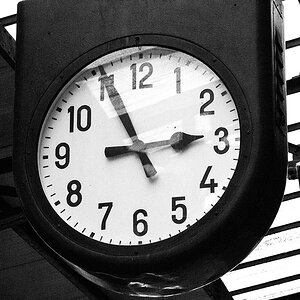
#3 and 5 had potential but are underexposed. The rest of them don't seem to have any real subject and are not very well composed.

It seems like your camera ran out of long shutter speeds. The long exposures made them look blurry too. Make sure you use a tripod.
 
#3 and 5 had potential but are underexposed. The rest of them don't seem to have any real subject and are not very well composed.

It seems like your camera ran out of long shutter speeds. The long exposures made them look blurry too. Make sure you use a tripod.

Waiting you :)

Aha so 3 and 5 fine but really very underexposed right?

Also u will be surprised that 1st time i hear about composition is in this thread :) (I read it as a title but didnt think that it is the 1st important thing in photography)

and about blurry i think i made the shutter speed really slow also ISO set to 100 is also too low

am thinking to go at the same place and shot them again and discuss them

and u encouraged me about pic 3 and 5 :thumbup:

Thanks :)
 
Last edited:
Aha so 3 and 5 fine but really very underexposed right?
Right.

Also u will be surprised that 1st time i hear about composition is in this thread :) (I read it as a title but didnt think that it is the 1st important thing in photography)
Composition is a HUGE part of going from an everyday snap-shooter to someone who can call him/herself a photographer. You should buy a book on photography and study the rules of composition. I have an old film one by John Hedgecoe that I really love. Each idea is illustrated with a few photos. He even includes photos that show what it looks like when a certain thing is done wrong. At a minimum, read up on The Rule of Thirds.


and about blurry i think i made the shutter speed really slow also ISO set to 100 is also too low
Long shutter speed and low ISO are fine.... IF you have the camera on a tripod. Also, you have to make sure your camera will go to a slow enough shutter speed to get the proper exposure. If not, then you'll be forced to either raise the ISO sensitivity or use bulb. (it is the 'B' setting in the shutter speed control. It means that the shutter is held open as long as you hold the button down.) It is best to use this with a remote shutter release. If you want to try these pictures again, get an inexpensive tabletop tripod (try to find a sturdy one though) and set your ISO to 800. Then, try again.


am thinking to go at the same place and shot them again and discuss them

and u encouraged me about pic 3 and 5 :thumbup:Thanks :)

Excellent. Study up, try again, and report back. Then, just take what you think are your best 3 or 5, and post them with numbers, so it is easier for us to refer to them in replies.
 
Great photo, railphotog. Can you point out what settings were used to manofwow? Or tell him how to get the EXIF data so he can see for himself?

If he's a WoW player, he probably has a PC, and oftentimes, PC-users can get the EXIF data by simply right-clicking on the image and selecting a certain option. I forgot what that option is, as I'm a Mac guy now.
 
yes its that way it can be done by right click and then properties then Details tab ( but his image dont have details IDK why)

Lol i found photos i shot with dump setting >>i saw one with 1/8 sec without tripod and one with 1" can u imagine 1" without tripod its kinda hard :)

(i think i must get tripod soon)

And actually i know WoW but am not a big fan of it :)

BTW am Computer Science Major field

Thanks friend
 
that little cam needs to automatically insert a big huge watermark and you'd be set!
bigthumb.gif
 

Create an account or login to comment

You must be a member in order to leave a comment

Create account

Create an account on our community. It's easy!

Log in

Already have an account? Log in here.

New Topics

Back
Top Bottom