What's new

A different approach........not sure I achieved and conquered! (pic heavy)

AMOMENT

TPF Noob!
Joined
Sep 27, 2011
Messages
701
Reaction score
48
Location
NY
Can others edit my Photos
Photos OK to edit
First off, very pic heavy and I don't expect anyone to cc all these...just wanted to show you the flavor of the shoot and see if perhaps anyone had any general suggestions on how to correct the color..e.tc. I shot an engagement shoot for a friend of mine and her fiance just for fun. I know these images are greatly flawed but I was really trying to be creative, use the light in different ways, and see what I could come up with. I really wanted the sunset to be in the background and for it to be ofset in the corner from them which I did, but not in a crisp and clear way. I think the silouhettes turned out kind of nice but I do need work in learning how to use the sun for this type of creative shot.............any suggestions? My white blance is off on most and some on purpose but others I would have liked it to be less green/yellow No need to CC on all as I know there is a lot....just sharing. Thanks for looking! Hope everyone is well!

1.

83 by energizero, on Flickr

2.

84 by energizero, on Flickr

3.
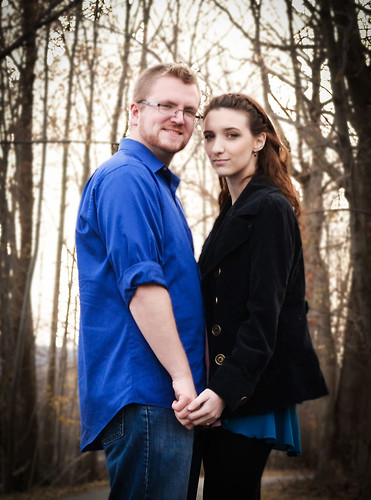
85 by energizero, on Flickr

4.

86 by energizero, on Flickr

5.
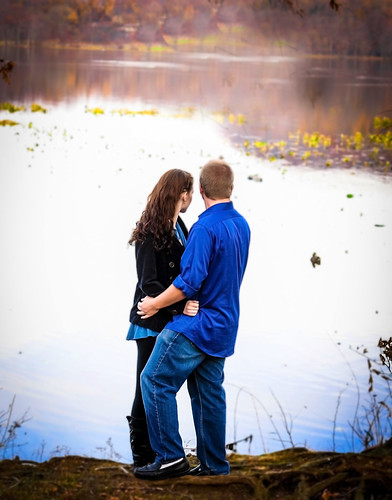
87 by energizero, on Flickr

6.

89 by energizero, on Flickr

7.
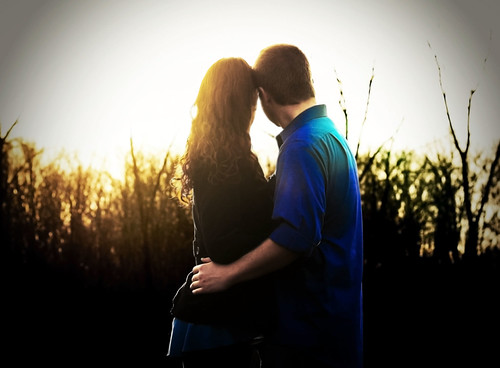
90 by energizero, on Flickr

8.

91 by energizero, on Flickr

9.
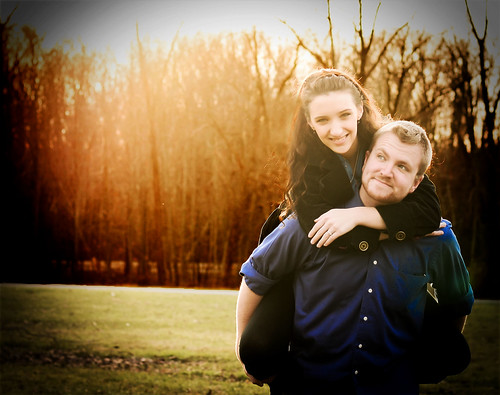
95 by energizero, on Flickr

10.
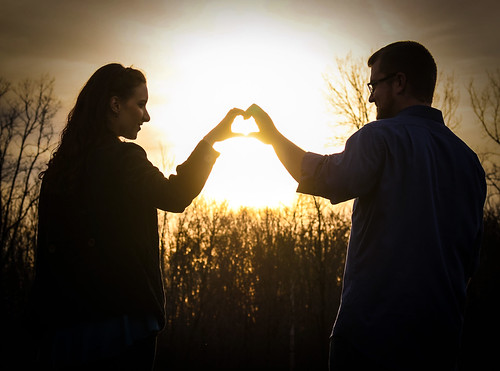
100 by energizero, on Flickr

11.
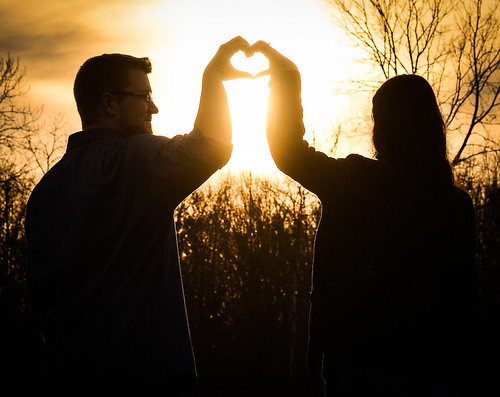
101 by energizero, on Flickr

12.
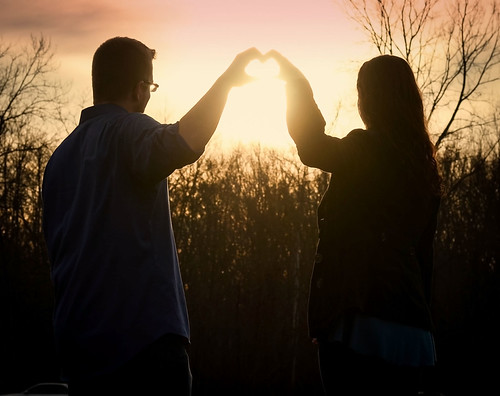
102 by energizero, on Flickr

13.
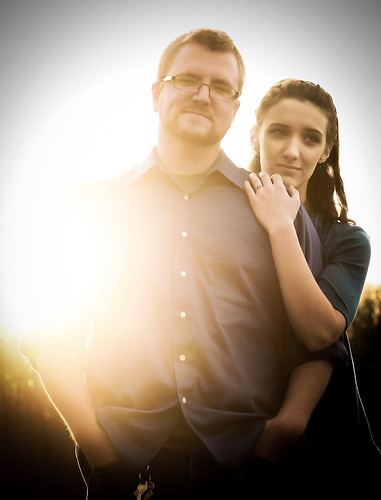
107 by energizero, on Flickr

14.

109 by energizero, on Flickr

15.

115 by energizero, on Flickr
 
make sure dudes empty their pockets before the shoot, stands out to me in pic 2.

also, use liquify on the silly hand/heart things. My clients thus far have made such ugly hearts, I fix them now...lol my last shoot the fiance said "damn honey...you made almost a perfect heart...rock on"
lolz
 
Thanks...lol, I don't know tirediron...can I get back to you on that...in regards to my leg. I'm pretty sure that this is true for everyone but apparently mine is really affecting me...lol..perhaps I'll get a shoe insert.

Vigenette bad? Vignette good? I do love the vignette....can't help it

Pallycow...what is liquify and which program?
 
photoshop cs6, Filter>Liquify or Shift+Cntrl+X

Here is a sample, if you don't mind me putting pics in your thread...

these were not finals for customer I cropped original to show the editing example for a buddy...

as with most things in PS, subtlety is key...if ya do it right, it can look pretty natural. Takes practice is all..also depends how messed up the heart is...in another shot they both made them and they were horrid...I didn't even mess with them, lol

Before

$LiquifyHeartSamplebeforeweb.webp


After


$LiquifyHeartSampleafterweb.webp
 
WOW...lol..awesome, thanks....big difference!!!
 
Thanks...lol, I don't know tirediron...can I get back to you on that...in regards to my leg. I'm pretty sure that this is true for everyone but apparently mine is really affecting me...lol..perhaps I'll get a shoe insert.

Vigenette bad? Vignette good? I do love the vignette....can't help it

Pallycow...what is liquify and which program?

Vignette has a corrective purpose. Just look at the pics and ask yourself, " does it really need this or is it already decent on its own?" IMO - its decent on its own.
 
okay, thanks =)
 
I appreciate the tip...going to give it a shot! Funny you had mentioned all that bc I had them adjust their heart like a million times...haha....so technical...(move your fingers slightly.........now raise your wrist, close the hand more)...lol..it was meticulous...haha. If I only knew about liquify...haha
 
any tips for not losing as much detail when shooting with the sun directly in back/ to the side like that? Also...I believe I shot my white balance in cloudy....which maybe gave it that warmer tone but I also did it bc it was a very grey day and are trees are all barron by now......everything around is and was grey. However, doing so...I really have a greenish/yellowish tint that works for the background but not their skin tone. This was my first try at shooting with the sun purposefully in that place................
 
I appreciate the tip...going to give it a shot! Funny you had mentioned all that bc I had them adjust their heart like a million times...haha....so technical...(move your fingers slightly.........now raise your wrist, close the hand more)...lol..it was meticulous...haha. If I only knew about liquify...haha

I was not even thinking about it at all until a photog buddy who was there helping me, after the shoot, said "hey by the way..wanna see something cool I do". He's been doing it 20 years and I love seeing things through a different set of eyes...especially when my blinders are on.
 
any tips for not losing as much detail when shooting with the sun directly in back/ to the side like that? Also...I believe I shot my white balance in cloudy....which maybe gave it that warmer tone but I also did it bc it was a very grey day and are trees are all barron by now......everything around is and was grey. However, doing so...I really have a greenish/yellowish tint that works for the background but not their skin tone. This was my first try at shooting with the sun purposefully in that place................

All I could tell you on that is "read" tips, not so much personal shooting tips. I don't shoot shots like that and, honesly, don't like 'em. lol. just not my thing. I'm sure I'll have to one day as someone will want some done...I'm sure others can and will chime in with there tips. I much prefer personal experience for tips rather than guesses or "read" tips.

as for the white balance...are you setting custom white balance? I finally started making myself do that for each shoot lately, and it has paid off ten fold. I can't stress enough how much life is easier if you take the few seconds to set your custom WB. So, if you're not doing that, then that is why you're having those issues. The presets just don't do it right all the time, or even half the time. Kinda makes me mad they are even there. lol
 

Create an account or login to comment

You must be a member in order to leave a comment

Create account

Create an account on our community. It's easy!

Log in

Already have an account? Log in here.

New Topics

Back
Top Bottom