What's new

Am I the only one currently on a stitch kick?!?!

I agree to a point in certain situations. For example, a warship that I shot this with was over 400' long and was backing up at me at an angle. when I started shooting I made sure to refocus on each part of the ship as I moved along it, from stern to bow, ensuring the whole thing was sharp. I just had to avoid having it focus on the water and background.
The conventional way to shoot that would have been to stop down, but I find that basically focus stacking in a pano stitch produced better results.
 
I agree to a point in certain situations. For example, a warship that I shot this with was over 400' long and was backing up at me at an angle. when I started shooting I made sure to refocus on each part of the ship as I moved along it, from stern to bow, ensuring the whole thing was sharp. I just had to avoid having it focus on the water and background.
The conventional way to shoot that would have been to stop down, but I find that basically focus stacking in a pano stitch produced better results.

My thoughts were possibly to have multiple human subjects at different distances, each having their own thin DOF. Second thoughts is it might look weird unless you used a Tilt sift lens to get the thin DOF to converge.

I'm mostly just trying to pull some imagination out of people!
 
That's why I said faux.With stitching you not only get amazing resolution, you also get point of views and dof that are not possible (as far as I know) with any other combination.For example, one of Brenizers shots is an equivalent of 27mm at f/0.44.Its more than simply capturing a wide angle shot, it's about having that thin dof with a story telling wide angle view.In the Fairy Kingdom of Manhattan

It sounds like it's soooooo much easier than it actually is. Photoshop makes it vastly easier thant it used to be, but I HATE those books and how to's that say "add the images to PS and press OK." If only PS didn't have a very difficult time determining the placement of OOF areas and bokeh. So then I have to figure out how to manually stitch it while figuring out how to blend the colors and contrast to match the rest of the scene...frustrating...
 
Last edited:
It can be more difficult depending on your focal length, and the background. I mean the tighter you are (ie 200mm at f/2.8), the rougher it is.
I have not been too successful at nailing things like shots of just sky with no references or clouds.

But a standard portrait with a 50mm in front of a scene with an detailed background isn't very difficult.
 
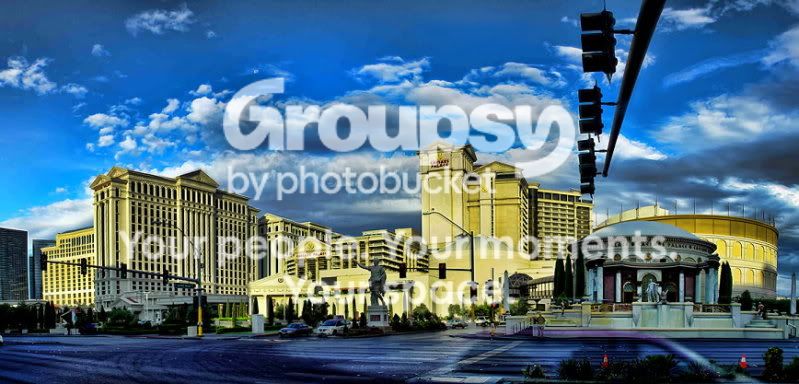
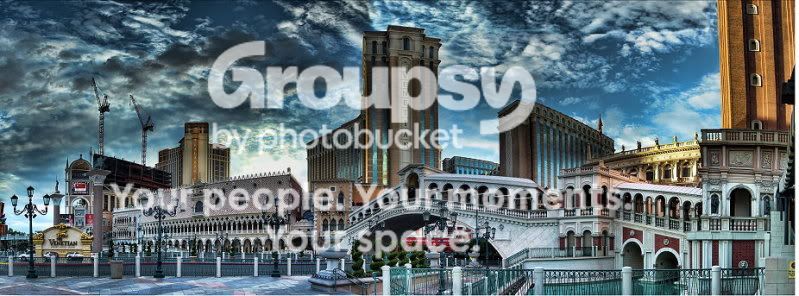
It's the sharpness of the image when it's actually reduced in size. The quality of the image is so intense that you can actually see a persons clothes or handbag even though the person in the actual image may only be 1/8th inch tall. When you pull a stitched image of say 30 photos... it's a monster. But as you bring the image down the quality is remarkable versus a single image the same size (shrunk size)...

These images have been brought down to a much smaller scale to post and it doesn't help the sharpness being posted from photobucket, but you may get the hint as to what I am talking about. The images look almost as if they are computer drawings as much as photographs. The first one is the best example. The other two shows some of it. But they photobuckets has beat the bottom two images up in softness. The bottom two are about huge images... very long but not to tall.

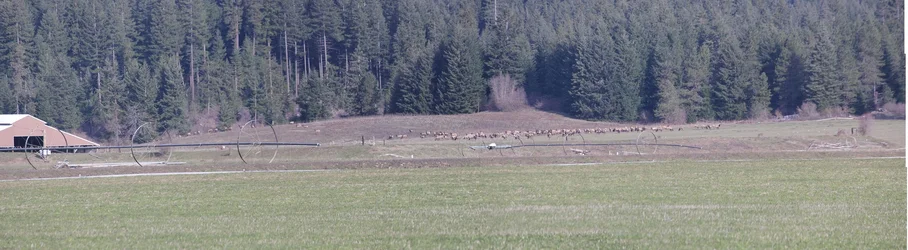
This images is about 20 images stitched... 5 across, 4 stacked.

statue_100-1.jpg


Around 24 images stitched...

Caesars_100.jpg


This one is small since it so wide... three high and around ten across.
venetian_sample.jpg
 
How do you stitch 10+ images without things getting janky? Every time I've tried this, PS has botched the stitch. What settings / other program do you use for stitching? I completely understand the method, it just hasn't worked properly for me thus far...
 
How do you stitch 10+ images without things getting janky? Every time I've tried this, PS has botched the stitch. What settings / other program do you use for stitching? I completely understand the method, it just hasn't worked properly for me thus far...

Define 'janky' and 'botched'. Post an example so we know what you're talking about.
 
How do you stitch 10+ images without things getting janky? Every time I've tried this, PS has botched the stitch. What settings / other program do you use for stitching? I completely understand the method, it just hasn't worked properly for me thus far...
Which version of PS are you working with, how much overlap do you use when shooting the individual images, do you make sure you're using the same exposure settings for each image, what lens length are you working with when you shoot them?
 
How do you stitch 10+ images without things getting janky? Every time I've tried this, PS has botched the stitch. What settings / other program do you use for stitching? I completely understand the method, it just hasn't worked properly for me thus far...
I use "autopano pro" (a version I bought about 3 years ago). Now days they have a newer version and "autopano giga". The web site is Kolor | Image stitching and virtual tour solutions
 
It's always cool when something you've been doing forever gets named after someone you never heard of.
 
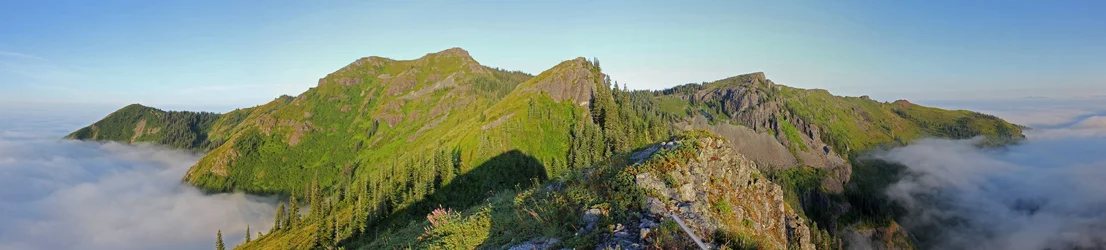
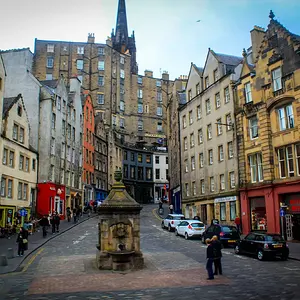
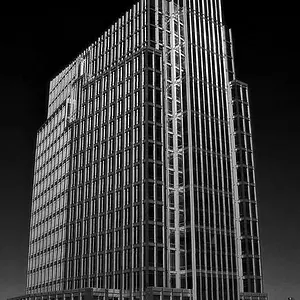
Here is mine

p800532076.jpg


Nice!

For some reason I feel like the building is not level. What lens did you use for this? The right side of the building looks straight vertically but the left doesn't.
 
wow- that is all I can say!

May I ask what program you are using?
 

Create an account or login to comment

You must be a member in order to leave a comment

Create account

Create an account on our community. It's easy!

Log in

Already have an account? Log in here.

New Topics

Back
Top Bottom