What's new

Are the colors better now?

ericajean

TPF Noob!
Joined
Apr 24, 2013
Messages
11
Reaction score
0
Location
Chattanooga
Can others edit my Photos
Photos OK to edit
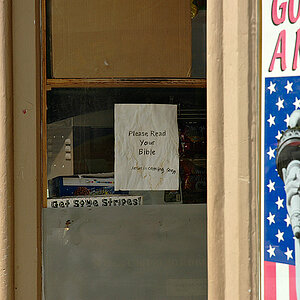
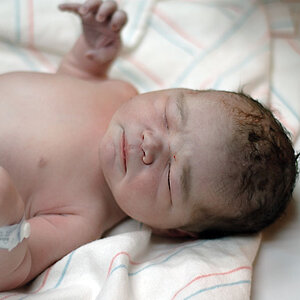
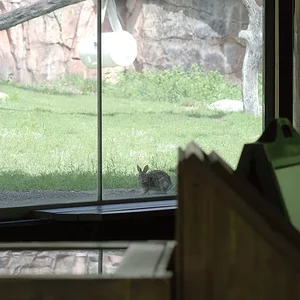
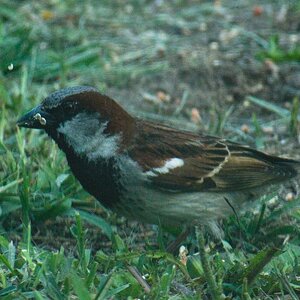
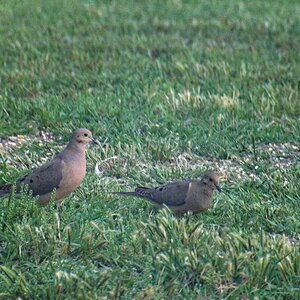
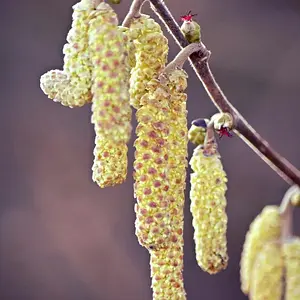
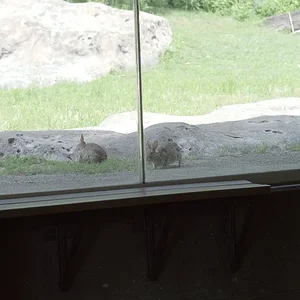
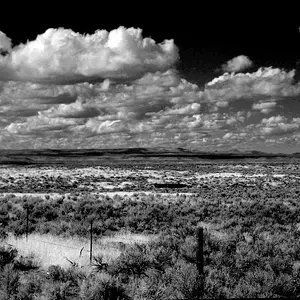
So, I fixed the color space profile on the photos and edited them on my desktop monitor instead of the laptop... Am I getting a little closer color wise?

You guys have all been a lot of help! :)

Just remember that I'm merely a mom with a D40 and two awesome kids, haha. <3 I am far from being a pro. But the c/c helps a lot. :D

$DSC_9448.webp$DSC_9431.webp$DSC_9429.webp$DSC_9383.webp
 
The hues look good, but I am wondering if you had boosted the saturation any?

Also, consider the first three shots using the same backdrop, but the color of the backdrop is different in all three.

#4 is nice
 
Color is better but still needs a lot of work. Learn how to use white balance in a RAW workflow. A calibrated monitor is also essential, and I'd recommend color profiling. I don't see any lighting at work except in the last image.
 
I'm wondering if you're getting a proper exposure. If you can set your camera to be able to do that it can give you a good photo to start with. To me it looks like the exposure might be off particularly with the outdoor shots (which might be in your other thread) and maybe that's affecting the background looking so different in these.
 
Do you guys have any favorite go to books or articles that might help?

And yeah, I noticed the color being different after seeing them side by side like this.

I have the raw files, which is what I'm using but I'm far from knowing exactly what I'm doing... And I'm using Photoshop. I've done the trial of lightroom before and it confuses me. I haven't had much opportunity to just get in there and play with it enough to learn it.
 
i watched a ton of youtube videos to learn lightroom some. still lots to learn but was very helpful!
 
In the first three, you are shooting at 1/500, f/2.0, and ISO 200. If your DOF is not deep enough to get acceptable sharpness on the two subjects in #2&3, maybe you could close it down some and get them both sharper.

Also, ordinarily you can "stop motion" in people with 1/250 second quite easily. Don't understand why the 1/500 second.
 
The bottom right seems to look the best, but I would say they all still have a long way to go.
 
Kathythorson... Could you elaborate on your thoughts? Just saying that they have a long way to go isn't going to help someone who is new to photography. Since the thread has already spoken much about the first three... Would you care to enlighten Mon what you think may be off about the last image?

I came here to learn. I'm just having fun. But criticism is only helpful when it explains what is going wrong and suggests how to make it right.
 

Create an account or login to comment

You must be a member in order to leave a comment

Create account

Create an account on our community. It's easy!

Log in

Already have an account? Log in here.

Back
Top Bottom