What's new

Attempting to upload photo to the forum

MS26

TPF Noob!
Joined
Mar 14, 2016
Messages
44
Reaction score
1
Can others edit my Photos
Photos NOT OK to edit
I'm attempting to upload a photo but when I do it gets denied saying "the uploaded file does not have the allowed extension"

What am I doing wrong?
Thanks
 
What is the file's extension? Typically only JPG (or JPEG) are allowed, though I haven't tried PSD or PNG.

Another solution is to host your image elsewhere, like Flickr or PhotoBucket, and post a link to that location.
 
What is the file's extension? Typically only JPG (or JPEG) are allowed, though I haven't tried PSD or PNG.

Another solution is to host your image elsewhere, like Flickr or PhotoBucket, and post a link to that location.

The files says its NEF File (.NEF)
 
NEF are RAW files and thus are not actual photos; they must be processed by your processing software (either something like photoshop or the software that came with your camera) and then the output saved as a proper photo formate like JPEG (although most will save as a TIFF or PSD file and then save a second version as JPEG for uploading to the internet
 
What is the file's extension? Typically only JPG (or JPEG) are allowed, though I haven't tried PSD or PNG.

Another solution is to host your image elsewhere, like Flickr or PhotoBucket, and post a link to that location.

The files says its NEF File (.NEF)

As the wise dog above says, NEF (Nikon raw) will not upload, nor can you really see them. JPG and PNG files will upload; TIF will not.

You can easily convert the NEF to JPG or TIF using the Nikon ViewNX software that came with your camera or can be downloaded (free) from Nikon's web site.

 
NEF are RAW files and thus are not actual photos; they must be processed by your processing software (either something like photoshop or the software that came with your camera) and then the output saved as a proper photo formate like JPEG (although most will save as a TIFF or PSD file and then save a second version as JPEG for uploading to the internet

Thank you, I just selected a photo in my ViewNX, went to the convert files and selected JPEG. Will that work?
 
What is the file's extension? Typically only JPG (or JPEG) are allowed, though I haven't tried PSD or PNG.

Another solution is to host your image elsewhere, like Flickr or PhotoBucket, and post a link to that location.

The files says its NEF File (.NEF)

As the wise dog above says, NEF (Nikon raw) will not upload, nor can you really see them. JPG and PNG files will upload; TIF will not.

You can easily convert the NEF to JPG or TIF using the Nikon ViewNX software that came with your camera or can be downloaded (free) from Nikon's web site.
By jove, your right. Just tried to upload a Tif for fun and the forum won't let you. Never tried it before so I didn't know that.
 
NEF are RAW files and thus are not actual photos; they must be processed by your processing software (either something like photoshop or the software that came with your camera) and then the output saved as a proper photo formate like JPEG (although most will save as a TIFF or PSD file and then save a second version as JPEG for uploading to the internet

Thank you, I just selected a photo in my ViewNX, went to the convert files and selected JPEG. Will that work?
Yes as long as it's not over the size limit.
 
NEF are RAW files and thus are not actual photos; they must be processed by your processing software (either something like photoshop or the software that came with your camera) and then the output saved as a proper photo formate like JPEG (although most will save as a TIFF or PSD file and then save a second version as JPEG for uploading to the internet

Thank you, I just selected a photo in my ViewNX, went to the convert files and selected JPEG. Will that work?
You will be fine with that.
 
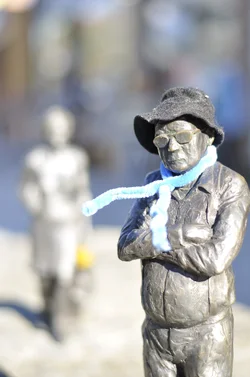
AWESOME!!! Thank you everyone for the help, I just updated to ViewNX 2 and it worked like a charm!!
 

Attachments

  • April 1st 2016 024.webp
    April 1st 2016 024.webp
    727.8 KB · Views: 162
AWESOME!!! Thank you everyone for the help, I just updated to ViewNX 2 and it worked like a charm!!
Your photo is displayed as a "thumbnail", and clicking on it, I see that it is quite small. You can upload images that are about 1,000 pixels on the longer side, and when you upload, there is an option to post the photo "full size".
 

Create an account or login to comment

You must be a member in order to leave a comment

Create account

Create an account on our community. It's easy!

Log in

Already have an account? Log in here.

New Topics

Back
Top Bottom