What's new

Backyard birdy

hamlet

No longer a newbie, moving up!
Joined
Sep 12, 2013
Messages
2,894
Reaction score
435
Location
Belgium
Can others edit my Photos
Photos OK to edit
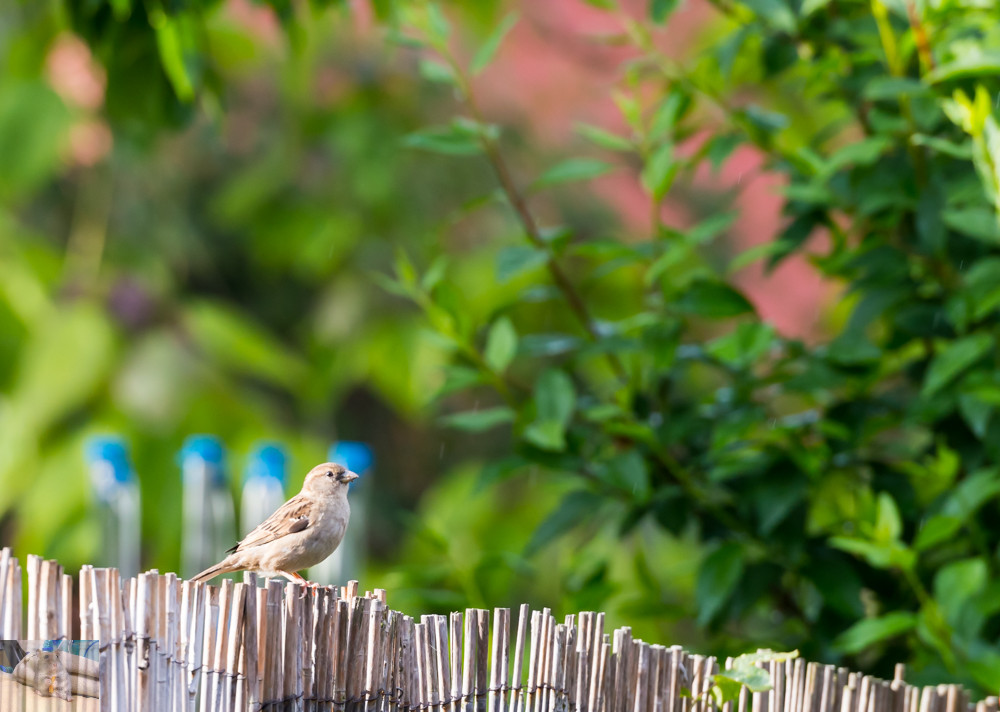
I saw a bird in the yard and i took a picture of it. I would like to get your input as to what you think about this shot?

personal edit + crop (because these little buggers fly away if you get closer than where i was standing)
px6Kv66.jpg


original: link
 
Too much background, not enough bird. A couple of steps to the left would have eliminated those distracting blue "Things" and gotten the bird more in profile.
 
That is a very good point, i also noticed that my eyes were naturally focusing on those blue objects.


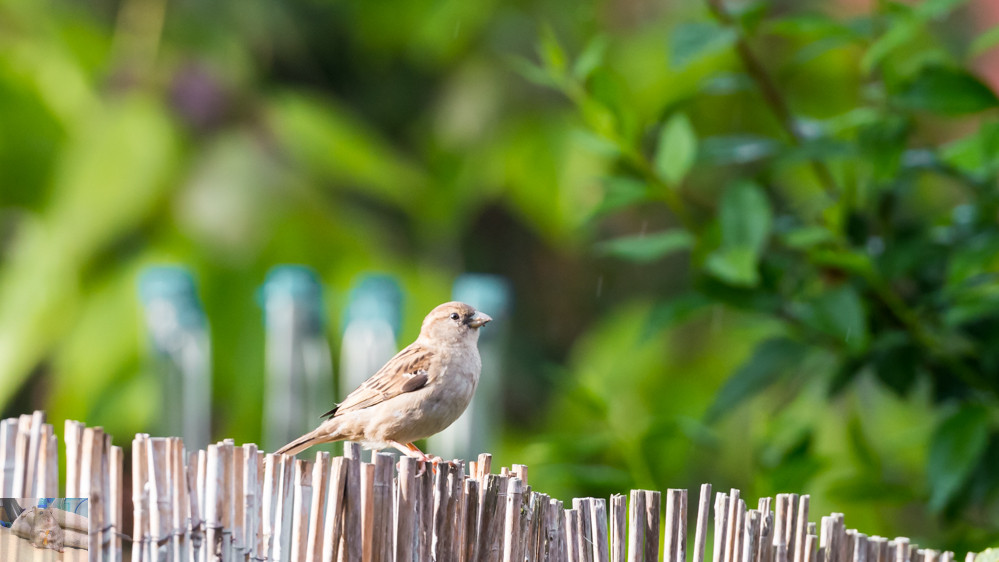
Here is the edit i did:

GQJ2IOG.jpg
 
That's better. The blue is still there, and still somewhat distracting, but less than it is in the original.
 
That's better. The blue is still there, and still somewhat distracting, but less than it is in the original.

Yeah, i cant seem to completely remove it.
 
That's better. The blue is still there, and still somewhat distracting, but less than it is in the original.

Yeah, i cant seem to completely remove it.

Well, Scott's point wasn't so much about removing it in post as a suggestion that going forward, you watch the background. As he said, a step or two in one direction would have allowed you to get the bird against green leaves without those annoying blue blurs behind them. Just pay attention to your background, even before you start shooting, so you know where to stand to get the best shots.

As to what it is, since you're in Belgium, I can't really say for sure. It looks like a female House Sparrow, except for the black stuff around its beak, but I can't tell if that is something ON the bird, or just its coloring. It's a female Sparrow of some sort, though, I'd wager.

 
That's better. The blue is still there, and still somewhat distracting, but less than it is in the original.

Yeah, i cant seem to completely remove it.

Well, Scott's point wasn't so much about removing it in post as a suggestion that going forward, you watch the background. As he said, a step or two in one direction would have allowed you to get the bird against green leaves without those annoying blue blurs behind them. Just pay attention to your background, even before you start shooting, so you know where to stand to get the best shots.

As to what it is, since you're in Belgium, I can't really say for sure. It looks like a female House Sparrow, except for the black stuff around its beak, but I can't tell if that is something ON the bird, or just its coloring. It's a female Sparrow of some sort, though, I'd wager.
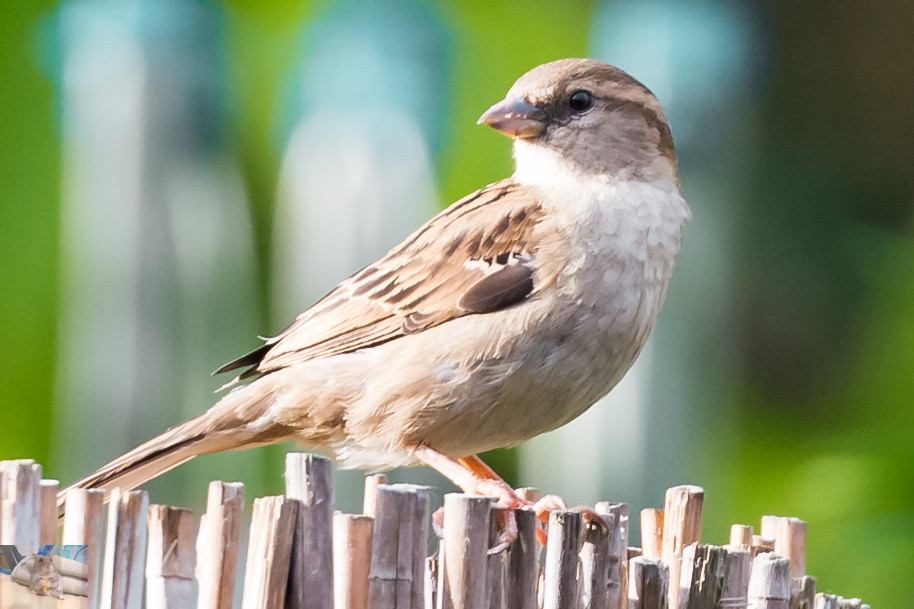
Here is a closer example:
1:1 crop
5CWlKeX.jpg


I was so excited of getting the shot that i didn't pay attention to the background since these little birds are so skittish. I'll try to pay attention to the background more when photographing birds, its just so much easier to photograph hamsters, since i can put mine in pretty much any setting and poof just has to look cute. :lol:
 
I like the fence


I was doubting if i should go that route since the image is now so long, but i do agree that it does add a lot to the image. Maybe i should just crop it the way it feels right to me and not if it can fit on a desktop screen.

And did you just paint with the adjustment brush over those pesky blue things?
 
I crop to the shot, never to the screen.

Hmm, I used CS5 ... selective colour adjustment.
I would suspect there is a better way of doing this, but I am not that great at PP.
 
I was hesitant at first about uploading this but it turned out pretty good and i learned a lot. This was very helpful.
 

Create an account or login to comment

You must be a member in order to leave a comment

Create account

Create an account on our community. It's easy!

Log in

Already have an account? Log in here.

Back
Top Bottom