What's new

Bit different

rslt

No longer a newbie, moving up!
Joined
Jan 14, 2020
Messages
247
Reaction score
351
Can others edit my Photos
Photos OK to edit
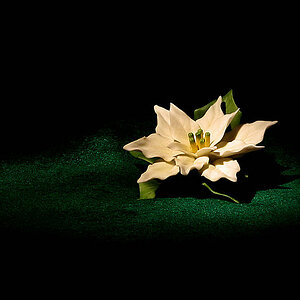
I know it's a bit processed but I like it, hope you do.

Green glass.webp
 
Nice work.
 
Thanks
 
I'm no longer much of an enthusiast for selective color images.
That said, you did an excellent job of this rslt.
I'm more a fan of partially desaturated, such as leaving a bit of color in your clouds.
I also prefer going for color grading, such as mid tones a warm tone and darker tones a cool tone.
That was probably too many uses of the word 'tone' in one sentence, but I hope you get the idea...
:smile:
 
I'm no longer much of an enthusiast for selective color images.
That said, you did an excellent job of this rslt.
I'm more a fan of partially desaturated, such as leaving a bit of color in your clouds.
I also prefer going for color grading, such as mid tones a warm tone and darker tones a cool tone.
That was probably too many uses of the word 'tone' in one sentence, but I hope you get the idea...

:smile:

Thanks a lot for the info.
Interesting, I have never tried colour grading, I'm going to Google it but what is your process?
 
Thanks a lot for the info.
Interesting, I have never tried colour grading, I'm going to Google it but what is your process?
If I'm in Photoshop I'll open a curves adjustment layer. Set it to color blend mode so it doesn't affect luminosity.
I'll go to the green curve and pull the bottom of that diagonal line toward the right, assigning greens to darker tones like shadows. The top of that diagonal line will get pulled a bit toward my left, assigning magentas to lighter tones.
I'll do the same with the blue, increasing blue in the shadows and yellow in the lighter tones.
I might do that on separate curve adjustments so I can adjust opacity of each separately.
I always do reds on a separate curve adjustment layer as pulling the line as described above will increase red in highlights and cyan in shadows. I generally don't like that much so might ignore or really reduce the opacity.
I think Ps Elements can also do this.
Lightroom it would be much more difficult as it doesn't support layers. Lightroom can do split toning but it's more coarse.
Capture One can do it as easily as in Ps.

What I described assigning greens and blues to shadows and yellows and magentas to highlights is just one effect.
Lots of blending can be done.
I've just begun experimenting with it, learning from watching youtube videos.
 
Ok, thanks for the explanation.
Haven't had time yet but this really intrigues me.
I have another shot of the building with the green glass, would be a good comparison (I deleted my RAW of this one, I'm pretty brutal on deleting once I have finished editing)
Thanks again
 
I like it, nice work.
 
(I deleted my RAW of this one, I'm pretty brutal on deleting once I have finished editing)
I used to delete but discovered that as years go by, I learn more and want to revisit, or I envision a different interpretation and revisit. So now I hang onto those raw files. The trade off is having multiple external hard drives storing originals and then backups.
 

Create an account or login to comment

You must be a member in order to leave a comment

Create account

Create an account on our community. It's easy!

Log in

Already have an account? Log in here.

Back
Top Bottom