What's new

Black and White Photos?

ababysean

TPF Noob!
Joined
Apr 29, 2010
Messages
1,965
Reaction score
103
Location
Pensacola, FL
Can others edit my Photos
Photos OK to edit
I am going to post a few pictures, they are set up like this on my blog so it is simple to just show them like they are in that layout.

I blogged them all black and white.

I would love cc on anything.

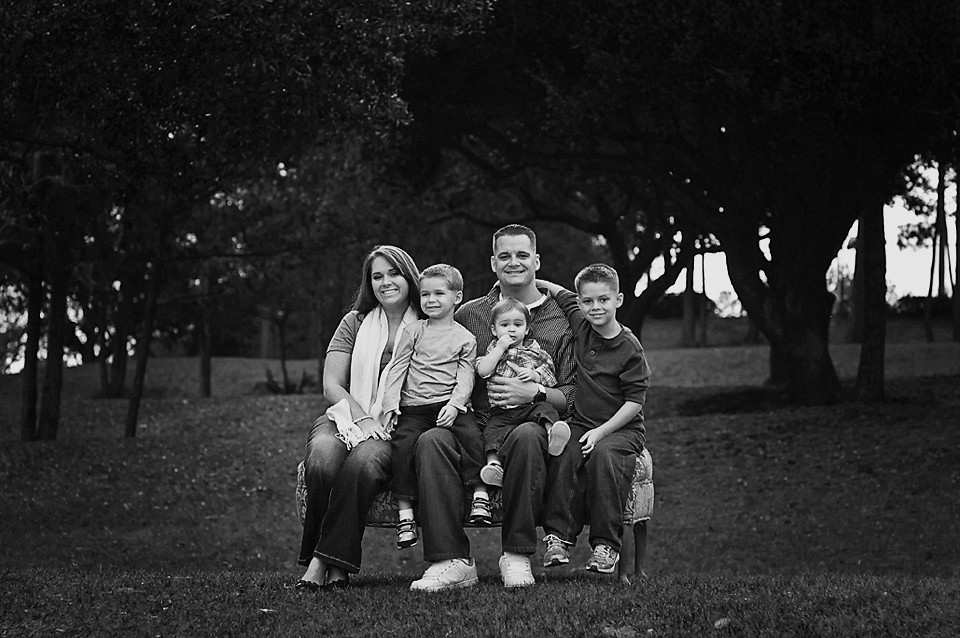
1.
380538_263143637076699_100001431947276_735447_91485933_n.jpg


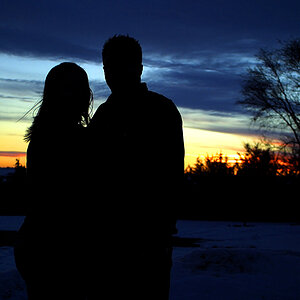
2.

380538_263143643743365_100001431947276_735449_1212270251_n.jpg


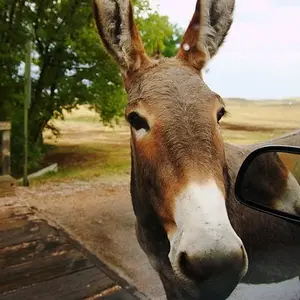
3.

388905_263144020409994_100001431947276_735454_813300037_n.jpg


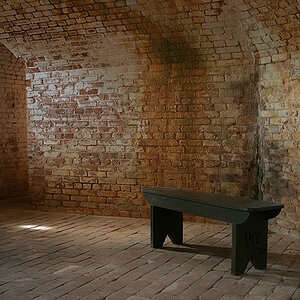
4.

387456_263144080409988_100001431947276_735455_553067948_n.jpg
 
The first set (1) is hard for me to see visually and I'm not sure why. Perhaps the contrast or something. But the rest of them I find very pleasant and visually pleasing to the eye.
 
Black and white conversion is pretty tough at first. I don't think there is any real way to explain how it works best. Though, over time it does get easier. These images may work well in b/w, though they lack contrast in the mid-toned giving that flat-pasty appearance, and I think the shadows are a little heavy.

How were these converted?
 
It seems like maybe the are bright. I know it's caused by increased contrast, and I really LOVE contrast in black and white photos, but it just seems like the darks just aren't dark enough to balance with the highlights.

Just my opinion. Some photos, I believe, just don't work in black and white.

However, the photo of the little boy smiling WORKS so well with black and white. The catchlights in his eyes, his expression, the farming of his face against the background. I would definitely get that one printed if I was the client.
 
The close up of the little boy is PRICELESS! I agree like the others have said. Some of them kind of hurt the eyes a little. It almost seems as if they were put into Photoshop and the Sharpen Tool was used too much or something, but the poses are great. I'm gathering ideas for some and like these ALOT!
 
Number 2 and 3 are fine. 2b is very good. As for the rest, did you jack the contrast and/or sharpen globally?
 
I am not 100% sure how I converted them as I did it in LR and just played around with the sliders until I got something I thought looked ok. I will have to post the color. I think what you are seeing could be the backlighting around them, it looks sort of off in BW like they are glowing almost?

thanks guys!
I will work some more!
 
They probably are over sharpened too. I ran a sharpen for web action on them. :) That usually really perks them up. They are also uploaded from facebook, yea for facebook!

Here is one from tinypic....

in color

10shjls.jpg
 
Possibly just pulled the "Blacks" slider a bit too far? Caught some good light though.
 
I am not 100% sure how I converted them as I did it in LR and just played around with the sliders until I got something I thought looked ok. I will have to post the color. I think what you are seeing could be the backlighting around them, it looks sort of off in BW like they are glowing almost?

thanks guys!
I will work some more!


Try photoshop, layers-channel mixer click monochrome and enter 68% 24% 8% that should give you most black white and grey tones then you can add some contrast, try it with these and see what you get
 
They probably are over sharpened too. I ran a sharpen for web action on them. :) That usually really perks them up. They are also uploaded from facebook, yea for facebook!

Here is one from tinypic....

in color

10shjls.jpg

This one is much easier on the eyes than the b&w version.
 
I used the following channel mix, I used Photoline32 - but this should be similar in PS/PSE:

R: 60%
G: -50%
B: 80%

I also added a large radius highpass filter on overlay mode, 30% opacity to boost some local contrast. Though the effect is pretty subtle. Also, the green channel alone was pretty good.

Though not perfect, you'll find (hopefully) increased definition in the skin tones. However, I think that this image, as is, will work much better in color.

6501089951_507967ecaf_b.jpg
 

Create an account or login to comment

You must be a member in order to leave a comment

Create account

Create an account on our community. It's easy!

Log in

Already have an account? Log in here.

New Topics

Back
Top Bottom