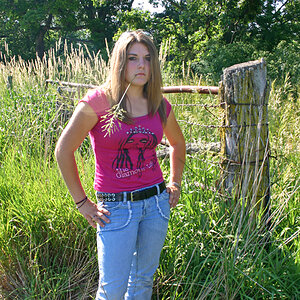
Her forehead, top of cheeks, bridge of nose, and chin are hot.
So I did an edit, but keep in mind it would look even better if the Raw file, in the ProPhoto RGB color space, and a 16-bit ProPhoto RGB .PSD was edited rather than the JPEG copy I had to use. Once done editing a 8-bit JPEG is used for the business card.
And here is what I did:
In ACR (Camera Raw/LR Develop module)
Global - Increased Clarity +30, Vibrance +20, Temperature +8, Sharpened - Amount 25, Radius 1.5, Detail 25, Threshold 0.
In Photoshop
Patch tool, under her eyes to eliminate the dark lines. I outlined the dark areas and pulled the patch down to just under the dark areas.
Polygonal Lasso tool - I outlined her scelera and with the selection active I opened a Hue/Saturation Adjustment layer - Saturation -100, Lightness +15.
Polygonal Lasso tool - I outlined her lips and with the selection active I opened a Vibrance Adjustment layer - +90.
I used the Burn (midtones, exposure 50%, protect tones) tool on her forehead, cheeks, nose, and chin to diminish the hot spots.
I used the Dodge tool (midtones, exposure 50%, protect tones) on her forehead, cheeks, nose, and chin to even out the burning.
I used the Spot Healing Brush (Normal, Content Aware) to eliminate a variety of spots on her neck and face.







![[No title]](/data/xfmg/thumbnail/39/39443-45e1b162b6c7c1d8ebbc8faf5623b705.jpg?1734173533)
![[No title]](/data/xfmg/thumbnail/34/34696-6e05b4fd94e150fc3d00ade3eb069dd6.jpg?1734165703)