What's new

C&C Please...

lildlege1

TPF Noob!
Joined
Sep 16, 2010
Messages
227
Reaction score
0
Location
Louisiana
Can others edit my Photos
Photos OK to edit
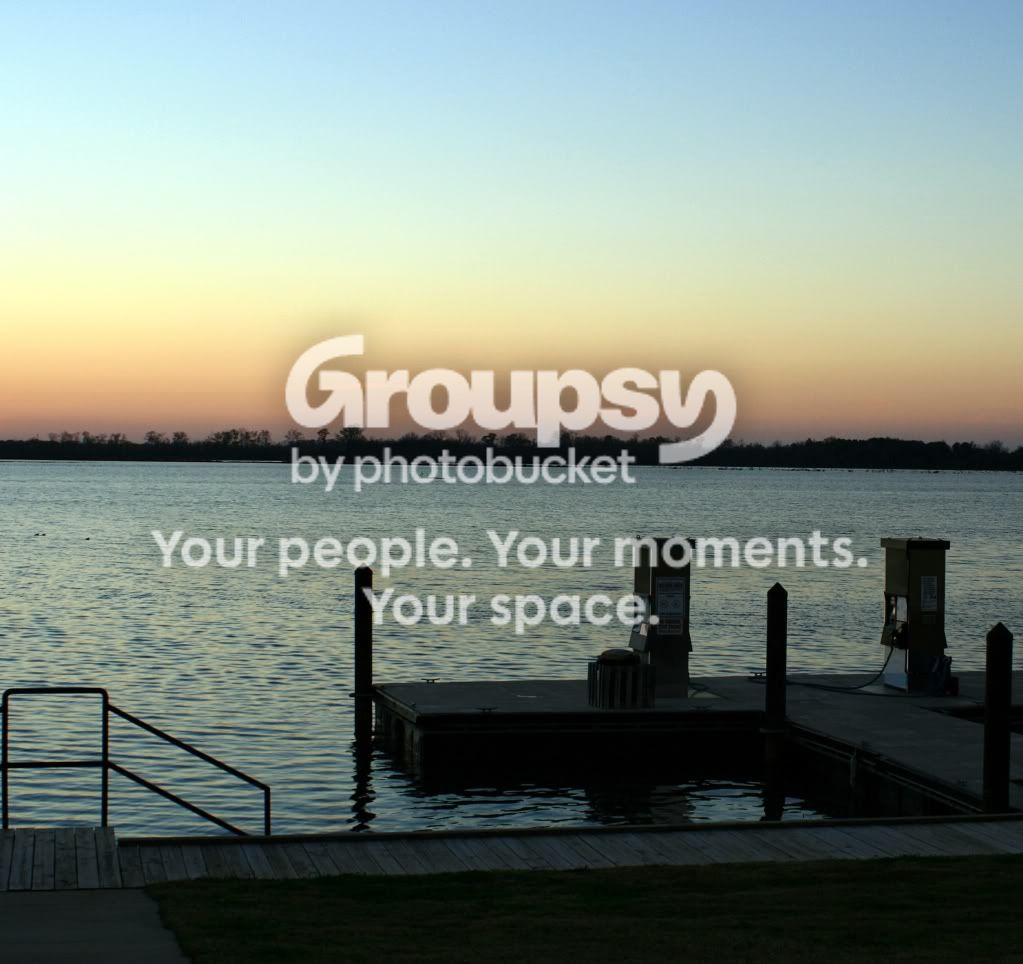
gaspumps.jpg
 
I think it looks real good, but then again im a rookie when it comes to this.
 
I'm going to get slapped for all this:

crooked horizon, underexposed, I would make the gas pumps the subject and focus the photo on that...waaay too much sky...I hope that you have the ability to come back to this place and re-take the photo...please make the gas pumps the subject...

You're almost there, don't stop...

 
A little dark I think, nothing is really sharp.
 
I am working on taking pictures of sunsets and sunrises and cannot get the horizon thing down pat! I am soooo aggrivated !! Any tips ?
 
You can always crop to straighten out the horizon. Your camera may even have an in camera straightening feature that allows you to rotate it then save it. I've had my camera over a year and didn't realize it had that until the other day. Also look up rule of third. Your horizon is almost smack dab in the middle. Put it either a third of the way from the top or from the bottom. I also agree it is a bit under exposed. One option to fix this is to use a tripod and a slower shutter speed.
 
I used a tripod. I also edited it. I cropped some of the photo so i guess I will do it again. The original photo was too dark I think I need much,much more practice on exposure. Thanks for the tips.
 
I am working on taking pictures of sunsets and sunrises and cannot get the horizon thing down pat! I am soooo aggrivated !! Any tips ?

I'm gonna assume that what caught your attention, what your subject is, in this picture is the sky and sunset itself and not really the pier or the gas pumps... If that's the case, that's what you want people to be drawn to in the picture. You want it to either just jump off the image and grab you, or you want to construct the image in such a way that the viewer will be drawn to your subject.

If you stand back far enough that the detail is lost and look at this image it, to my eye, breaks into three roughly horizontal regions divided by a heavy horizontal line across the center of the image. You have a few nice vertical lines pointing to the sunset but there is that heavy dark line in the center that acts almost as a barrier between the foreground and the sunset. The effect is that the eye becomes fixated on the lake and the pier. The two principal fields, the lake and the sky are very similar in tone so the sky becomes a featureless plain and the dark shape of the pier and especially the pumps breaking up the lake become much more interesting to look at.

In other words, your composition is working against what you wanted to say.

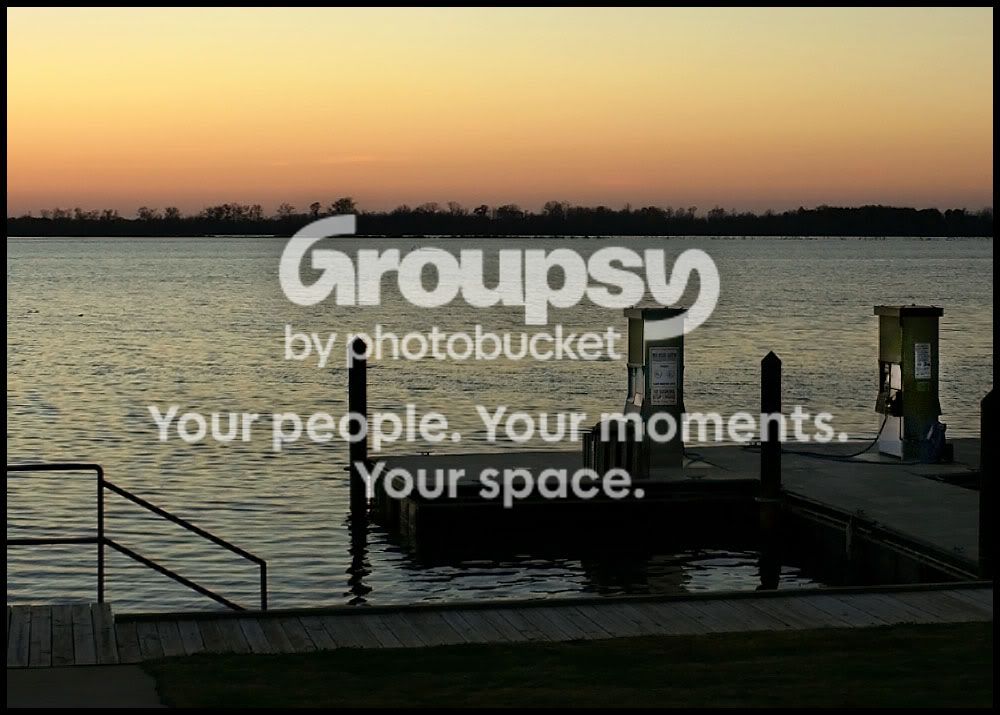
Some possible fixes.... Crop the pier and much of the lake out of the image pulling us in to the horizon and your sunset.
...or, you could re-shoot. If you have that luxury, I'd try to shoot the scene from a different angle, probably much lower so that the vertical lines pull in closer, or better yet, bisect that heavy horizon. Push the verticals into the sky region and pull the separate regions into a coherent whole.

Just some thoughts, that's how I'd approach this subject, anyway.
 
Last edited:
yeah... when i looked at it, my eyes were drawn to the horizon.
 
Is that False River? The pumps and dock in the pic look very familiar.
 
Last edited:
This is Red River in Shreveport,La. I go there every month to see my hubby he works there so I do have the op to take more pics. So I will keep all of these helpful tips and use them when I go back. I took alot of sunset and sunrise pics. Out of all of them I only like a few. I think if I get composition down pat my pics might look way better. I am just having trouble with that and its annoying me!!!!
 
Something else that will help you (I didn't see anyone else recommend it) it a graduated neutral density filter. Getting a good exposure for sunsets can be a beyotch cuz the sky will be much brighter than the foreground. This filter will block light from the sky and provide a much more even exposure.

There are ways to do this same affect in Photoshop but unless you're comfortable with post-processing, I'd start with the filter itself.
 
Oh my !!!! FOKKer you did a great job of editing it looks soo much better to me !!! You cropped it and what did you do to make it lighter ? Thanks sooo much I am reading more on exposure and composition. I hope I get better at it but I wont let bad pictures stop me from shooting.
 

Create an account or login to comment

You must be a member in order to leave a comment

Create account

Create an account on our community. It's easy!

Log in

Already have an account? Log in here.

Back
Top Bottom