What's new

Can I avoid loss of image sharpness when posting from Photobucket?

SwampDude

TPF Noob!
Joined
Feb 20, 2013
Messages
47
Reaction score
9
Location
Florida
Can others edit my Photos
Photos NOT OK to edit
I seem to get slightly poorer quality images when I post a photo stored at Photobucket vs. one posted directly from my iPad photo file. Is there something about the way images are filed at Photobucket that causes a slight loss of sharpness?

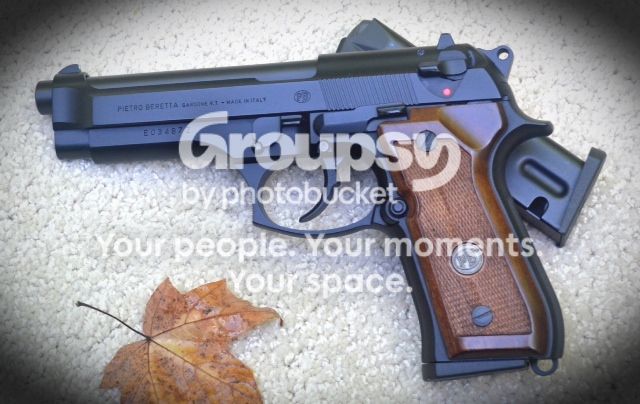
The following was stored at Photobucket. I typically copy the URL to post to a site such as tpf. This same image in my iPad photo file is sharper, in my opinion; I'll post it for comparison.
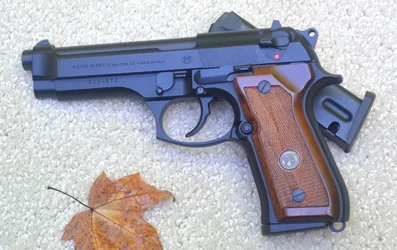
 
This pic came directly from my iPad:
 

Attachments

  • $image.webp
    $image.webp
    563.8 KB · Views: 205
Last edited:
It depends on where/how the image is hosted. Sites like Photobucket use some pretty aggressive compression.
 
It depends on where/how the image is hosted. Sites like Photobucket use some pretty aggressive compression.

Thanks. You are probably spot on.

I've just discovered that Photobucket offers an option to link out full size images (larger than 1024x768) which allows them to be displayed/linked using the full resolution they were uploaded in. I exercised that option this morning, so my posted images from Photobucket may improve. I'll post one here to see if quality improves discernibly.


This is the original image size. I can't see any difference, but there might be a tiny improvement in a technical sense.
 
Last edited:
Honestly you don't need fullsize online most of the time. Between 720 and 1000 pixels on the longest side is typically more than enough for online display (I'd say 720-800 on the longest for portrait orientations because most screens are longer than they are wide). That way you can resize and sharpen yourself and then upload the size you want to show online (ergo so the host has little to no processing to apply to it).

If you upload fullsize and then use their resized versions you're going to have problems because only good hosts will apply sharpening when auto-resizing and because every photo isn't the same, sometimes its going to fail at sharpening (either too much or too little).
 
What application did you use to add the vignette to the photo hosted at Photobucket?
The photo you posted from the iPad does not have the vignette.

Also at issue will be the display type and it's capabilities you use to look at the Photobucket hosted photo.
 
Honestly you don't need fullsize online most of the time. Between 720 and 1000 pixels on the longest side is typically more than enough for online display (I'd say 720-800 on the longest for portrait orientations because most screens are longer than they are wide). That way you can resize and sharpen yourself and then upload the size you want to show online (ergo so the host has little to no processing to apply to it).

If you upload fullsize and then use their resized versions you're going to have problems because only good hosts will apply sharpening when auto-resizing and because every photo isn't the same, sometimes its going to fail at sharpening (either too much or too little).

Upload at the size to be displayed and you won't have this problem.
Several years ago, I ran a test (here I think) and displayed the same picture hosted on Flickr, Photobucket and Imageshack and no one could accurately pick out the source without looking at urls.
 
I'm a little slow, so please bear with me.

You're saying that when I send Photobucket a 2460x1350 image, they compress it to their "recommended" size of 1024x768. When I call up that photo to link to TPF or another forum, the compressed image that shows up in my post may not be as sharp as the one I sent to storage because Photobucket's auto sharpening process may not be very effective.

Furthermore, if I ask Photobucket to re-deliver my image in its original size, the resulting posted photo may be even less sharp due to the size increase/auto sharpening process.

Therefore, the best way to use Photobucket is for me to give them edited images close to the standard stored size so compression isn't necessary; then, adjustment for sharpness isn't required (or is minimized) at the time they re-deliver the photo for my use.

Does this interpretation make sense?
 
Photobucket resizes photos on its own - it offers a few versions of resized scales you can use - anything that isn't the original uploaded size will be resized by photobuckets own software and thus could appear at reduced quality.


The forum software has a (user selectable) auto rescaling option that rescales photos so that they fit onto the page. Far as I can tell this applies no sharpening, but opening the photo in a new tab/window or clicking the show fullsize option on the resized version will show the normal version as it is upon its host webpage that you've linked it from. You can adjut your own user settings to change the default values for what the site starts resizing at.


You are correct that the best way is to resize your photos yourself and then upload them to the host you've chosen at the size you want.
 
I'm a little slow, so please bear with me.

You're saying that when I send Photobucket a 2460x1350 image, they compress it to their "recommended" size of 1024x768. When I call up that photo to link to TPF or another forum, the compressed image that shows up in my post may not be as sharp as the one I sent to storage because Photobucket's auto sharpening process may not be very effective.

Furthermore, if I ask Photobucket to re-deliver my image in its original size, the resulting posted photo may be even less sharp due to the size increase/auto sharpening process.

Therefore, the best way to use Photobucket is for me to give them edited images close to the standard stored size so compression isn't necessary; then, adjustment for sharpness isn't required (or is minimized) at the time they re-deliver the photo for my use.

Does this interpretation make sense?

Forget about whether Photobucket or Flickr or anyone is the 'best', upload at the size you want to display and your links will show exactly what you upload.

{You can test this by comparing an uploaded file to the original at the bit level.)
 
Without resizing I would say pretty much any image host today is good enough - flickr - photobucket - the gallery here on the forums - even facebook is good enough. The differences are much more on the interface, how you use the site and also upon any resizing and compression software used. Note also that usage terms do vary - Flickr is popular because the site itself makes no claim to your copyright - facebook on the other hand does which is why its less popular for many photographers as a pure image host.
 
What application did you use to add the vignette to the photo hosted at Photobucket?
The photo you posted from the iPad does not have the vignette.

Also at issue will be the display type and it's capabilities you use to look at the Photobucket hosted photo.

You've got good eyes! I added the vignette with Photogene, a basic editing app from iTunes.

I don't understand your comment about the "display type " used to look at the Photobucket hosted photo.
 
There are a lot of different TFT-LCD display types - Thin-film-transistor liquid-crystal display - Wikipedia, the free encyclopedia

The most common desktop computer and laptop display used is the Twisted Nematic display type (TN).
TN displays have very narrow accurate viewing angles and most can only display 6-bits of color.
Digital cameras make photos that have 14-bit, 12-bit, or 8-bit color depths depending on the files type of the photo and the camera settings.

A more accurate display type is the more expensive In-Plane Switching displays (IPS).
Generally IPS displays can display 8-bits of color.There are 'Wide-Gamut' IPS displays available (prices start at about $1000 for a wide gamut IPS display) that can display more than 8-bits of color.

You might also want to consider the pixel pitch of a display - Dot pitch - Wikipedia, the free encyclopedia
 
Thanks. I really have benefitted from all of your comments this morning.

I will be sending future uploads to Photobucket in a size that conforms with their 'standard' size.

My quest for sharp images stems from truly enjoying the amazing photos posted by others and knowing that my camera and I are capable of similar quality. Today's request for help here was the first step towards being more knowledgeable about image storing, retrieving and posting to sites like Photo Forum. I have much to learn, but I look forward to the challenge.
 

Create an account or login to comment

You must be a member in order to leave a comment

Create account

Create an account on our community. It's easy!

Log in

Already have an account? Log in here.

Back
Top Bottom