What's new

Canon 50mm 1.4 lens too soft under f/2?

Excelsius

TPF Noob!
Joined
Oct 8, 2012
Messages
12
Reaction score
0
Can others edit my Photos
Photos OK to edit
I’m trying to understand the merits of a Canon 50mm f/1.4 lens. I got that lens because of the low f-stop; however, when I took pictures yesterday using f stops below 2 (Canon T2i, shutter 1/80-1/150, cloudy, but during the day, 20ft and 2 ft from objects), the objects come out to be extremely soft, almost full of noise and unusable. Am I doing something wrong or can this lens not produce sharp photos below f/2.8? I tried the very same photos with f-stops above 3 and they came out much sharper, but still no sharper than my kit lens of 18-55mm. Any clarification would be appreciated.
 
For the shots where you're only 2 feet from the subject, especially at f/3.5 or lower the DOF is going to be extremely shallow, so focus has to be spot on. For the noise issue I'd be curious what you're ISO was. I can't imagine outside during the day it would be too high, but if it was anything above 400 you'll probably start to see noise in the darker parts of the image. One thing that is true with almost all lenses is that the image quality does decrease at the extremes of the aperture range. To get those really tack sharp images you'll usually have to be at least one full stop from the maximum or minimum aperture. The images usually will be softer at f/1.4 than f/2, so that probably what you're experiencing. Out of all the lenses I've ever shot with, very few tack sharp when the aperture was wide open. Most of those were Canon L series lenses such as the 70-200mm f/2.8 IS II USM. I only used a Canon 50mm f/1.4 for about a day and I noticed the same issue, but that lens also seemed to have some focusing issues so I didn't mess with it a lot. I have not used one, but I have read some pretty amazing reviews of the Sigma 50mm f/1.4 and from what I gather it is actually better than the Canon in a few areas, so if you can get your hands on one to try out I bet it would be a little sharper wide open. Just note that that's not true with most third party lenses such as Sigma and Tamron. The only other exception I know of is the Tamron 28-75mm f/2.8 which is still tack sharp at f/2.8.
 
As Biles said, post the images.. with Exif data intact.
 
As Biles said, post the images.. with Exif data intact.

Ok, here
ctiMiGhbsuoGLzhPYxORcZILZtmGSQNW6_n.jpg

syo8iXOg0sle1iTmAaHIu2Xf6lugJCfUwhl.jpg
 

Attachments

  • $ctiMiGhbsuoGLzhPYxORcZILZtmGSQNW6_n.webp
    $ctiMiGhbsuoGLzhPYxORcZILZtmGSQNW6_n.webp
    15 KB · Views: 273
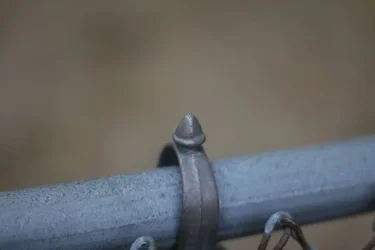
The 1st photo seems to be DoF and focus issue. You may need to stop down the lens a little bit to increase the DoF. And the focus seems to be a little to the front of the ring.
 
I can understand that in the first photo the DOF is 0.02ft, so maybe that was an issue and I should have stepped back further. But what about the second photo? Sure, if I go down to f/3 it looks ok, but below that it's noisy/soft like the one I posted.
 
There are several stuff to consider:
- what is "soft" for you? Images are not supposed to be viewed on a computer at 100% magnification. Resize your image for screen sizes and/or print them. That's where you know if it's sharp
- If you shoot RAW, keep in mind you will NEED to sharpen the image
- If you shoot JPG, you might want to check your "sharpness" on picture styles (or whatever it's called in your camera)
- Is the image soft, or does your lens have some kind of front/back focus issues?

I shoot wide open all the time, even with my $100 50mm f1.8. Images might not be sharp enough for most people, but the thing is I print them (in large sizes) and they're "flawless"
 
Well, for example, these photos are too soft - they're noisy. My expectation is that at least the object that is supposed to be in focus, within DOF, should be sharp even if I magnify to close to 100%, but definitely at least at 50%.

I shoot in JPG and am not aware of any sharpness settings in T2i. I think photoshop can rarely bring sharpness needed to the image because the softness is like missing pixels and it can't be fixed by software alone due to missing information. I had a photo really sharpened by a photographer, and the result was less natural than the blurry photo.

How can I know for sure if my lens has issues? Any standard tests? At some point I was wondering that maybe this softness is due to the low quality optics. The F/1.2 L costs over three times more and I thought maybe it produces much sharper images within the DoF.
 
Well, for example, these photos are too soft - they're noisy.
Noise has nothing to do with the lens. Using high ISO makes images noisy and with less detail (therefore, soft). I can't seem to access your sample images' EXIF, so please make sure you have your ISO setting on a low value to avoid degrading the image (especially if you're using an entry-level camera...)
 
BTW, you can test your focus accuracy with THIS
using apertures that wide at close range will give you minimum DoF, and focus shifts may be interpreted as soft images.
 
Thanks. That's definitely something concrete I can try. I have been debating for a while whether I should just get the Mark II already and if I find out that my camera needs calibration, I will just finally do the upgrade to full frame.

By the way, I was looking at your photos and noticed your EXIF data is fully filled out, including the distance to the object in photo. How are you able to get all the information? Is it specific to higher end cameras only? My exif data contains mainly info on the shutter, aperture, and the focal length. When I go to properties-->details in windows 7, all that data about subject distance and even lens model is missing. I export the photos from my SD card directly into the computer. Just curious as to how I can get all that information automatically.
 
By the way, I was looking at your photos and noticed your EXIF data is fully filled out, including the distance to the object in photo. How are you able to get all the information? Is it specific to higher end cameras only?
Well... as far as Nikon is concerned, all the "D" lenses tell the camera the focus distance. Don't know about Canon
 
By the way, I was looking at your photos and noticed your EXIF data is fully filled out, including the distance to the object in photo. How are you able to get all the information? Is it specific to higher end cameras only?
Well... as far as Nikon is concerned, all the "D" lenses tell the camera the focus distance. Don't know about Canon

I know my 70-200 does. I haven't checked others.

Sent from my Galaxy S III
 

Create an account or login to comment

You must be a member in order to leave a comment

Create account

Create an account on our community. It's easy!

Log in

Already have an account? Log in here.

Back
Top Bottom