Thanks for the compliments, aggiezach and Big Bug.
Here's how:
1. Open a b&w image in Photoshop and convert to CMYK (Image>Mode>CMYK color)
2. Open a Curves adjustment layer by either xlicking on the "Open new Fill or Adjustment Layer icon in the Layers/Channels/Paths palette (the circle that is bbisected diagonally, top half black, bottom half white) or through the menu Layer>New Adjustment Layer>Curves.
3. Add a layer mask to the Curves layer by pressing the "Add Vector Mask" button on the Layers Palette (White circle inside grey box).
When you do this, several things will happen. The foreground/background colors in the Tools patlette will change to black/white, a white rectangle appears beside the Curves thumbnail, and the paintbrush icon to the left of the thumbnail is replaced by the circle-in-a-box icon.
4. Choose the paintbrush tool and paint everything EXCEPT the first thing you want colored (eg skin). You don't have to be exact here, and it will be hard, because your painting won't show up on the screen except in the little mask thumbnail.
5. Double click on the curves thumbnail to bring up the curves command box. Change the Channel selector from "CMYK" to just one color, say Cyan. Play with the curve until the color starts to look the way you want. Then change to the Yellow channel and do the same. Then do the same on the Magenta channel. You may have to switch back and forth several times to get the color just right. Sometimes you will also have to play with the Black channel to get the highlights/shadows the way you want them.
6. Now that you have the color right, double click on the Mask thumbnail and clean up your mask so that only the part of the image that is supposed to be the color you've made is colored.
7. Repeat the process for each element you want to color on a new layer.
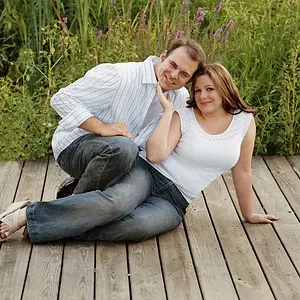
I know this sounds like a lot of work, but it doesn't take that long. This pic has 7 adjustment layers, and it took me probably a couple of hours to finish. And always close the file (AFTER you save it!!) and leave it alone for at least a few hours, or a day or two would be even better. Then come back and look at it with fresh eyes to see if any of the colors or masks need tweaking. I found a whole section of Nathanael's jeans that I had left gray!!
Hope you all enjoy trying this as much as I did.



 I like working at my drafting table and using different things, being able to spread out. Different strokes.



![[No title]](/data/xfmg/thumbnail/41/41936-6640bf1c1d4b16a38584d756ef285c5e.jpg?1734176290)