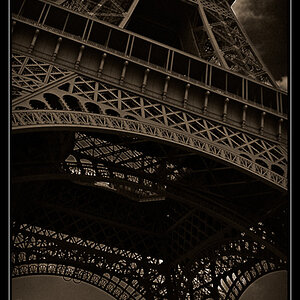
awe
TPF Noob!
- Joined
- Feb 23, 2007
- Messages
- 83
- Reaction score
- 0
- Can others edit my Photos
- Photos OK to edit
Hi there,
sometimes, when I want to convert an image to black and white, I'd like to use the tone information of a single channel (i.e. what you see when only one channel is visible instead of all three in RGB) as the final picture or the starting point. Here's how I usually do it:
- Make a new layer and fill it all white
- Load the channel as the current selection (i.e. Control-Click on it).
- Invert the selection and fill it with black.
However, this is rather tedious. I could make an Action out of it, but I was wondering if there is an easier way...
Thanks!
sometimes, when I want to convert an image to black and white, I'd like to use the tone information of a single channel (i.e. what you see when only one channel is visible instead of all three in RGB) as the final picture or the starting point. Here's how I usually do it:
- Make a new layer and fill it all white
- Load the channel as the current selection (i.e. Control-Click on it).
- Invert the selection and fill it with black.
However, this is rather tedious. I could make an Action out of it, but I was wondering if there is an easier way...
Thanks!



![[No title]](/data/xfmg/thumbnail/35/35962-c0d3c2e7c3fd7f9bd7e12c21f955f4f0.jpg?1734167808)
![[No title]](/data/xfmg/thumbnail/37/37630-10bda987ab220dc60e7c1cb65502f83c.jpg?1734170754)

![[No title]](/data/xfmg/thumbnail/35/35963-4809c92024a0e6355dd194caf9297701.jpg?1734167812)

![[No title]](/data/xfmg/thumbnail/37/37626-4a6ffc3f17ab3a8e97170fda3276640e.jpg?1734170750)