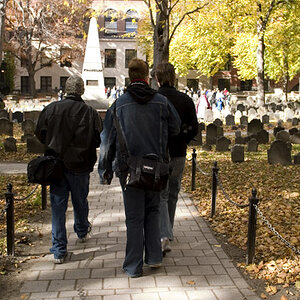
Lew's right the first photo is flat. I'd also say their faces are a tad dark and the skin tone is blue. I fixed the skin tone and lightened them some.
NOTE: Your photo's ICC profiles reference the Adobe 1998 color space. People viewing the photos with a non-color managed browser like IE or Chrome aren't going to see the photos correctly. When you save photos to the web you should make sure the color space profile is sRGB.
I loaded the photo in Photoshop and removed blue checking their skin color as I went to get them in range. I started by converting the photo to sRGB and then I checked the right cheek of the blonde and got a Hue value of 1 to 5 for her skin color. It should be closer to 20 in the sRGB colorspace. Once I had skin tone right I adjusted the tone response to lighten their faces a little and raise contrast.


 Just looking for any Criticism every little bit helps me get better. Thanks so much.







![[No title]](/data/xfmg/thumbnail/37/37521-5e19cc15e190997d963ed09c3c13ca9c.jpg?1734170681)



![[No title]](/data/xfmg/thumbnail/37/37520-d3e4d6582aa2781be7abf64e8651db45.jpg?1734170680)



![[No title]](/data/xfmg/thumbnail/36/36669-32e6602a9741e9fefddbc9dc04bc8e8f.jpg?1734169173)