What's new

cr2 is different size than dng. why?

  • Thread Starter Thread Starter Deleted member 208703
  • Start date Start date

Problem with CR2 — DNG conversion.

  • ?

    Votes: 1 100.0%
  • ?

    Votes: 1 100.0%

  • Total voters
    1
D

Deleted member 208703

Guest
Hi, first post.

I converted Canon's CR2 into DNG using Adobe and they seem different when I open them in Preview.
I'm trying to figure out why.
The most obvious issue is that the CR2s seem to be cut—if it's a 'landscape,' then there is a portion from above and below missing and when it's a 'portrait,' then a portion from both sides is missing.
I would sort of understand if the conversion cut them, but the conversion seem to make them bigger, as it is the CR2s that are cut, not the DNGs.
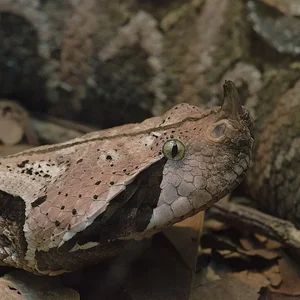
Screen Shot 2015-08-03 at 20.24.56.webp
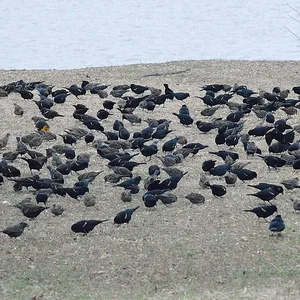
Screen Shot 2015-08-03 at 20.25.01.webp
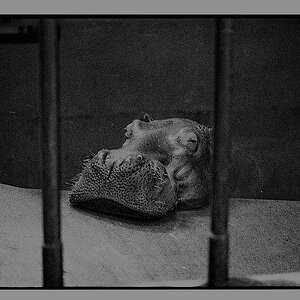
Screen Shot 2015-08-03 at 20.26.00.webp
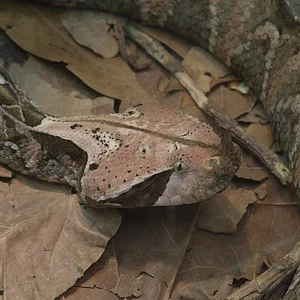
Screen Shot 2015-08-03 at 20.26.04.webp

(Also, the color profile is completely changed + horizontal lines are bent in the DNGs but I read this is because the conversion throws away some lens correction 'thing' that's part of the original CR2—I would love to know how to preserve it)

Thanks a lot for any suggestions.
 
Are you viewing these in a "proper" raw-capable viewer (Lightroom, Aperture, ACR?) or simply on whatever native image-viewing software is on your machine? If the latter, then it's likely due to your software not reading the files correctly. If the former, then I'm stumped. As for the bent lines, I believe what you posted is correct. The easiest way to preserve the correction data is simply to work in CR2 format using appropriate software.
 
You posted this same question on the Canon forum. I asked if anything has been done to the .CR2 file (is this, in fact, STRAIGHT out of the camera and untouched by any software that can change it?) I don't think you answered that.

I asked because I can do the same tests on my end and my .CR2 files appear the same whether viewed in Apple's "Preview" tool or via Lightroom or Photoshop and also creating a .DNG from the .CR2 also has identical dimensions. Nothing is trimmed regardless of what tool I use to view it.

Adobe can't manufacture pixels that weren't in the original .CR2. So if the .DNG you are showing us was, in fact, created from the very same .CR2 that you are showing us then the data has to be in that .CR2 file.

Another possibility (I haven't tested this myself) is that you set an aspect ratio in the camera which is something other than 3:2 (the native aspect ratio of the sensor.) If you shoot a RAW image, the image file itself is not altered, BUT... settings are recorded as meta-data and can be applied by the tool used to display the RAW. In other words, the data is there but no being displayed due to aspect ratio selection.

Which camera model did you use?
 
Hey Tim,
thanks for the response,

I haven't had time to check Canon forum. It's my first time using forums and I tried a couple to see which one will work.

The pics are taken with Canon G15.

And I think you're completely right.

G15 has several options for dimensions: 4000 x 3000, 4000 x 2248, 4000 x 2664 etc.

CR2s are 4000 x 2664 but DNGs 4000 x 3000.

So, somehow, the camera must take 4000 x 3000 then cut it to 2664 but still keep the 'original'—and converting to DNG undoes this cut, 'revealing' the 'original.'
Screen Shot 2015-08-04 at 20.10.24.webp
 
tirediron,
yeah, I open them in Apple's 'preview.'

so, yes, the problem might be in 'preview.'

but also, when you simply look via Get Info, you can clearly see, the dimensions are different.

I wanted to ask: you said, edit RAW CR2s with appropriate software. Do you mean Canon's software?

And I have another question: say, I do my post-processing with RAW images—if I want to later put them on my blog, I'll have to convert them, wouldn't this conversion completely f@#$! up all the post processing?
 
When you take any photo, the camera captures data on the sensor then performs a "read out" from the sensor to get the data. This "read out" results in the data that would ultimately be the image data included within the RAW file. But there's more...

Putting RAW aside for the moment... if you shoot JPEG, then the RAW data is processed (a process called "de-bayering") and also the settings you selected at the time of shooting (e.g. white balance, "picture style", etc.) would be applied to that JPEG file -- which is then saved to the memory card. In other words if you told the camera you prefer a "black & white" image then the JPEG saved will show a black & white image and even though the camera "technically" took a color photo, that original data is not saved in the JPEG file. The JPEG is basically a "final output" of everything you asked for but the intermediate data used to get to the final product is discarded (this is why many photographers prefer to shoot RAW.)

So back to RAW... when you shoot RAW, the camera saves ALL of the image data that was read-out from the sensor. It won't discard anything. But you can still set white balance, picture styles, cropping, etc. etc. The camera will NOTE the settings you requested, and it will save them in the meta-data section of the image, but it will not actually apply those settings to the image.

That means the .CR2 file has the entire image -- even if you asked for a cropped version.

So why record settings if the settings aren't applied? The answer is that many image processing programs on your computer can still apply them for you.

What you appear to have discovered is that if you ask Adobe to convert the CR2 into a DNG then Adobe takes the "whole" CR2 file and creates a DNG file from it -- but it does NOT copy all the settings that you had selected at the time of image capture. So when the DNG is displayed in Preview, it shows the "whole" image. BUT... when you open the original CR2, all those settings are part of the file, Preview can read them... Preview notices that you requested a 4000 x 2664 crop, and so it crops the edges of the image. It's basically displaying what you requested -- even though more data actually exists in the image.
 
Sorry for the late reply.
Just wanted to thank you Tim.
 

Create an account or login to comment

You must be a member in order to leave a comment

Create account

Create an account on our community. It's easy!

Log in

Already have an account? Log in here.

Back
Top Bottom