What's new

Day of the Dead

Looking closer, I can see it in the left eye. A little too much on that eye, almost fake looking. But damn fine work buddy!

Thanks! Yeah I edited them both at the same time as one layer and I didn't even think about them being at different brightness levels but live and learn I guess lol. Still very very new to photography so I'm learning new stuff all the time.

I like the photo...But I like this even more. You handle critique nicely and don't get defensive. Well done!


haha thanks, I see it all in a point of view, because it's all just information (and we project whatever meaning we want to on it). Critique, praise, it's all just information.
 
Thanks! Yeah I edited them both at the same time as one layer and I didn't even think about them being at different brightness levels but live and learn I guess lol. Still very very new to photography so I'm learning new stuff all the time.

I like the photo...But I like this even more. You handle critique nicely and don't get defensive. Well done!


haha thanks, I see it all in a point of view, because it's all just information (and we project whatever meaning we want to on it). Critique, praise, it's all just information.

I completely agree and glad to have you!
 
I really like the final image. It really grabs your attention. Could be a Photo of the Month candidate right there.
 
I really like the final image. It really grabs your attention. Could be a Photo of the Month candidate right there.

Well look for me in the nomination thread ! :) how does that work?
 
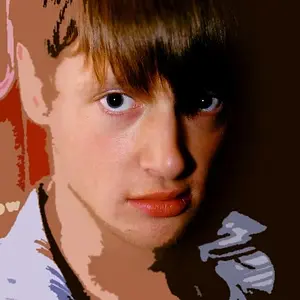
CA looking at your first photo and the second. Care to shed some light on your post processing. Maybe even make us a tutorial on it.
 
Yeah that actually crossed my mind to do a tutorial on that shot, I'll probably just film me making it again, though a lot of my post processing methods are far from traditional so keep an open mind! :)

Here's a summary of how I did it:

Lighting

2 light setup, I used static lighting. One 28" x 20" soft box about 10" above model facing straight (beauty dish position). Then a strobe model light with barn doors (for a harsh edge light) positioned model back left.

Camera
Shooting on my Nikon D5100 and kit lens, I was a bit limited. I shot about 6 feet away at f5
I think it was iso400 1/20 f5.

Post Processing (yay!)
(note: I process every photo differently, these are loose points I generally hit every time)
This is by far my favorite thing to do. I'm a long-time graphic designer, but very very new to photography, so post is my comfort zone

Skin
First I clean the skin with spot healer (as everyone does), then after considering the light source and how it's already wrapping the model, I shape the light by hand with a brush (actually a wacom tablet). Sometimes I'll even draw hard tapered light vector shapes in Illustrator, raster them in PS and then apply a gaussian blur. After that I just set to overlay and adjust opacity as I see fit. I'll typically merge those layers together and then smooth with the blending brush (set at no higher than 4%). I may run it through the PS HDR filter if I didn't do real bracketed exposure, but I try to keep it as tame as possible.

Image Processing

This is how I build contrast (as least destructively as possible), with light shaping by hand, I also do the same shaping techniques with the shadows which usually makes them more obvious. Then, once the image is sort of close to what I want, I'll duplicate all the layers, save a new version, then flatten it and start adjusting the color curves of the image as a whole, usually adding sublte vignette layers, etc.

That's a crash course description of the general things I do in post, but each photo I have to invent new ways of doing stuff! The longer I do photography, the easier my post is getting because the images I have to work with are slowly getting better. Maybe I should get around to recording my post processing some time...

 
Yeah that actually crossed my mind to do a tutorial on that shot, I'll probably just film me making it again, though a lot of my post processing methods are far from traditional so keep an open mind! :)

Here's a summary of how I did it:

Lighting

2 light setup, I used static lighting. One 28" x 20" soft box about 10" above model facing straight (beauty dish position). Then a strobe model light with barn doors (for a harsh edge light) positioned model back left.

Camera
Shooting on my Nikon D5100 and kit lens, I was a bit limited. I shot about 6 feet away at f5
I think it was iso400 1/20 f5.

Post Processing (yay!)
(note: I process every photo differently, these are loose points I generally hit every time)
This is by far my favorite thing to do. I'm a long-time graphic designer, but very very new to photography, so post is my comfort zone

Skin
First I clean the skin with spot healer (as everyone does), then after considering the light source and how it's already wrapping the model, I shape the light by hand with a brush (actually a wacom tablet). Sometimes I'll even draw hard tapered light vector shapes in Illustrator, raster them in PS and then apply a gaussian blur. After that I just set to overlay and adjust opacity as I see fit. I'll typically merge those layers together and then smooth with the blending brush (set at no higher than 4%). I may run it through the PS HDR filter if I didn't do real bracketed exposure, but I try to keep it as tame as possible.

Image Processing

This is how I build contrast (as least destructively as possible), with light shaping by hand, I also do the same shaping techniques with the shadows which usually makes them more obvious. Then, once the image is sort of close to what I want, I'll duplicate all the layers, save a new version, then flatten it and start adjusting the color curves of the image as a whole, usually adding sublte vignette layers, etc.

That's a crash course description of the general things I do in post, but each photo I have to invent new ways of doing stuff! The longer I do photography, the easier my post is getting because the images I have to work with are slowly getting better. Maybe I should get around to recording my post processing some time...

Nicely done! Thanks!
 
LOVE the photo; love the richness of the red. If you were aiming to make it pop, you succeeded. :)
 
I really like the final image. It really grabs your attention. Could be a Photo of the Month candidate right there.

Well look for me in the nomination thread ! :) how does that work?

Not sure exactly, but I don't see a nomination thread for January yet. As soon as there is one, I will be sure to nominate you.

Again, awesome photo!
 
Just curious CA, Have you read the book "Photoshop Compositing Secrets" by Matt Kloskowski? If not I think you would relly like it.
 
Just curious CA, Have you read the book "Photoshop Compositing Secrets" by Matt Kloskowski? If not I think you would relly like it.

No I haven't, I'm going to have to add that to the list, too. My post processing techniques were derived mainly from my previous years as a digital artist, and from some Joel Grimes tutorials, as well as endless videos of people trying to emulate Dave Hill (and all of them failing miserably)

My PP stuff is always evolving, I make changes to improve the process literally on a weekly basis, so I look back at images I created even a month ago and I think how I'd now do them differently / better.

Hence, I am definitely going to check out that book!
 

Create an account or login to comment

You must be a member in order to leave a comment

Create account

Create an account on our community. It's easy!

Log in

Already have an account? Log in here.

New Topics

Back
Top Bottom