I think you should take some time to really look at your images now that you have people telling you that they like #6 and #7 (I mostly like #7, but I can see the interest in #6 as well. Compare them to 1-5 and take note of the fundamental differences. Color, contrast (either color or luminance), shape, design... let me go through each of your images as I see them with these 4 attributes in mind. This is just my opinion and may be right, wrong, or neither, but hopefully will give you something to think about.
These are merely observations, I'm not rating anything as good or bad at this point.
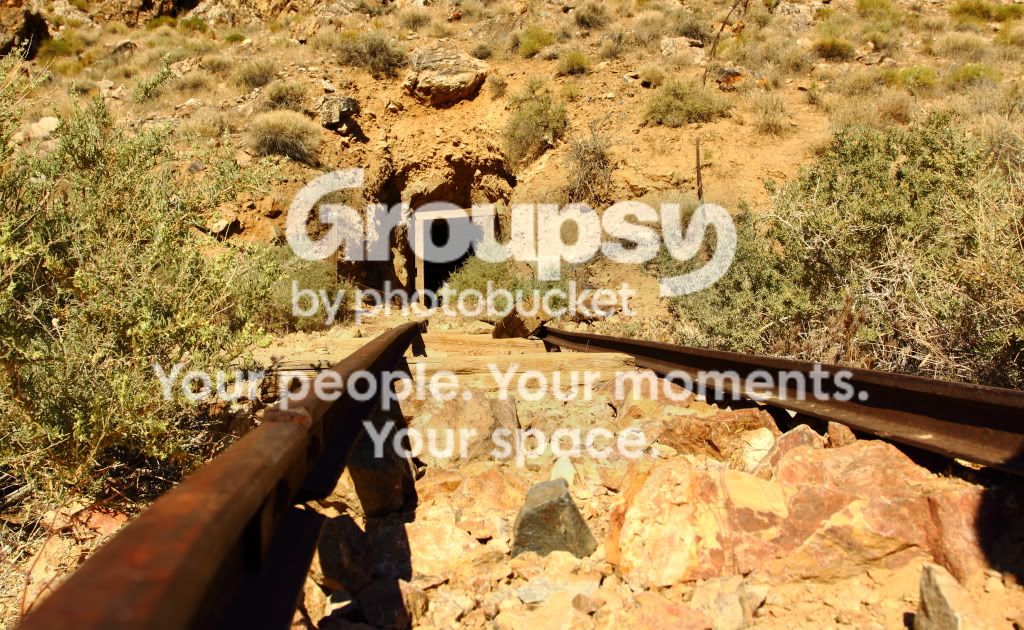
1.
Color: Very warm color that dominates the image. The greens of the leaves are similar to the earth tones surrounding them.
Contrast: The rails and mine are in fairly sharp contrast with the rest of the image because of both color and luminance.
Shape/Design: You have a lopsided triangle formed by the rails in the middle that's surrounded by random "noise" created by the rocks and bushes.
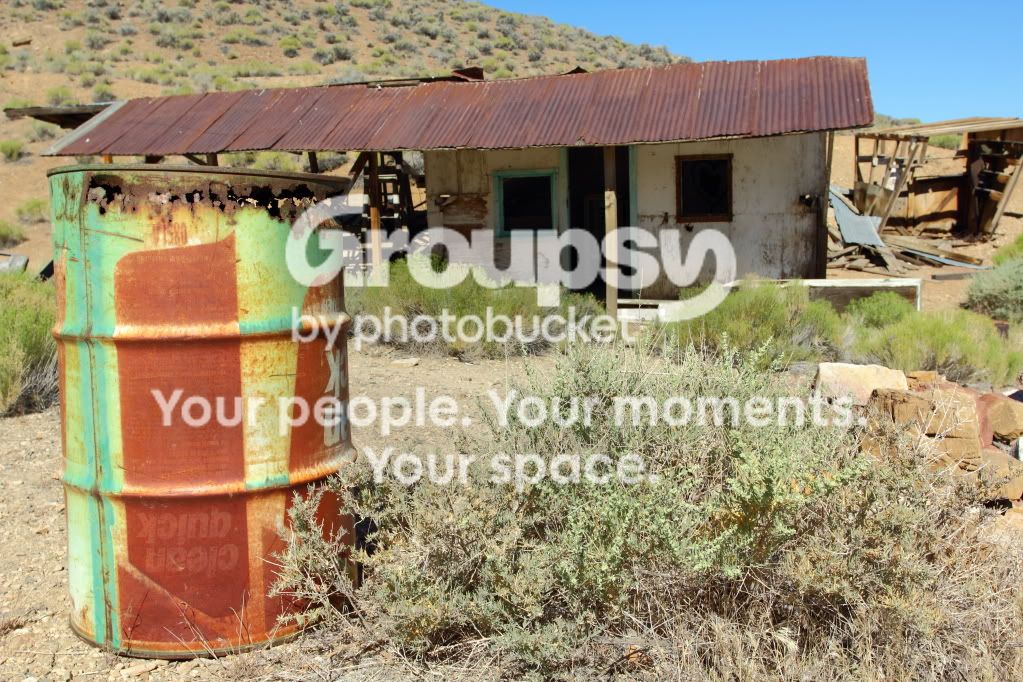
2.
Color: The barrell has a striking green color that contrasts with the rest of the scene and doesn't fit the pallette. The adjacent burnt orange of the barrell is a more saturated version of the environment color. The roof is a rusty maroon, the sky is blue, the ground is a brown and gray speckled with light cyan-green's and more natural greens.
Contrast: Because of the colors, the barrell does contrast well enough against the ground and brush to the left and right. The top of the barrell is starting to blend in with the house, it's difficult to tell what is the barrell's inner shadow and what is the houses shadow. The roof contrasts strongly against the sky, and moderately against the hill.
Shape/Design: The design consists of mostly straight and parallel lines, the only significantly diagnoal line is that of the skyline. The barrell has a strong vertical element and the house roof has a strong horizontal element. Together they form an "L" shape.
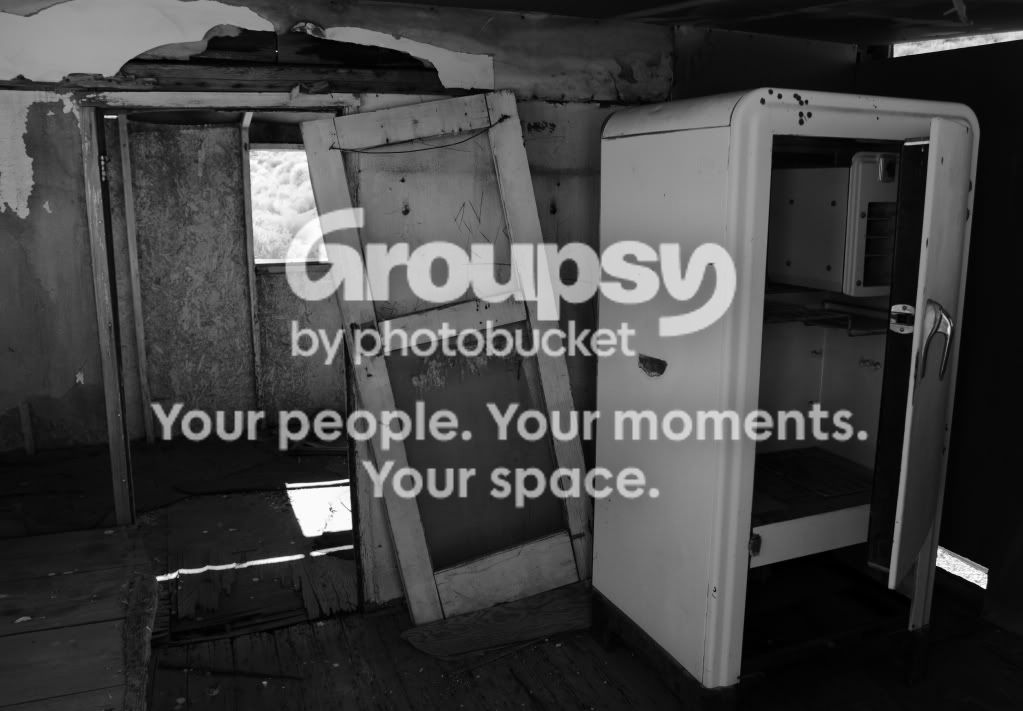
3.
Color: N/A
Contrast: the outside window and sunlight contrast strongly against the indoor and middle gray of the interior walls, floor, fridge, and door. Little-to-no detail in highlights, but shadows retain detail. Inside, the fridge, door, and plaster have similar luminance. Floor and ceiling are similar. Back walls are similar.
Shape/Design: Fridge and door for strong vertical composition although door is askew which adds a dynamic element to the image. Distortion is apparent as the fridge and wall studs are "falling away from the image." No lines appear to be either horizontal or vertical.
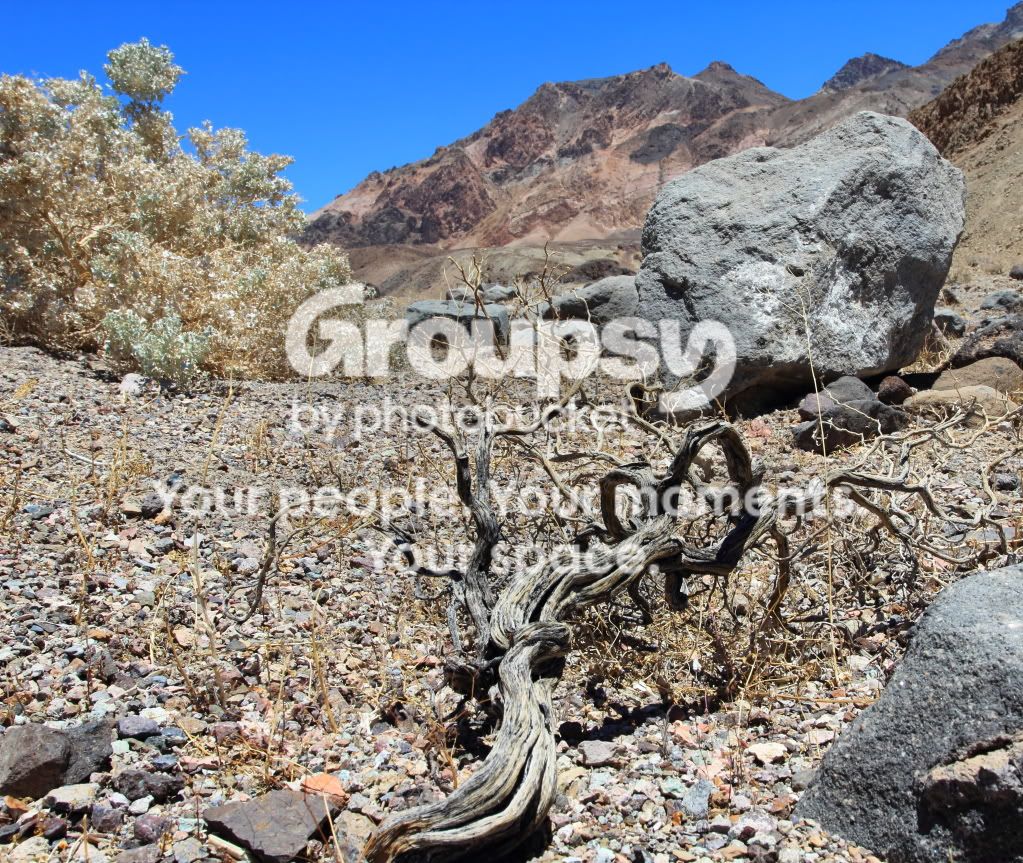
4.
Color: Strong saturated blue adjacent to relatively unsaturated oxide red on the right, and a bright unsaturated yellow/green on the left. The bottom 2/3 of the image is a speckled covering of various colors and tones, but mostly light. Large gray boulders accent the scene.
Contrast: Strong daylight shadows directly underneath objects. Deep blue sky strongly contrasts with the rest of the scene.
Shape/Design: Two large heavy boulders on the right with the towering mountain ridge, and a light crispy bush/tree on the left, separated by a twisted dead tree in the foreground leading into the image. The sky caps the top of the frame. No strong organization of elements is apparent.
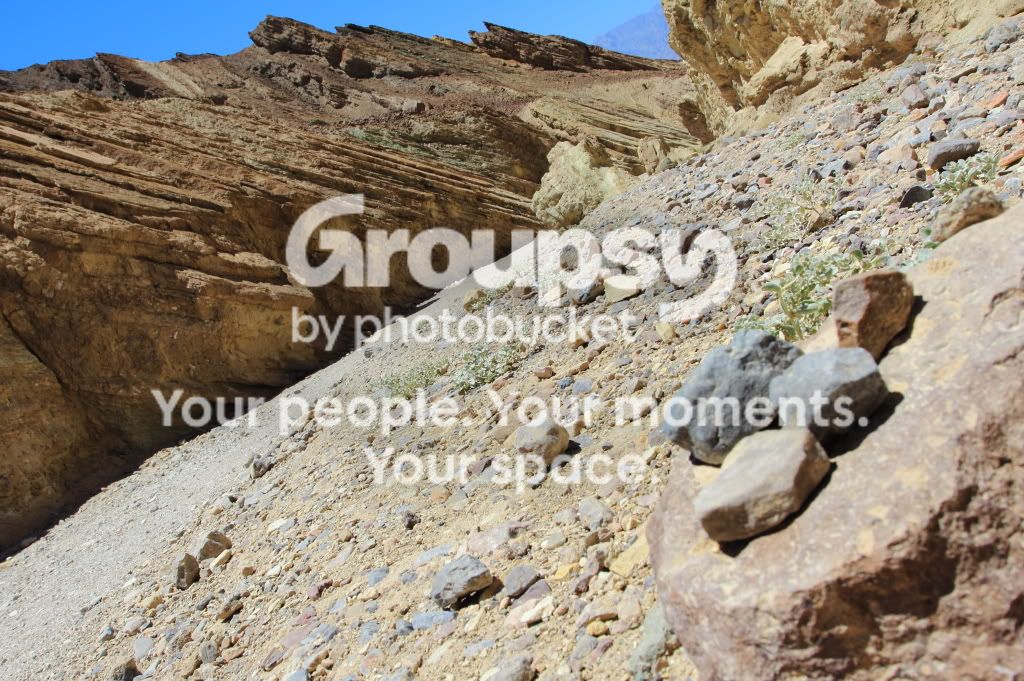
5.
Color: Light yellow and pink dominate the lower right half of the image, and a darker and more saturated brown the upper left. Blue caps the top-left 1/10th.
Contrast: Lower right contrasts strongly with upper left, which contrasts strongly with the sky "cap". 4 small rocks sitting on a boulder in lower right stand out from the rest of the group even though they are out of focus.
Shape/Design: There is a strong diagonal separation in the image, effectively cutting it in half, however the yellow formation in the upper right corner ties both halves together in in shape, luminance, and color. The 4 rocks in the bottom right repeat the diagonal made by the large formation although the line they create is not exactly parallel with the line of the main formation in the middle of the image. This appears to have been purposely done and creates order and reason in the image.
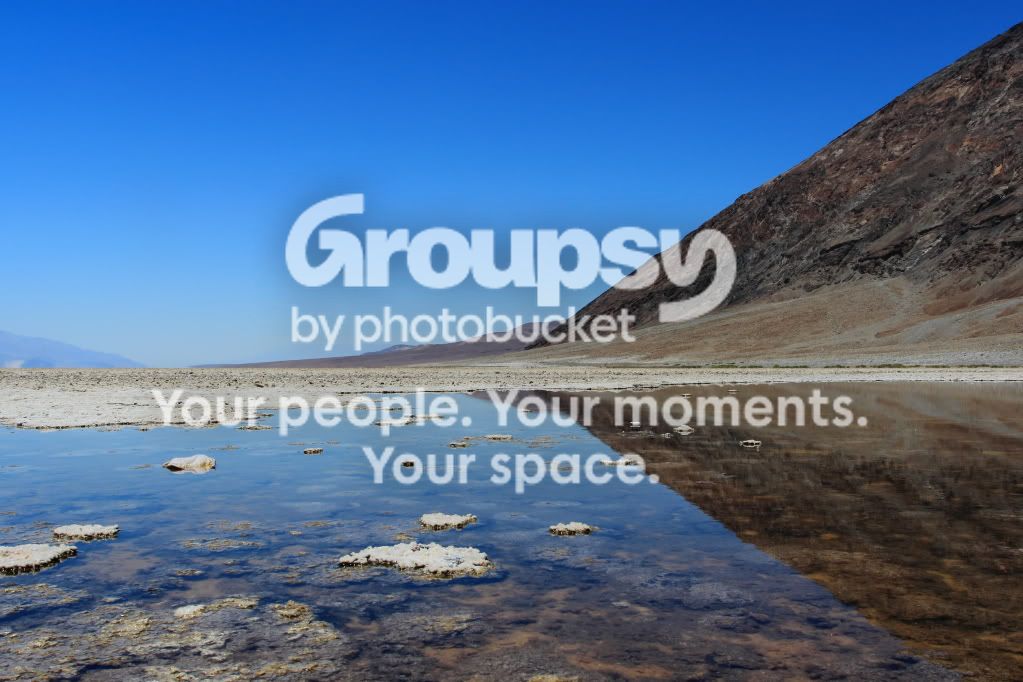
6.
Color: Deep blue mirrored top and bottom, separated by a thin slice white land on the left and a large dark brown/gray hill on the right. The reflection is speckled with matching white dry land patches.
Contrast: The blue sky contrasts strongly with the hill on the right in both luminance and color, but approaches the color and luminance of the dry ground on the left. However, at no point is the horizon remotely indistinguishable. The reflection of the hill and sky in the water mirrors the same contrast of hill and sky.
Shape/Design: The flat horizontal stretch of white land the stretches across the middle of the image gives a strong foundation and horizon line, but the strong diagonal line of the hill creates interest, and the mirrored reflection of the line going the opposite direction accentuates this dynamism even further. The small patches of exposed land in the water in the bottom left quadrant balance the hill on the upper right quadrant. The distant mountain formation on the far left balances against the reflection of the hill in the bottom right quadrant.
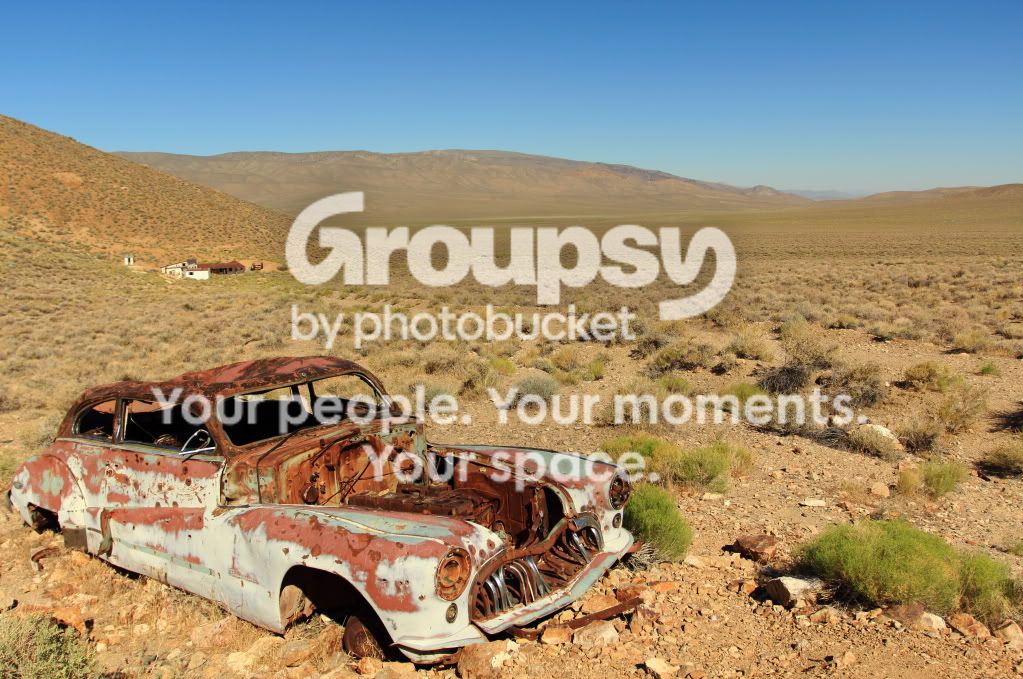
7.
Color: Blue sky contrasts strongly against a landscape of complementary yellows and oranges that seem to melt together in the distance. A small group of green bushes in the lower right balances against the red, white, and orange care on the left. The red of the car roof is mirrored by the house in the distance.
Contrast: The sky contrasts strongly against the landscape as described above (color, not luminance). The car color contrasts strongly against everything in the picture except for the house(s) in the distance the and the few brighter rocks to the right.
Shape/Design: The shape of the car is similar to the shape of the distant hills, and the colors of the car are very similar to the structures behind it (which give a sense of depth).
As for critique, I think #6 and #7 are winners because they are simple compositions and simple color pallettes. I personally like #7 better because it's easier on the eyes but as you have considered, in better light, they'd be better images. #4 and #5 are suffering from really bright ground which is similar to shooting snow or sand... it's tough. If you have CS5, you can do exposure masks with the RAW file which is very helpful for this issue. If not, you could take multiple exposures and blend them with a mask.



![[No title]](/data/xfmg/thumbnail/34/34114-dd12be026979ccd4182c5f478bd91448.jpg?1734164566)
![[No title]](/data/xfmg/thumbnail/31/31703-20d81c98f43a64450882572a96c8f266.jpg?1734160374)
![[No title]](/data/xfmg/thumbnail/34/34116-b81991a4a8a532509a981cadbacd573c.jpg?1734164576)