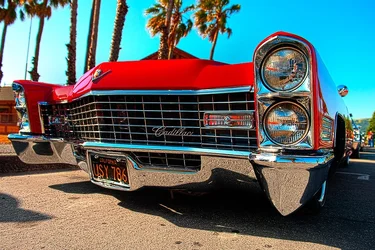
You have to go back to the original (hopefully a raw file) and check the R, G and B histograms. If the red is already clipped, then the image was overexposed, but maybe you can minimize the damage. In either case, go through the processing steps you used, checking the red histogram every time you alter brightness, contrast or saturation and make sure it doesn't get clipped significantly. If you do increase saturation, use a layer mask (assuming you're using software that has this capability - most do now) to decrease the effect in the problem area.
With any color, there's a point where making it more saturated decreases detail by pushing an area up to the limit of what the color space and/or display medium can reproduce. At that point all of the pixels are the same.


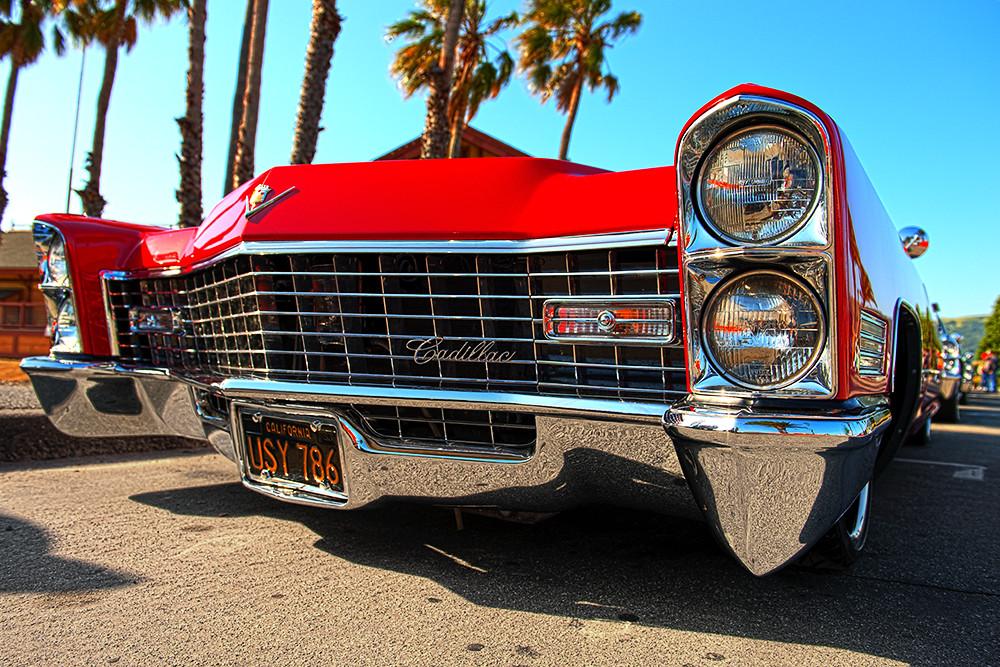

 I like it a lot. The colors are really great. The car looks a mile long!
 So ken, how do I fix that? I understand red is a difficult color to deal with the saturation and still make it look rich. I was trying to convey how red the car really is.