What's new

First Attempt Portrait Photography

NicholasPetrilli

TPF Noob!
Joined
May 2, 2013
Messages
14
Reaction score
4
Location
Richland Washington
Can others edit my Photos
Photos OK to edit
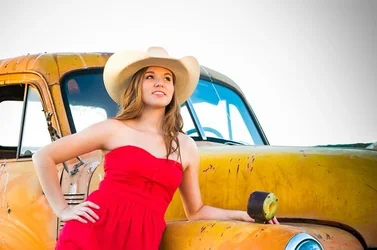
I took this photo about 15 minutes before sunset, this truck is getting scrapped so we made good use of it.
I have never taken photos like this before, so I was a little unsure on compositing, also the first time I've used a reflector.
I'd like to share others from this shoot, but I was instructed to only post one photo for critique.
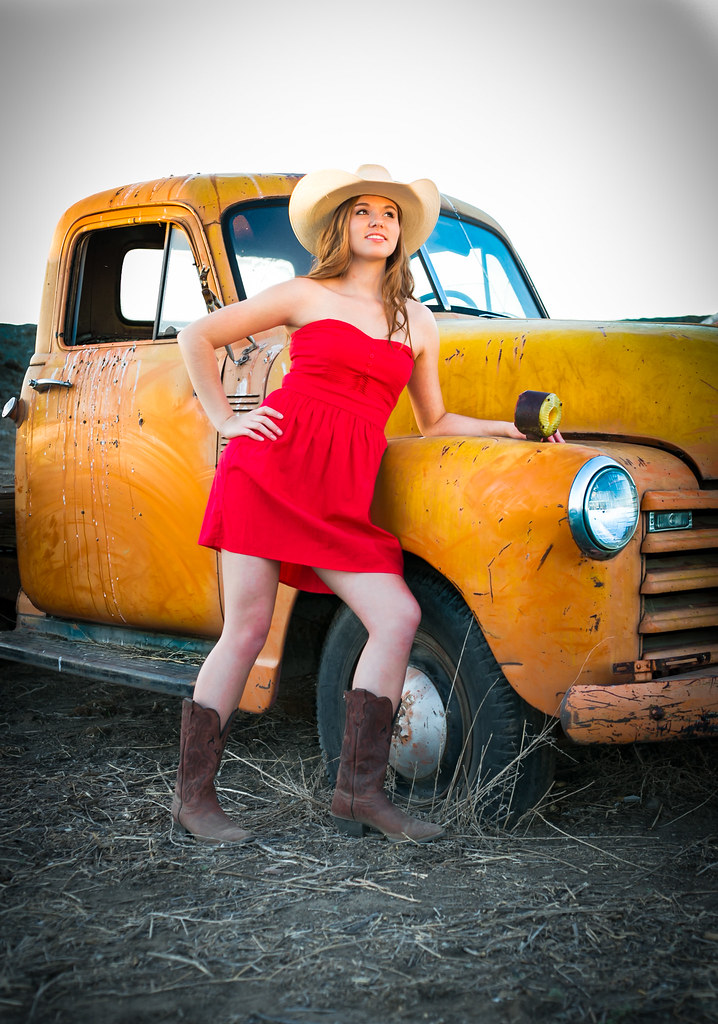

20130505-QC1A3346 by Nicholas Petrilli, on Flickr
 
Highly awkward pose, and that vignette....

cool props, model and time of shot. That's all though, keep shooting.
 
You can post more than one. Just number them and try to keep it between 1 and 5 more than that and peoples eyes glaze over.

Now for the critique. As for the pose... She looks like shes got to drop a duce and the vignette is a poor choice for editing this shot.

I would drop the vignette and crop it something like this.

$8732952963_ab2ebb936a_b.webp
 
I agree, my first thought was she looks uncomfortable. Post a few others just number them. And yeah.. vignette is like a dirty word around here most the time I notice.
 
And yeah.. vignette is like a dirty word around here most the time I notice.

It makes a big difference on how it is being used. Sometimes it improves the photograph, and other times it doesn't.
 
I agree, my first thought was she looks uncomfortable. Post a few others just number them. And yeah.. vignette is like a dirty word around here most the time I notice.

It's kind of like a more simple selective coloring for beginners. When I first got LR, it was like the "Turn this photo into ART" button. "Wow, look how artistic I am! It's like the edges get darker!" I'm finding myself using it less, and less, and less, and less. Though, it does have it's place (and rocks when you find it).
 
I agree, my first thought was she looks uncomfortable. Post a few others just number them. And yeah.. vignette is like a dirty word around here most the time I notice.

It's kind of like a more simple selective coloring for beginners. When I first got LR, it was like the "Turn this photo into ART" button. "Wow, look how artistic I am! It's like the edges get darker!" I'm finding myself using it less, and less, and less, and less. Though, it does have it's place (and rocks when you find it).


Haha I like that, Activate Art Mode With Adobe Lightroom! Hah!
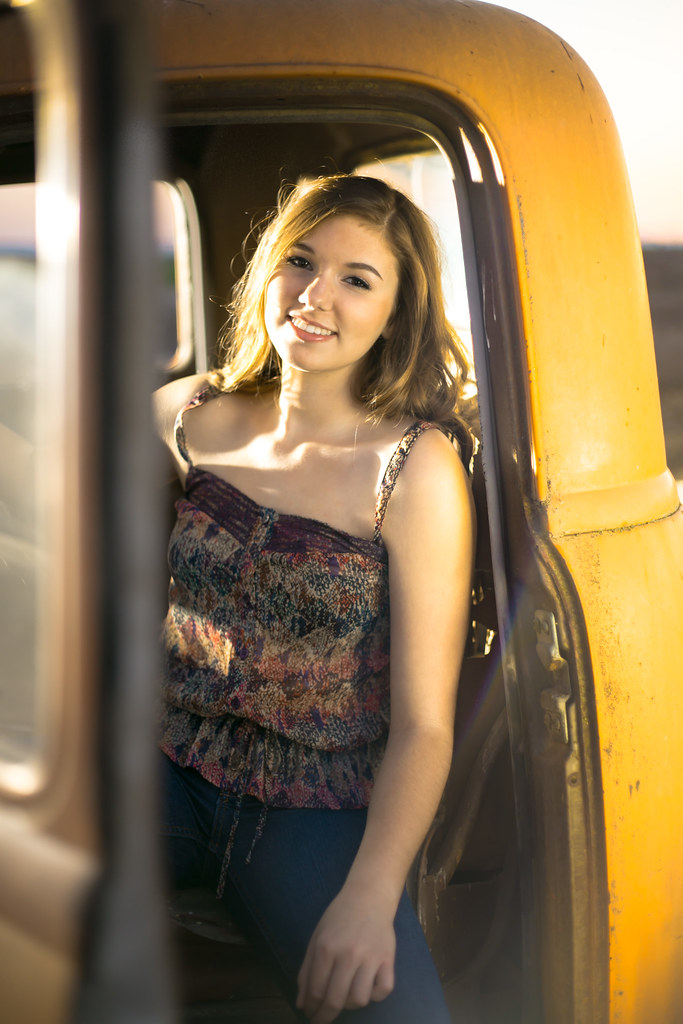
Here's a different post from this shoot, we had a remote flash to create an artificial sun, plus the reflector created some interesting effect.


20130505-QC1A3418 by Nicholas Petrilli, on Flickr
 
The second shot is better.
 
I don't have awesome photography experience or a calibrated monitor, but it looks like the WB is off on shot #2. Other than that, that one's a lot better. I like the sun flare and her smile as well as the light coming in from the side.


The shadow on the inside of the arm looks a tad strange, did you try to recover a bunch of light there or something?
 
Just realized your titles says this was your "First Attempt" at "Portrait Photography"... Impressive for a first attempt. Looking forward to seeing more.
 
Would've been decent without the vignette and maybe with a sky replacement. The upper body is OK but the legs fight it. Put some sexy curves into those legs. The fore "ground" doesn't add to the image, and neither does the white sky.
 

Create an account or login to comment

You must be a member in order to leave a comment

Create account

Create an account on our community. It's easy!

Log in

Already have an account? Log in here.

Back
Top Bottom