What's new

First attempt with analog photography

SwanCo

TPF Noob!
Joined
Aug 17, 2012
Messages
7
Reaction score
0
Location
Denton, TX
Can others edit my Photos
Photos OK to edit
I've used digital cameras a lot throughout my experiences with photography but I recently got my hands on a Canon AE-1 and decided to try my hand with some film.

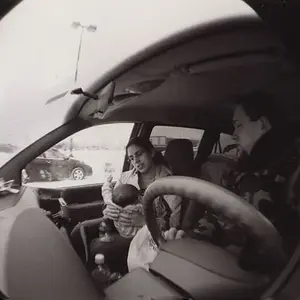
Below will be the some pictures from the first 2 rolls of film I developed. I realize that artistically they're not set up properly (more than anything I'm just trying to get the hang of the camera) but I'd love some critique/comments on how to improve the quality of the photos. None of these photos have been enhanced in any way. I'm doing that to permit you all to see them raw and give a critique on the photos themselves rather than my photo editing.

Anyhow, I hope you enjoy!

Cheers,
Marshall
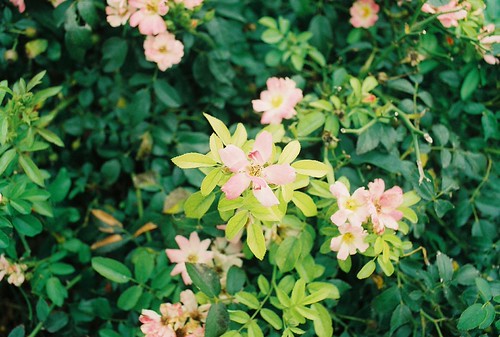

R1-06044-017A by ReelBigWade, on Flickr
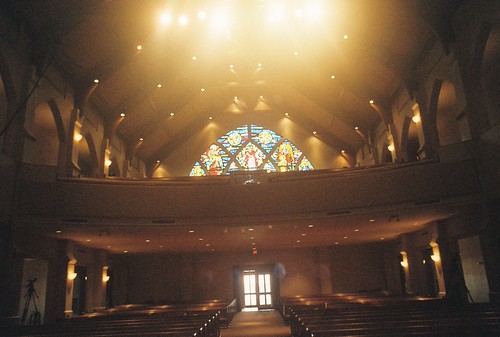

R1-06044-016A by ReelBigWade, on Flickr
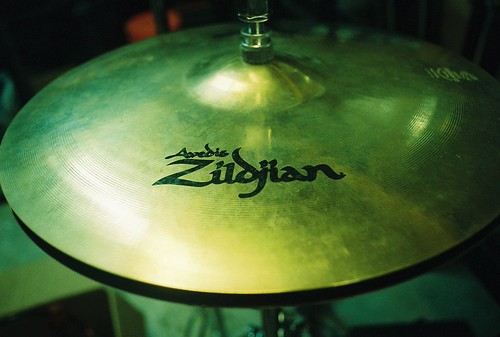

R1-06044-021A by ReelBigWade, on Flickr
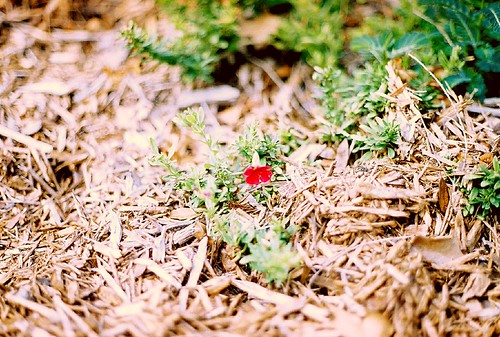

R1-06041-004A by ReelBigWade, on Flickr

I'll post more in a bit, but for now please tell me what you think and/or how I could improve.

Thanks again!
 
Congratulations on getting into film photography. The AE-1 is a nice camera. you can get very good results with it; once you understand it.
I have to say that in your shots the exposure is all over the map: under-exposed and overexposed and in between.
There could be a few reasons for that. But first of all, have you set the ISO on the shutter dial to match the film you are using ? And second, how are you metering ? The built in meter will give you an average reading for the scene but it's not the best way to read light and set exposure; After all, very few scenes are "average" with regard to their reflected light readings. Do you have the manual for the camera. If so, spend some time reading it and getting familiar with how to get the best results with it.

I'm not trying to be critical, just honest about this particular set of pictures. Keep on shooting and I'm sure your results will improve
 
I noticed that the exposure was all over the place as well. I have the manual and started flipping through it this morning though I'm not too terribly far into it yet because I had to up and go to work.

For all of the ones I posted here, the ISO on the camera and film do match.

For now I am using the built in light meter because I didn't really know of a better way to determine the fstop off of the top of my head. Is there a better way of doing it or do I simply have to read the scene better to get the more balanced result?

Thanks for the feedback,
Marshall
 
Marshall, I don't want to get too technical on you but here's a tip for determining exposure. The built-in meter takes all the light in the scene and averages it to be 18% gray. That's standard for all built in meters unless you have the ability to set your camera to read only a small portion (spot) of the scene. It will always read 18% gray no matter what, So, invest a few dollars, (literally, $5 - $10) on an 18% gray card. Take your reading off of the card in the same light as your subject and the set your shutter and aperture accordingly. That way the exposure will be accurate.

In some scenes you can just get close to the subject and take the reading directly off of it; like someones face or some other object. You can also take a reading off the gray card and compare it to a reading off of the back of your hand. If it's within one f stop of being the same you can ditch the gray card and take a reading off your hand in the future. Correct exposure, pleasing composition, and an interesting subject are essential to a good photo. you have to have all three for it too be a winner.

This film photography game has a different set of rules. You have to understand a little more about the essentials but it's not hard to learn. Read about it, listen to those who have good advice to share and practice. I'm sure your shots will be greatly improved as time goes on.
 
Thanks A bunch! I'll try those out and keep practicing!
 

Create an account or login to comment

You must be a member in order to leave a comment

Create account

Create an account on our community. It's easy!

Log in

Already have an account? Log in here.

New Topics

Back
Top Bottom