What's new

First go with my new camera. C&C please.

Joined
Apr 4, 2011
Messages
969
Reaction score
228
Location
Holland
Can others edit my Photos
Photos OK to edit
Hey guys, here goes my first post.
I've been into photography a while though nothing too fancy.
I've been shooting with an nice compact camera for a few yeas now which was fun and all, but as I got a job recently and now have money to spend I've decided it was time to finally upgrade to a DSLR camera and really start getting into photography.
With that I thought it might be a good idea to join a photography community so people can comment on my photo's, nothing better than some good constructive criticism to help you grow. :D

Anyways, let's just get to it then.
Don't hold back on me as I want to learn, every tip and trick is welcome. :D

1.
20110327_115040_small.jpg


2.
20110327_121600_small.jpg


3.
20110327_122824_small.jpg


4.
20110327_124619_small.jpg


5.
20110327_124809_small.jpg


6.
20110327_125134_small.jpg


7.
20110327_125617_small.jpg
 
These are pictures to keep. I like your use of depth of field. You were able to isolate the main subject from the background. Google the "rule of thirds" to improve their framing and I guess its time for you to study editing softwares.

Nice shots, except #1.
 
What kind of editing tricks are you thinking of?
I have quite some experience with Photoshop already (more than with photography itself actually as I've been using Photoshop for far longer) so the thing I really need to know is which trick to use.

Ps. I have Photoshop CS5.
 
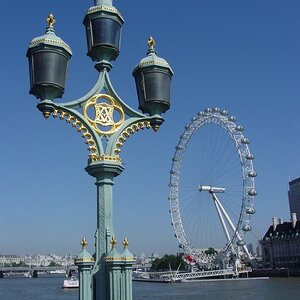
Welcome to the forum!! You have some shots that work and some that don't. #2 is the best of the bunch for me. I like the leading lines you used to take my eye through the picture.
Here is a link to help you w/ your compositions.....
10 Top Photography Composition Rules
Go out and shoot shoot shoot!!!
 
What kind of editing tricks are you thinking of?
I have quite some experience with Photoshop already (more than with photography itself actually as I've been using Photoshop for far longer) so the thing I really need to know is which trick to use.

Ps. I have Photoshop CS5.

A little sharpening and clarity, adjustments on levels, curves, exposure, and channel mixer would bring enhance the colors. They are a bit flat.
 
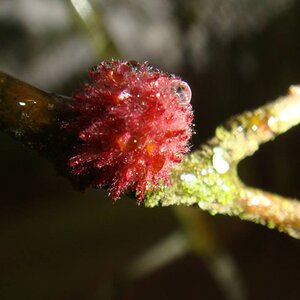
I like #2 but #1,4 and 5 have far to busy backgrounds. 3 and 6 are also good especially their depth of field.
 
I like to take the natural beauty pictures and you have done a great job. All pictures look awesome. Thanks for sharing.
 
Last edited:
I'd say you're off to a great start. #2 and 3 are my picks.

If you're new to DSLR's, read up on the relationship between ISO, aperture, and shutter speed (if you haven't already). Google it and you'll find plenty info. It's not complicated, but it will let you understand what your camera is doing, and when you might want to override what it's doing.
 
Thanks for the comments everyone.
I have indeed been reading quite a lot over the past few days and learning hard.
I'll try to keep everything in mind so I can try to apply these things during the next photo session. ^^
 
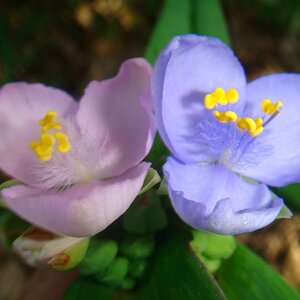
These are a nice start, but one thing bugs me about the flower shots: in #6, the focus is somewhere in the middle of the... bunch of flowers-thing when it should be at the very first blossoms, and I guess that is what you actually wanted to do. Also, in #7, the flowers aren't perfectly in focus.
Do you use the AF and do you keep it on multi-section (or whatever it's called, the mode where the camera chosses in which area the point of focus should be, center, left or roght)? Because for photos with such a shallow dof you might want to choose a specific focus section or, for even more control, you might even want to use MF. Maybe you've already done that and I've wasted 3 minutes of my life...
 
Haha, don't worry those 3 minutes are not wasted.
I've used the standard AF mode so I guess I should have a go in trying out some others, I'm not really familiar with those yet anyway.
 
I've used the standard AF mode so I guess I should have a go in trying out some others, I'm not really familiar with those yet anyway.

You'll find that most people here use the center point only for AF. This takes the choice away from the camera and allows you to dictate what the camera focuses on. There are, of course, situations where using center point and recomposing don't work well, like very shallow DOF, but in general, center point only is the best way to go. I know very little about Nikons, but my 50D allows me to use the joystick to change AF points on the fly when I can't use center point and recompose. Unless you're doing action, panning, etc., standard AF mode is fine, but experiment with the others to get a feel for when/how they work.
 

Create an account or login to comment

You must be a member in order to leave a comment

Create account

Create an account on our community. It's easy!

Log in

Already have an account? Log in here.

New Topics

Back
Top Bottom