What's new

Fixing color/white balance.

Chelsealynn31

TPF Noob!
Joined
Feb 11, 2008
Messages
19
Reaction score
0
Location
Pittsburgh, Pennsylvania
Can others edit my Photos
Photos OK to edit
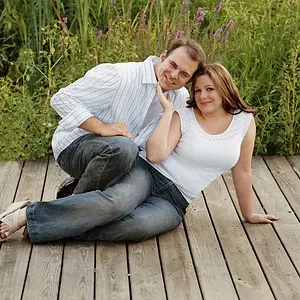
I did a shoot with a friend and we had the "bright" idea to use her tanning bed as a place to shoot. It was fun, yeah.. but no matter what I do I cannot achieve a normal balance of colors or anything else. It's either to green, to blue, or to red. So I just decided to turn it into a B&W image to solve my problems. I know a light meter would probably do me some good, but any ideas how to take this photo and still use it in color so she doesn't look like the incredible hulk? :lol:

2z50g7o.png
 
What software do you have and did you shoot jpg or raw?
 
have you tryed using custom white ballance and taking the dropper tool and selecting a area that you know is white like the eyes or possibly the wall behind? I have had good luck doing it this way
 
A light meter doesn't measure white balance.

All you needed was a good gray card. You make a photo with the gray card in the light the subject will be in. You can just have the subject hold the gray card next to their face.

If you didn't use a gray card, if there is something in the image that is neutral gray, you can use that to set a custom white balance.

Neutral gray has equal amounts of red, green, and blue (RGB).

There are a couple of ways to use Photoshop to identify neutral gray areas in a photograph, so you can set a custom white balance.

 
Last edited by a moderator:
Thanks KMH, that helped a lot. Everyone kept saying "use a light meter to read this and that" Heck, even my Professor never mentioned a gray card! :thumbup:
 

Create an account or login to comment

You must be a member in order to leave a comment

Create account

Create an account on our community. It's easy!

Log in

Already have an account? Log in here.

Back
Top Bottom