What's new

Focus Feedback

normcutts

TPF Noob!
Joined
Aug 9, 2015
Messages
5
Reaction score
0
Can others edit my Photos
Photos OK to edit
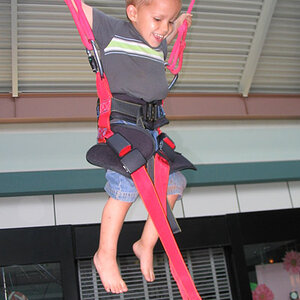
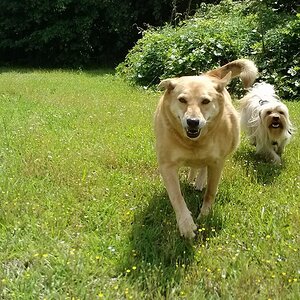
I'm moving over to my first mirrorless camera (Fuji X-T10) and wanted some feedback on focus of these shots from yesterday, am I getting it right? It feels like they are a bit soft around the eyes but not sure if I'm being too critical. Any help/feedback would be much appreciated.


20238506289_00fd27b3ac_o.jpg


20398916516_b4c5a02e6e_o.jpg


20238516559_494eeb2b47_o.jpg


20425159905_bc81e1854f_o.jpg
 
Just looking at the first one (@ 100%), I don't see a problem.

Does your editing software show you the focus points?
 
Just looking at the first one (@ 100%), I don't see a problem.

Does your editing software show you the focus points?

No it doesn't (OS X Photos), but I can go back onto my camera and check.
 
putting up resized pictures and asking about sharpness is contradictory.
look at a picture at 100% or post a 100% crop and your answer will be self evident.

there is heavy blue cast to everything due to the shade.

boyfaceblue.webp
 
putting up resized pictures and asking about sharpness is contradictory.
look at a picture at 100% or post a 100% crop and your answer will be self evident.

there is heavy blue cast to everything due to the shade.

View attachment 106183

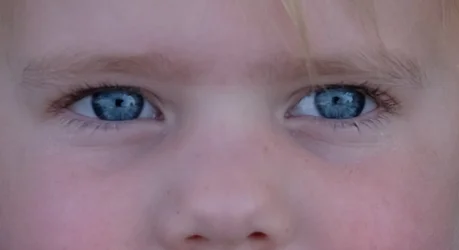
Here is a crop of the eyes from the original image, to me they don't look sharp?

Thats for the tip on the cast, that clearly looks much nicer.
 

Attachments

  • DSCF0556 (2).webp
    DSCF0556 (2).webp
    29.4 KB · Views: 100
Just looking at the first one (@ 100%), I don't see a problem.

Does your editing software show you the focus points?

No it doesn't (OS X Photos), but I can go back onto my camera and check.

Only one of the shots is bang on the eye, the others are there abouts but not exactly.
 
eye.webp
An unfortunate fact of life is that it is harder to get absolute sharpness in a low contrast situation.
Here in the shadow there aren't microshadows and micro-texture that give the impression of contrast so you have to be absolutely on with focus, non-movement, good aperture - and of course, post-processing
 
So I guess the only solution is to drop into manual focus when faced with such conditions, or are you saying that the results will always look this way in low contrast situations, regardless of focus accuracy?
 
Not exactly.
When tones are visibly separated between adjacent areas, focus seems sharper.
This implies certain actions
Be certain your holding technique is good and your shutter speed high enough (no motion blur)
Make certain you expose for the important elements.
Stay away from deep shadow.
Learn to sharpen and judge skin brightness.

This is the last picture.
Look at the difference in perceived sharpness after brightening just a bit and sharpening.

facebabyllll.webp
 
Last edited:

Create an account or login to comment

You must be a member in order to leave a comment

Create account

Create an account on our community. It's easy!

Log in

Already have an account? Log in here.

Back
Top Bottom