What's new

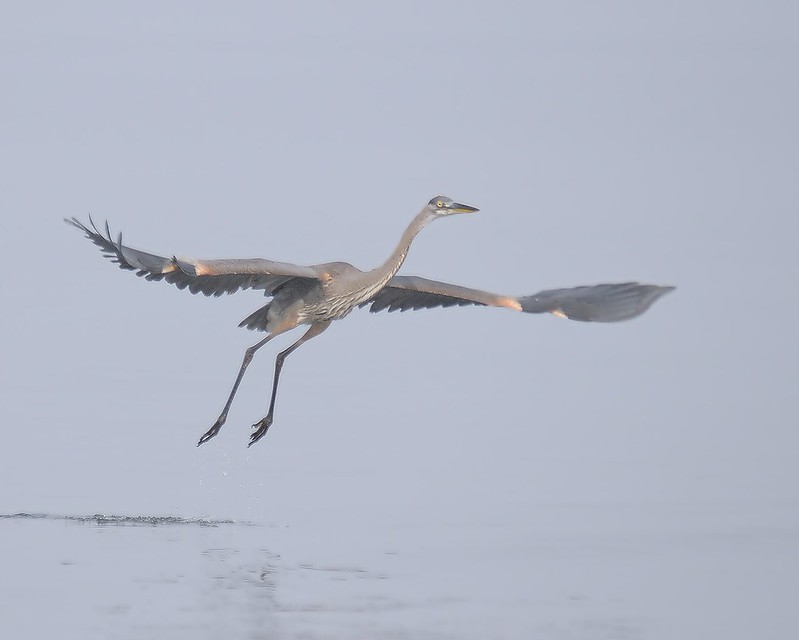
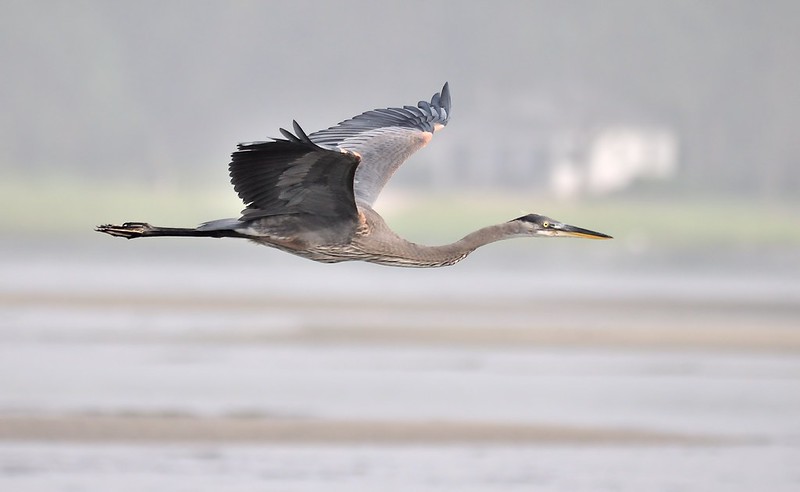
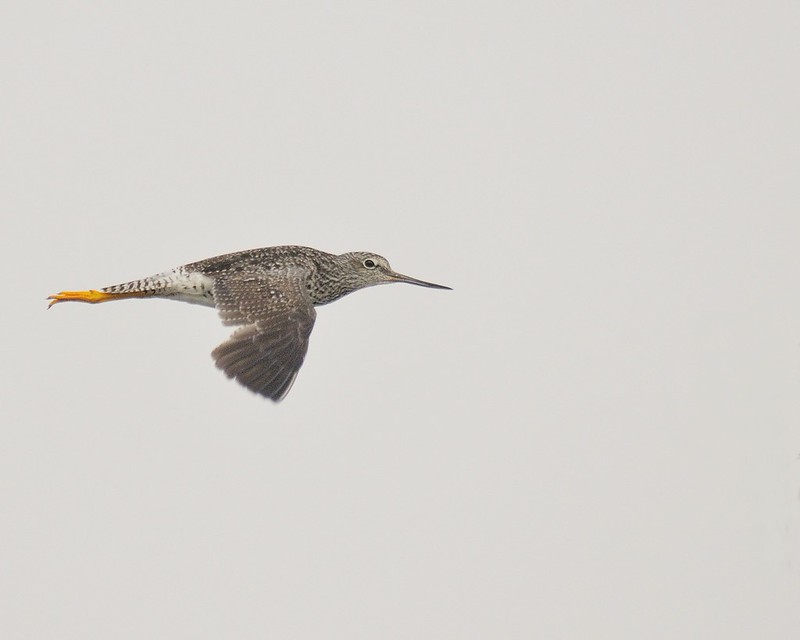
Hazy morning at the beach - Great Blue Heron and more

coastalconn

Been spending a lot of time on here!
Joined
Mar 24, 2012
Messages
3,594
Reaction score
3,636
Location
Old Saybrook, CT
Can others edit my Photos
Photos NOT OK to edit
Some beautiful shots. Herons are gorgeous birds and I love shots of them.

Assuming that you hace some post processing software, I can tell you how to pretty much make that haze go away if you are interested.
 
Thanks grey and SC...

I feel that I have gotten relatively good at capturing relatively good shots. I've been going in circles for months trying to figure out how to make them great. I freely admit I suck at post processing! I always welcome advice of any kind. I've been using psp x4 along with view nx2 and photoscape. I've tried many others including LR.. I will gladly upload the raw image to a file server if you have the time to play with it. If you take a look at my Flickr and see a good shot that you think you can make great let me know. Thanks Kris
 
I can tell you how to fix it in about two lines and if you like it you can upload your own copy ;) I don't have anything decent here at work to fix it with. Just keep in mind that some times a hazy look improves the ambiance of a photograph. Try it and if you don't like it there is nothing lost, you can always go back to the way it was.
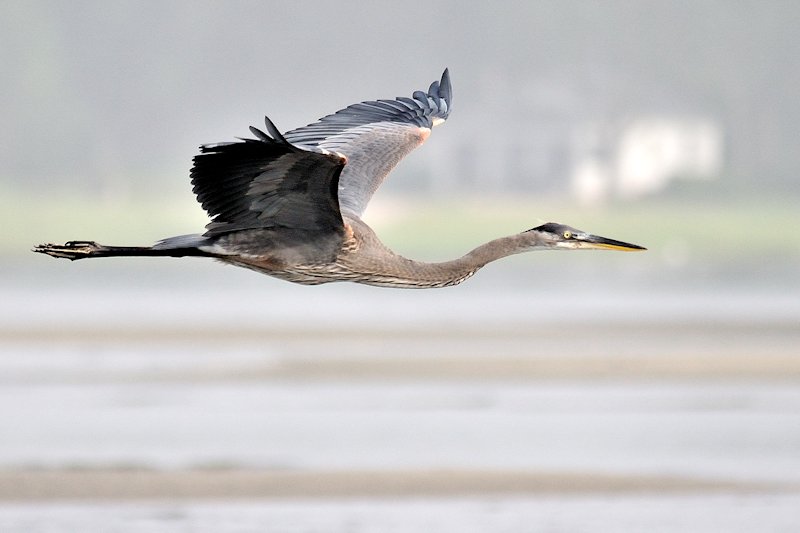
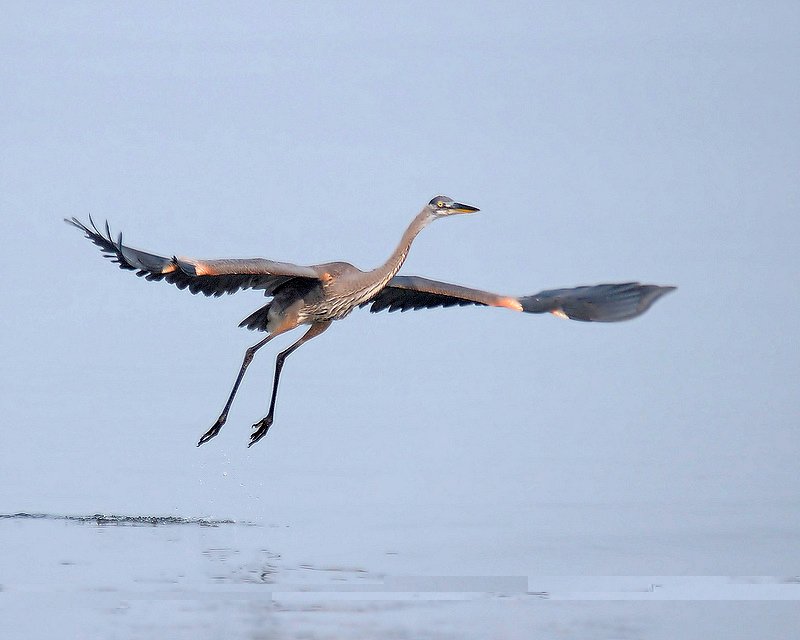
Lowe your RAW file into Capture NX2, and under the "Quick Fix" section you'll notice on the histogram that the blacks (on the left side) die out before they reach the left side of the histogram. The whites (on the right) do the same thing. This indicates that the image has no true black or true white anywhere in it.

At the bottom corners of the histogram in the Quick Fix section (not the one at the bottom of the screen) there are colored triangles, black on the left and white on the right. Move the black one to the right so that it meets the point where the data of your photo ends. Do the same on the right with the white triangle. Doing that set the black and white points to match the actual data of your image and it eliminated a lot of the middle gray values giving it the hazy appearance.

Thanks grey and SC...

I feel that I have gotten relatively good at capturing relatively good shots. I've been going in circles for months trying to figure out how to make them great. I freely admit I suck at post processing! I always welcome advice of any kind. I've been using psp x4 along with view nx2 and photoscape. I've tried many others including LR.. I will gladly upload the raw image to a file server if you have the time to play with it. If you take a look at my Flickr and see a good shot that you think you can make great let me know. Thanks Kris
 
Thanks Schwetty!
SC, View nx2 is just the free version (no histogram adjustment). I tried it is psp x4 and it was ugly!! lol. Anyone if you or anyone else wants to play with the raw file here is the link... DSC_1362.NEF

Have fun
 
The shot you posted the NEF of didn't need much help, it was fine straight out of the camera.

The second one is the hazy one from above, and I'm not saying it looks better. I just wanted to show how the haze could be made to go away with very little editing.

heron01.jpg


heron02.jpg
 
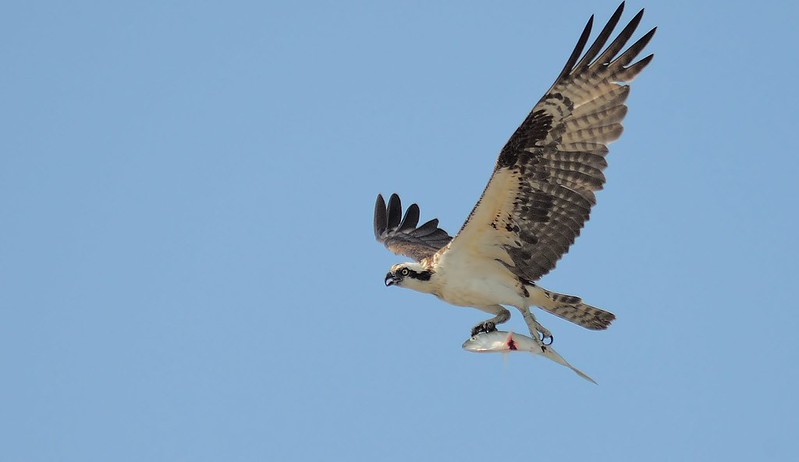
Osprey shot is by far my favorite

you fail before sucsess
 
Thanks Sam! I have accumulated so many Osprey shots in the last 2 months. The one that still evades me is an Osprey flying out of the water staring at me with a big fish in it's talons and water splashing everywhere...
 

Create an account or login to comment

You must be a member in order to leave a comment

Create account

Create an account on our community. It's easy!

Log in

Already have an account? Log in here.

Back
Top Bottom