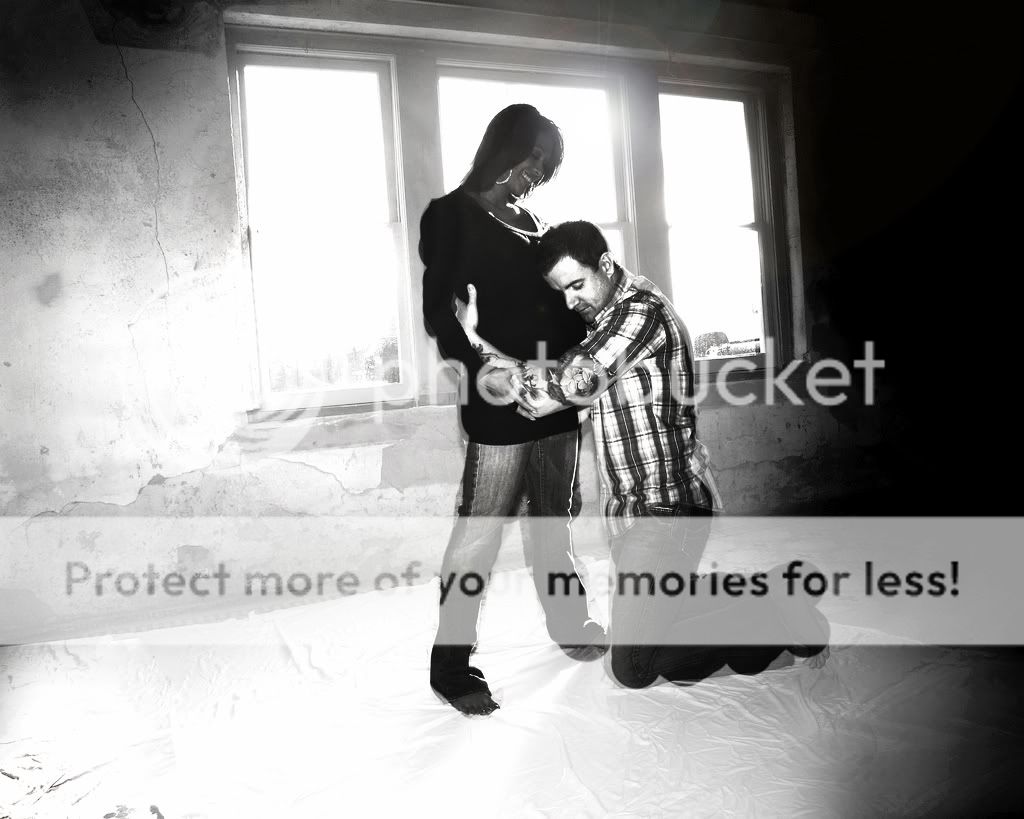
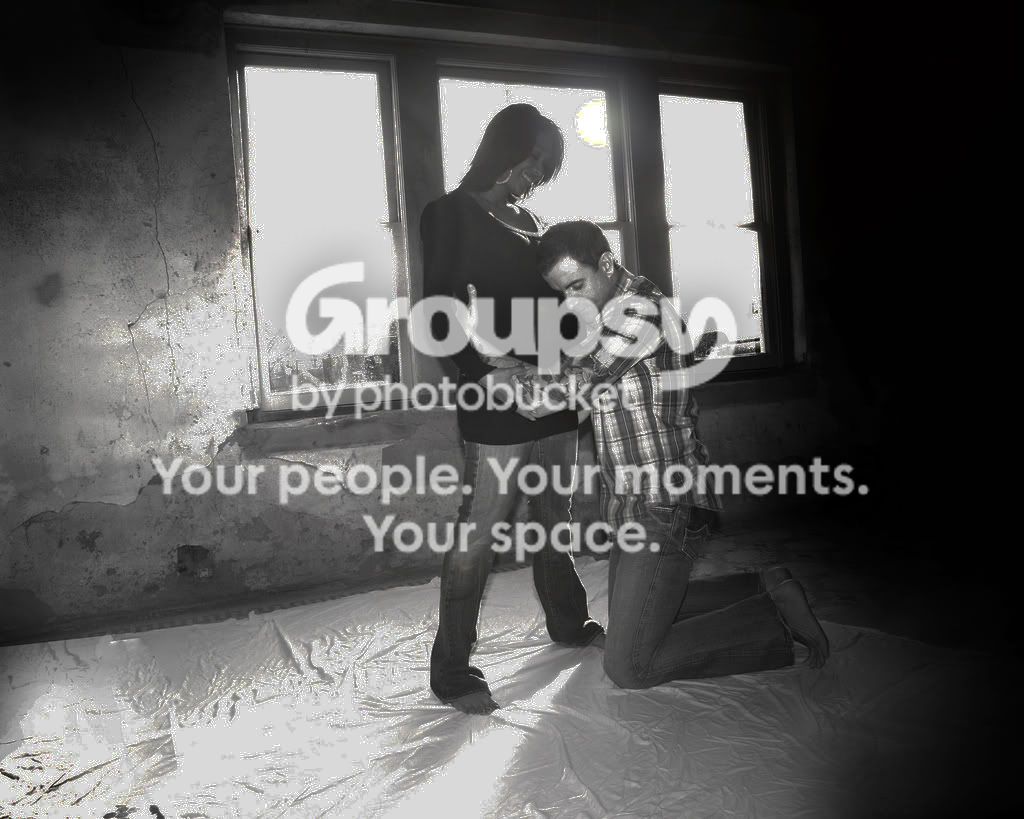
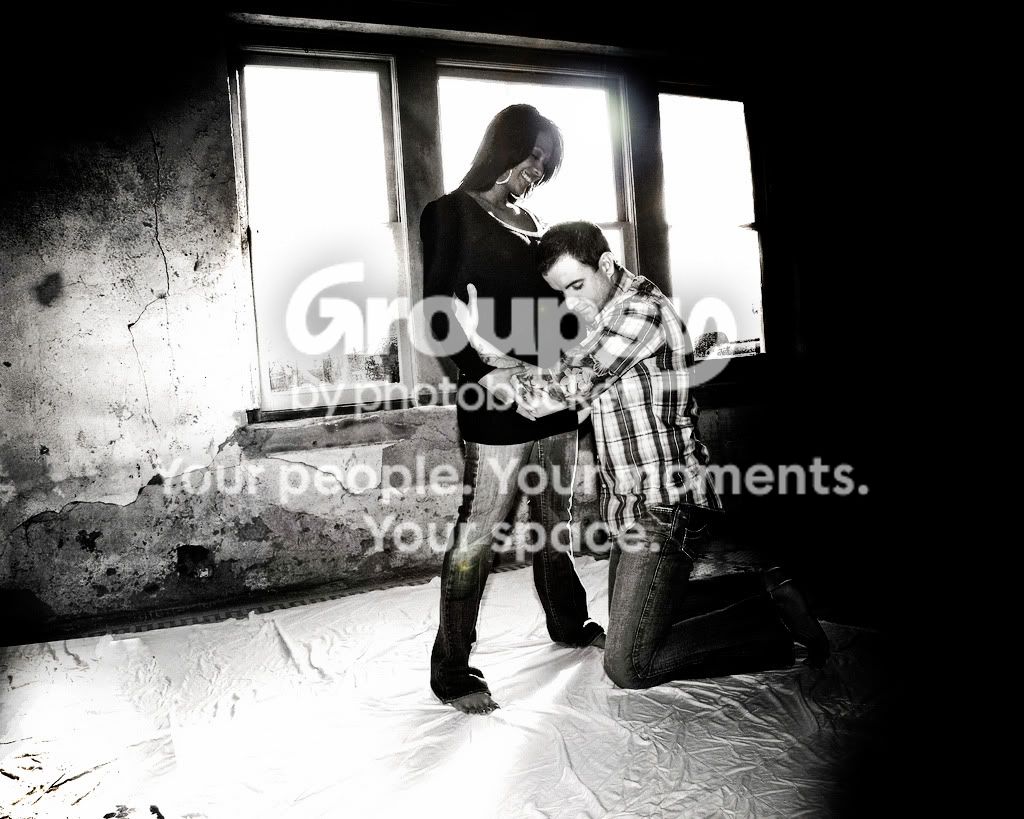
It looks like you've got a big exposure problem in-camera, with the intense backlighting causing a lot of "pollution" of the image, due to intense veiling glare that the lens gave when shot into such a strong backlighting source. I think the best thing to try would be to create a new layer, and go to Apply Image, and hit "Screen" and set the opacity to 90 percent or so, and maybe repeat that step a time or two. That will lighten thingss up a bit. Images like this, that have been shot in extremely high-contrast backlighting cause veiling glare (a type of lens flare) AND over-tax the dynamic range of the sensor, are very difficult to make "pop!"
If you would have had a LOT of fill lighting in that room, you could have shot this with an in-camera exposure that would have been contained within your camera's 10-stop (roughly,depending on measuring methodology) Dynamic Range, but my guess is the original image is pretty so-so...
You could also try making two raw conversions, one for the shadows and the other optimized for highlights,and combining them.









![[No title]](/data/xfmg/thumbnail/32/32158-8de1a90710a58144b47a0cee83a6c820.jpg?1734161046)

![[No title]](/data/xfmg/thumbnail/32/32159-cd588f68f116c390a4eaddec2380f1a6.jpg?1734161046)
![[No title]](/data/xfmg/thumbnail/32/32160-4e45e524b050f1afae9fd21bf696d61b.jpg?1734161046)