What's new

How much sharpening?

Claudia_Neurojuice

TPF Noob!
Joined
Nov 22, 2014
Messages
11
Reaction score
1
Can others edit my Photos
Photos OK to edit
Hi!
I have been shooting in RAW for a while and post-processing in LR. I have the impression though that most of my photos, even the perfectly exposed ones shot on a tripod at f/10, are not as sharp as they could possibly be. My default sharpening value is currently 35 but I have been playing with the slide and increased the value up to 50 or even 60 and they look rather fine to me, but...at which point would you consider a photo oversharpened? Which value do you usually apply?

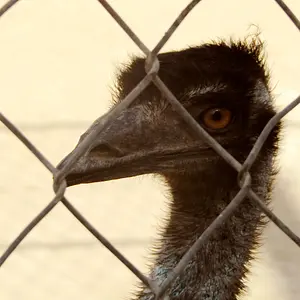
As an example, this one below has had a +50 sharpening with radius at 3 and detail at 100.
Photo "31999" in the album "Profile Pictures" by Claudia_Neurojuice | Photography Forum

Thanks!
Claudia
 
Lots of factors effect an image's sharpness.

First, all raw images need to be sharpened, that is the nature of raw. The image firmware demosaics the image thus blurring it and the photographer has to sharpen it.
Second, F10 might not be the sharpness f stop of your lens.
Third, at slower shutter speeds, you may be causing motion blur just by the way you press the shutter.
Last, input sharpening, (which is what you are doing, certainly isn't the only way to sharpen images. and there is way too much to put in a single post.
read any or all of these.

Sharpening 101
How to Properly Sharpen Images in Lightroom
Guide to Image Sharpening
 
I'm not dancing around the answer, just saying there are actually book written on sharpening and you need to have a basic knowledge and then any responses will help you much more.

If you post pictures for comment on technical things like this, post 100% crops so any viewers can actually see what your problem might be.
A 100% crop means to increase the size in the LR window until it is at 100%, then crop a piece out of it about 700 x 700 pixels and upload that.
100%.webp
 
There's also the possibly that either you or the animal moved just slightly after the camera locked focus.

On another thread, I mentioned that sharpening and de-noising are basically opposites. If you sharpen you increase "noise". If you de-noise, you "soften" an image.

But one of the great features of Lightroom is that you can now "paint in" most any adjustment. That means that rather than applying your sharpening to the image globally (all areas get equal treatment) you can selectively "paint in" the sharpen effect just where you want it. In a portrait, I'll go after eyebrows, eyes & lashes, lips, and some hair detail... but ignore areas where the image doesn't need to appear sharp and that helps avoid the problem of introducing unnecessary noise.

In your image, you could selectively "paint in" the sharpen effect on the bird's head and some plumage, but ignore the background (which is de-focused anyway and wouldn't benefit from sharpening.)
 
Thanks for the quick reply! I have already read a lot about sharpening but will definitely need to go through the guides you suggested.
Also, I try to always use a remote + live view when shooting with a tripod.
The turkey picture was actually not taken with the help of a tripod so it might not be the best example (it was shot at 1/100 s and I think there's a bit of motion blur), in this case I was more interested in understanding if it looks unpleasantly oversharpened.

I will look for and post a better example, a picture taken on a tripod.
 
Thanks for the suggestion, Tim! In effect sharpening on this picture's background doesn't look good, I will try selective sharpening.
 
Another point is resizing. When you resize a photo you throw away data, as such it tends to soften the final result. Default resizing options in most software applies a level of sharpening to counter this, but even with that its generally advisable after resizing to then run another round of sharpening over the photo (yes you sharpen - resize and then sharpen again). Note the second time you might need very much less - you're only touching up.
 
There is no one-size-fits-all set of sharpening adjustments.

I sharpen in 3 stages:
1. Capture sharpen. Done in a Raw converter like ACR (Camera Raw & LR Develop module), and I apply capture sharpening as a gentle, global edit.
2. Local/artistic sharpening. Here I often use a variety of techniques, and a variety of tools
3. Output sharpening. Photos destined for print can handle a bit more aggressive output sharpening than can photos destined for electronic display. Output file type also influences what kind and how much output sharpening.

How much sharpening I use essentially depends on how many edges (edge frequency) there are in a photo.
Photos of people have few edges get a lot less, and a lot less aggressive, sharpening than a photo of a forest that has a ton of edges.
Sharpening adjusts the contrast at edges.
I also vary the Radius and the Detail settings according to edge frequency.
 

Create an account or login to comment

You must be a member in order to leave a comment

Create account

Create an account on our community. It's easy!

Log in

Already have an account? Log in here.

New Topics

Back
Top Bottom