What's new

How to insert pics with reduced size inline.

Skaperen

TPF Noob!
Joined
Nov 24, 2009
Messages
119
Reaction score
4
Location
Wheeling WV USA
Can others edit my Photos
Photos OK to edit
The sticky thread in this forum describing how to post a picture doesn't go into a lot of detail. When I use the IMG tags in square brackets and the URL between, it does work and my picture is embedded in the post. But it's nearly full size as posted. What I'd rather have is a smaller image inline, though not all the way to a tiny thumbnail, and make it linkable to the full size image. Some posts do have that and I wonder how this forum software does it. But some others just go to their photo site page (most everyone doing this is using Flickr). I don't want that. What I'm doing now is putting my pics on my own web server, and putting the image URL between the IMG tags. If I could code the HTML directly, I'd know how.
 
Click on "Go Advanced" right below the Quick Post box to the right, then scroll down to "Manage Attachments" > "Add Files" > "Select Files" > add the picture from your computer > "Done".
 
OK ... Now what? I'm not even getting anything to associate the thumbnail to the main picture.
 

Attachments

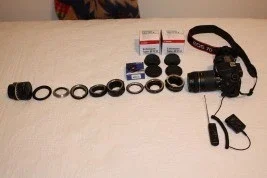
  • $exts-267x178.webp
    $exts-267x178.webp
    9.2 KB · Views: 174
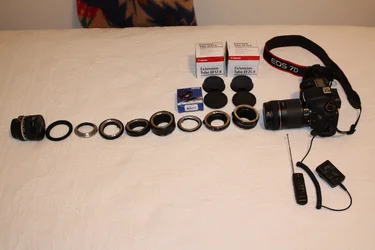
  • $exts-4272-2848.webp
    $exts-4272-2848.webp
    1.4 MB · Views: 189
That wasn't what I was trying to achieve that I had seen in other postings. How do I continue the text below the images? How do I remove the "Attached Thumbnails" and "Attached Images" text (which, BTW, is backwards)?

I did get the image inline, as seen by comments below the image, over in this post ... http://www.thephotoforum.com/forum/macro-photography/286699-extension-crazy.html

What I want to do is put a smaller one inline and have it linked to the full size one.
 
Last edited:
Hmm you're photo should appear fullsized when you post it between image tags. By default we operate an auto resizing program which should resize it to fit a certain scale (this does tend to reduce quality through resizing, but with a single click will enlarge the photo in the window to the original size).


The other option to consider is if you really need to upload fullsized photos to the net. In general most people don't have a screen big enough to show anything much of 1000 pixels on the longest side on a full web page. Pushing to 3000+ pixels for webviewing is great for showing the quality of the shot overall, but it makes page loading slow for those on slower connections and if often a waste because they can't see the whole picture unless their browser resizes it smaller. Generally I'd suggest resizing yourself and sharpening using your own software - resize to between 720 and 1000pixels on the longest side (wherever you want really between those limits) and then upload that version to the net.
 
Hmm you're photo should appear fullsized when you post it between image tags. By default we operate an auto resizing program which should resize it to fit a certain scale (this does tend to reduce quality through resizing, but with a single click will enlarge the photo in the window to the original size).
Full size would be way too messy inline. I've seen others do that and I don't like it when the size is that large. If it's small enough to fit well in the text and can be seen full size by clicking it to another tab, that works most convenient. If there were some Javascript controls to dynamically scale, scroll, and pan the oversized image, which my browser does give me when I'm accessing an image URL directly, that would work.

The other option to consider is if you really need to upload fullsized photos to the net. In general most people don't have a screen big enough to show anything much of 1000 pixels on the longest side on a full web page. Pushing to 3000+ pixels for webviewing is great for showing the quality of the shot overall, but it makes page loading slow for those on slower connections and if often a waste because they can't see the whole picture unless their browser resizes it smaller. Generally I'd suggest resizing yourself and sharpening using your own software - resize to between 720 and 1000pixels on the longest side (wherever you want really between those limits) and then upload that version to the net.
Those sound like suitable numbers unless I'm doing multiple images side by side (rare). I was just doing a test right now and picked a size that was definitely small.

So is this good enough?
 

Create an account or login to comment

You must be a member in order to leave a comment

Create account

Create an account on our community. It's easy!

Log in

Already have an account? Log in here.

New Topics

Back
Top Bottom