What's new

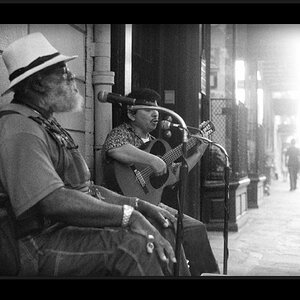
How's the skin tone on this?

Vtec44

Been spending a lot of time on here!
Joined
Nov 13, 2008
Messages
3,501
Reaction score
1,918
Location
So Cal
Can others edit my Photos
Photos NOT OK to edit
On my calibrated LED LCD monitor at home, it looks perfect. On my LCD at work, it looks red! He was a bit more reddish than her so it was hard for me to balance the two :(

548442_335565236509585_315551875177588_873866_260634309_n.jpg
 
Looks a bit red to me, but im at work and its uncalibrated. Thinking I need to bring my calibration tool into work to fix that lol. I'll check when i get home if I get a chance. Though i'm sure someone will chime in by then.
 
Damn it, it looks good on my iPad and iPhone too. lol

Thanks guys.
 
Sampling the (door? Windows?) to the left of his head, here's what the eyedropper shows for color:

background_doors_color.PNG


Assuming that's actually supposed to be white, then yeah, it's off a bit. The white parts of her shirt show the same thing, but actually even more pink.
 
Cool... thanks! I have to play with it a bit. I added a touch of red to balance out her face with his because at 100% correct WB, his face is way too red compare to hers. lol
 
I believe if you increase the exposure the skin tones will right themselves.

You may need to click on her shirt with the eyedropper as well, underexposed skin will typically look more red.
 
Guy looks redish pink. Here is an idea , make two layers, one for the girl and one for the guy and then mask the guys skin tones in so you have both of best worlds.
 
I'd say they are just verrrrrry slightly above medium-well-done, judging by the degree of pinkness...
 
the whole thing looks red and it looks like you can whiten her teeth and eyes IMO
 

Create an account or login to comment

You must be a member in order to leave a comment

Create account

Create an account on our community. It's easy!

Log in

Already have an account? Log in here.

New Topics

Back
Top Bottom