What's new

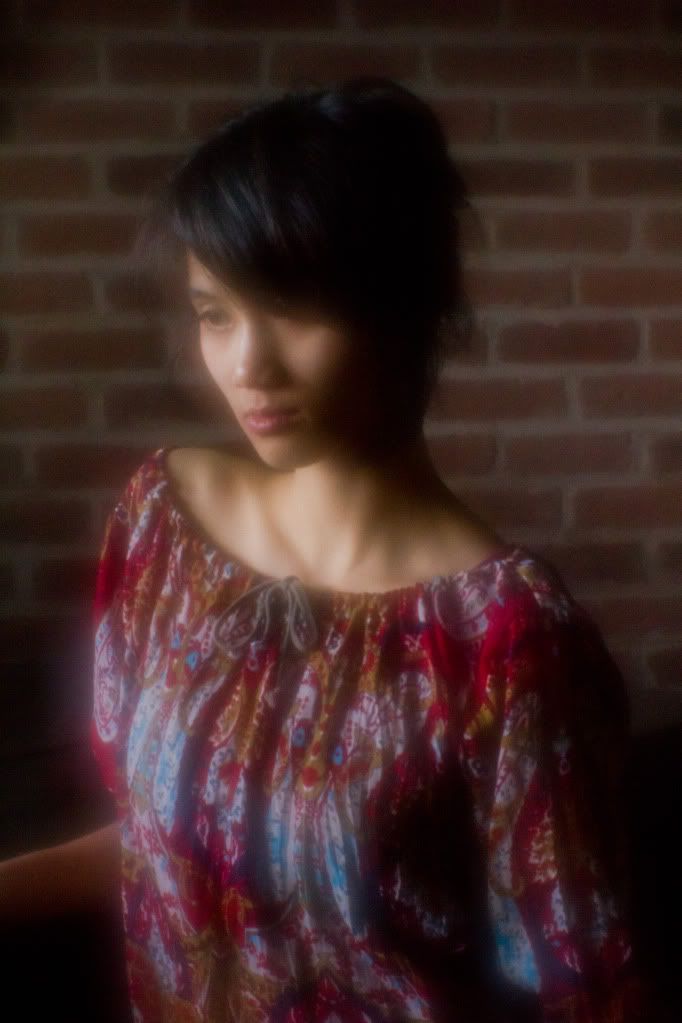
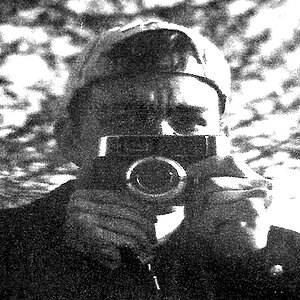
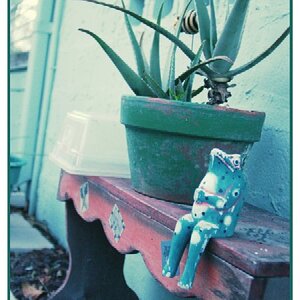
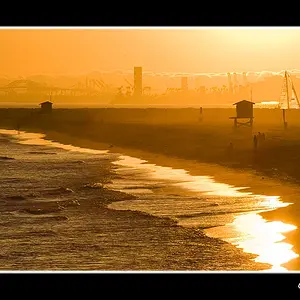
I REALLY want to know how these types of photos are produced

you can download nik color effect for photoshop... easy to to use...
 
If you want to achieve that effect without going to far, i strongly sugest you to simply add a bit of color (of your choice) to the shadows. purple is the color of choice these day lol
shift the wb a little bit and add some clarity and contrast. for something more contrasty and do the opposite for something similar to what you posted.
 
Both women share a remarkably,remarkably similar style. It looks like what's needed to make these photos is a high level of self-absorption, a highly-developed sense of narcissism, a tripod, a camera, and a bucketful of Photoshop actions. Oh, and an old Cindy Sherman exhibition catalogue to leaf through. As you can see, the work of the two women is practically interchangeable, and could be mix-n-matched, like GrrAnimals or Lincoln Logs, and nobody would know which images came from which computer.

I wasn't asking anyone to criticize their work... and I'm not looking to take pictures of myself actually, I'm more interested in how they achieved their results.

I don't think that you are really wanting to know how to take images like these since there isn't really any continuity among them. I think you want to know how they are processed. Search on google for "vintage photoshop actions" and that will get you started :)

That's exactly what I'm asking. Thank you :) I should have been clearer in my initial post, sorry about that. Thanks for the response.


How old are you? 12? grow up :er:

Although I can not speak for all images, you can start as such.

Slightly overexpose the image, giving a whiter sheen and letting the light envelope the contours.
Secondly, A soft lens.

Although I did not try to replicate any one technique, I was just fooling around with my Lensbaby Soft Optic which arrived the day before and obtained these.

The first has not been post processed, I wanted to see what would happen if I placed a soft filter on a Single Lens Optic. Conclusion: it's not as nice as when kept with the Soft Optic (Image Two).

The last step would be to play around in LightRoom. Contrast, Vibrance, Highlights, Tones etc. Turn up the sliders, play with them, see what you get.

IMG_4099.jpg


MColourorBW-4219.jpg

Wonderful, thanks for the advice and sharing your pics. I've read a fair bit about the lensebaby soft optic, do you like it?

As how to achieve this type of look, I've never actually tried myself to get it right, but it's not so difficult. If you overexpose the photo by a small amount, then load it into Lightroom of Photoshop, get the contrast way down, shift the WB a lot, and then probably use the hue sliders to get even further, you're almost there. I am sure there is also a load of finishing steps, but it should get you pretty close.

Thanks Drake, I'll be sure to give this a go. Like I said I'm new to this so I appreciate the response.

I've had Lightroom sitting on my laptop for quite sometime and have only briefly played around with it.

There are a ton of presets for Lightroom that will give you the look and feel of those images. The washed out look can be achieved in-camera. I sometimes use the presets as a start and then tweek to my (or in most cases the Bride's) liking. I then save the modified preset as my own.

Cheers! :D

you can download nik color effect for photoshop... easy to to use...

I'll check it out. Thank you :D

If you want to achieve that effect without going to far, i strongly sugest you to simply add a bit of color (of your choice) to the shadows. purple is the color of choice these day lol
shift the wb a little bit and add some clarity and contrast. for something more contrasty and do the opposite for something similar to what you posted.

You're right about purple being the colour of choice, I've noticed that too.

Thanks for the helpful post everyone. Like I said, I'm new to this and I'm curious as to how photos like theirs are achieved. I guess I thought it was something more complicated but I guess not!
 
Thank you,

I love the soft optic, but it is not for every day use, same as the circular arberation from the composer, but it's a great way to start.

Conversly, you can obtain a Lomography Diana F+ for around 25-40$. Load it with ISO 400 film (120n) and see what you get.
 

Create an account or login to comment

You must be a member in order to leave a comment

Create account

Create an account on our community. It's easy!

Log in

Already have an account? Log in here.

New Topics

Back
Top Bottom