I posted this photo on another forum and they asked something similar. So this is a dirrect copy and paste of my reply there.
Ouch, I'm lazy!
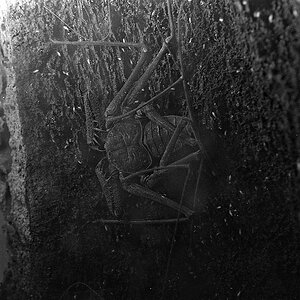
Basic means clicking on the auto contrast button, cropping and resizing then saving. All it did was make the very front of the base whiter. The noise is from the compression I think. Lighting was a 40w desk lamp and the slow sync flash mode. The camera's white balance was set to tungsten. Because the light from the lamp wasn't in the shadows they stayed blue from the flash. The base is one sheet of A4 photo paper and the match box was stuck to it with a bit of blue tack.
Make - KONICA MINOLTA
Model - DiMAGE Z10
ExposureTime - 1/10 seconds
FNumber - 8.00
ExposureProgram - Manual control
ISOSpeedRatings - 64
MeteringMode - Multi-segment
LightSource - Tungsten
Flash - Flash fired, compulsory flash mode, red-eye reduction mode
ExposureMode - Manual
WhiteBalance - Manual
DigitalZoomRatio - 0.00 x
FocalLengthIn35mmFilm - 80 mm
SceneCaptureType - Standard
GainControl - None
Contrast - Normal
Saturation - Normal
Sharpness - Normal
SubjectDistanceRange - Macro




![[No title]](/data/xfmg/thumbnail/37/37609-a1984365804384f841d8245ae7e3b9a7.jpg?1734170735)
![[No title]](/data/xfmg/thumbnail/42/42493-2665d3a35f26795cc783aeb77329a032.jpg?1734177012)
![[No title]](/data/xfmg/thumbnail/37/37610-09a3b763265223288ccc8f30a63a666b.jpg?1734170736)
![[No title]](/data/xfmg/thumbnail/37/37608-63b0d340b0972479217b548a4026df96.jpg?1734170735)
![[No title]](/data/xfmg/thumbnail/37/37096-449bdc6a1e392458a52fd1cca97c6b2e.jpg?1734169827)