What's new

Infrared Filter Q

I think it has more to do with my IR filter in the camera. Generally, the 'higher up the ladder' the body is, the better the IR-blocking filter the camera has, yeilding worse results. I have seen folks with D70s and such using the filter I have and getting great results. I am using a Massa filter..I know it's not the best, but I have seen great images from it..so I have to blame it on the camera's filter or user error.

Mark
 
Try again with the lens wide open.

All of my digital bodies have been pretty low on the ladder, so that may be a factor. You should be getting better pictures than what it sounds like you're getting though...
 
Ill shoot another tomorrow and post it before and after PP to show you what Im talking about.

Mark
 
Try one wide open and see if that helps...
 
gerbz, i was a little worried about exposure times after your initial post in this thread. i agree that it might just be a filter problem? i mean when i hold this filter up to the sky (on a bright day) i still cannot see anything through it.

if i hold it up to a bare light bulb i see a faint silhouette that is more or less all dark red.

then again it might have to do with the d200 :confused:


hey O||||||||O, what are your white balance settings to get the photo black and white? here was my original photo :lol::

DSC_0459.jpg
 
hey O||||||||O, what are your white balance settings to get the photo black and white? here was my original photo :lol::
With IR, I always did a custom WB in PP. Usually by selecting something that should be white (foliage).
 
Ive always heard that you shou,d set a custom white balance with a photo of nothing but green grass. This will cause the camera to think that green light is white once the IR filter is on. After that, all you should have to do is switch the blue and red channels in post and you should have blue skies and white foliage. This method generally never works for me, though and I have to resort to Camera Raw to manually set the WB.

Depending on what the cut off point of your filter is, you shouldnt be able to see through it when you hold it up outside. I cant fully remember what the cut-off is for all visible light, I believe it is 760nm or 800nm, but if your filter's cut off limit is anything less than the starting limit of IR light, you will be able to see some red in the glass when you hold it up. My 720nm filter, for example, lets in just a tad of blue light. This means when I look through it outside, I can see some red in it because it cuts off within the visible light wavelengths. If the filter cuts out all visible wavelengths, you technically shouldnt be able to see anything through the filter.

Hope this helped a little.
Mark
 
The D2h (not D2hs) is supposed to do GREAT with UV/IR because the UV/IR cut filter on it doesn't work too well.
 
You are compensating for the focus shift, right?

Most lenses have a mark for IR focus correction, some (usually the cheaper ones) don't.

The AF sensors on cameras don't have an IR cut filter on them. AF works perfectly through the lens and naturally will compensate for the focus drift. With MF lenses you will need to compensate for the focus shift.

gerbz, i was a little worried about exposure times after your initial post in this thread. i agree that it might just be a filter problem? i mean when i hold this filter up to the sky (on a bright day) i still cannot see anything through it.

if i hold it up to a bare light bulb i see a faint silhouette that is more or less all dark red.

then again it might have to do with the d200 :confused:

It will depend greatly on the cameras. The D200 is one of the worst for IR photos. I just mentioned it because the D300 is the same bloodline so may have a similar level of IR filtering. Your photo is a few stops underexposed and the shutterspeed is already 0.6 seconds at wide open ISO200, so it does seem slighty better but far from the hand-holdable result you get with a modified camera or a film IR shot.

For white balance one thing to try is playing with the Kelvin values directly in the camera. The D200 has these features so the D300 should to. I crank the white balance at long as it will go.
 
You are compensating for the focus shift, right?

Most lenses have a mark for IR focus correction, some (usually the cheaper ones) don't.

The AF sensors on cameras don't have an IR cut filter on them. AF works perfectly through the lens and naturally will compensate for the focus drift. With MF lenses you will need to compensate for the focus shift.
Yeah, but don't you have to see what you're trying to focus on though?

I don't know how you do it, but I have to focus before I put the filter on, then adjust for the shift.

Even if the AF worked through the filter (never tried it - I will now though), you wouldn't be able to see what the camera was focusing on...
 
Personally, I didnt know there was a focus shift. I knew there was an exposure compensation issue, but never a focus shift. Ive always just focused, put the camera in MF, put the lens on, and shot the photo.

Mark
 
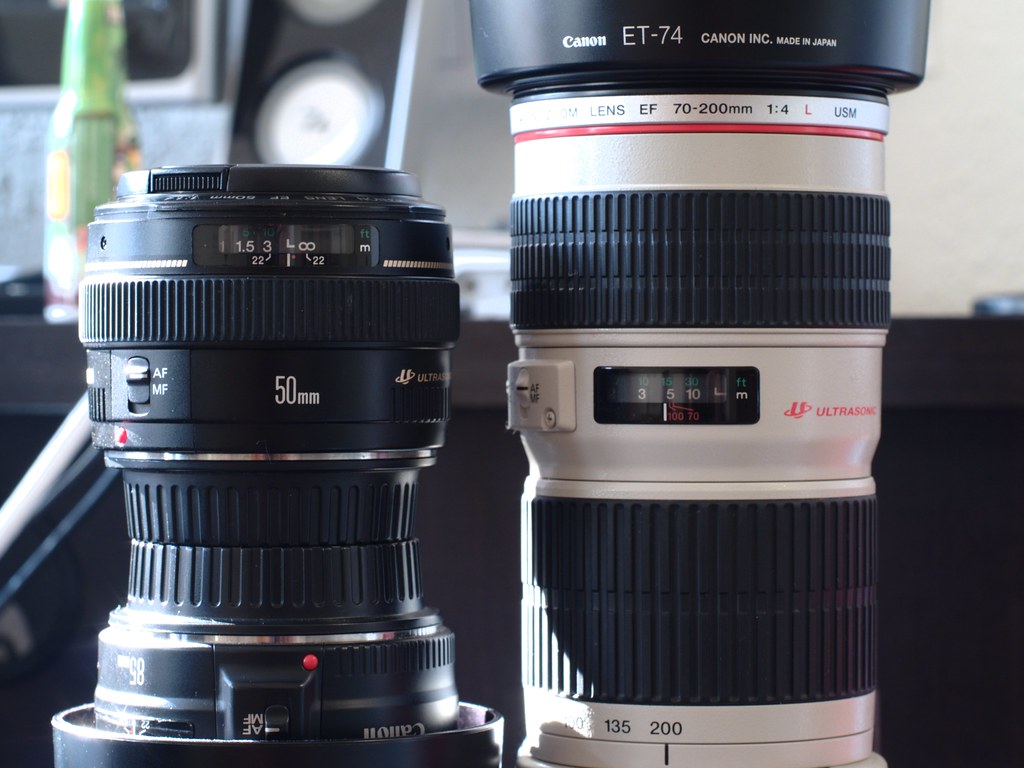
Do any of your lenses have markings like this (the red dot on the 50mm and the two red lines that say 70 & 100 on the 70-200mm)?


Those marks show you how much to shift the focus.

Say the correct (visible light) focus point was at infinity on the 50mm (where it is currently set in the picture), once you put the IR filter on you would need to adjust the focus so that the red dot lined up with wherever the visible light mark was (infinity in this case).

On the 70-200, the 70 mark is where it needs to be when the lens is at 70mm, the 100 mark for 100mm, and no correction needed at 200mm.

Did a little searching on google images, it looks like most Nikon lenses that have distance scales also have IR marks. Usually a red dot or line. A few look like they have a white dot. Some just have a red 'R' next to one of the normal marks on the DOF scale.

Basically, if your lens has a DOF/distance scale on it, there is probably an IR mark too.
 
Last edited:
OK, I did some test shots with both filters. Ignore the soft focus... I shot these through a window and didn't use a remote or timer, so there probably is some camera shake too.

B+W 093 filter, Auto WB. Just did a little curves and that's it - no other PP.
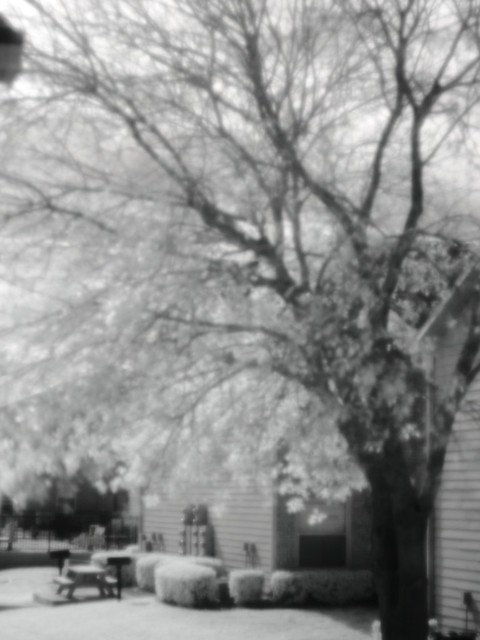


B+W 092 filter, Auto WB. Curves only.
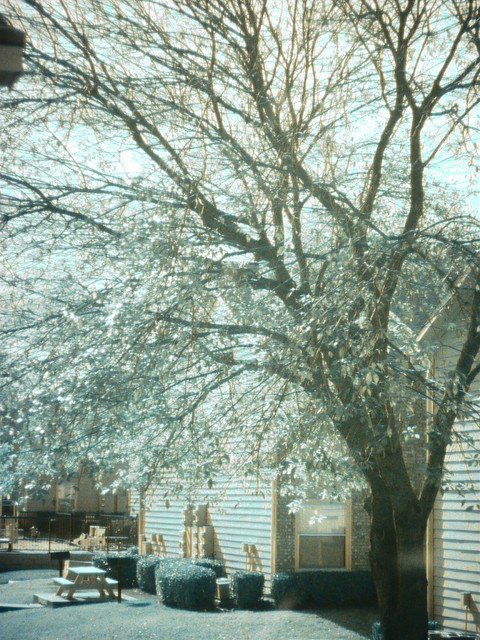


Same image as the one shot with the 092 filter, converted to greyscale.
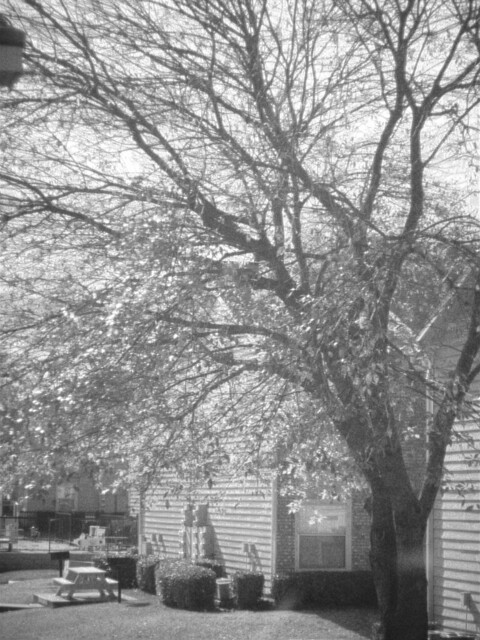

The 092 filter is more for IR film...

All shot with an Olympus E-300 with a Pentax K mount Sears 50mm lens at f/2.

Exposure times were 10 seconds with the 093 filter and a half second for the 092 filter. The 092 filter obviously lets a lot more visible light in - shutter speeds were much faster (about 4 1/2 stops), and you can actually see some color in it, lol.

I can see the effect being pretty cool in the right situations. Almost has a lomo or cross processed look to it...?

I think I didn't quite compensate enough for the focus shift on the 093 one... Since the 092 lets in so much visible light, focus behaves pretty much normally. I didn't change any camera settings (other than shutter speed) between these, and the focus point was the same for all of them.

I did use the IR mark on the lens, but I suspect that the lens adapter is altering the light path or something. I don't know why else the mark would be 'wrong'... Anyway, this was the first time I've tried IR with this set-up. Once I get the focus compensation figured out I think it'll do pretty good.

The Oly is my only working digital body right now... I was glad to see that it can do IR at least as well as the 350D could. Shutter times were faster than I was expecting.

With WB set to Daylight, the 093 filter produces very red images, while the 092 is very orange.

edit

If nothing else, this series of pictures does a pretty good job of demonstrating the focus shift.

You can read more about why it happens here:
http://www.apogeephoto.com/mag1-4/mag1-4mfir.shtml

Basically, different wavelengths of light focus at different points when they pass through a lens.

 
Last edited:
Youve got quite a bit more foliage down there in Texas than I do up here in Maryland :lol:

I will do a quick shot now and see what happens. BTW, the lens I am using the filter with is the Sigma 10-20mm F/4-5.6 EX DC HSM.

Mark
 
BTW, the lens I am using the filter with is the Sigma 10-20mm F/4-5.6 EX DC HSM.
Just checked google images - unless I'm looking at the wrong lens, it does not appear to have the IR marks.

If it doesn't, just guess. Move the focus ring so that it's focusing a little bit closer than what was right with visible light. If you can zoom in on the picture after you take it, that should help get the focus right.


I don't know if it's this Sears lens, or the fact that I'm using an adapter on it, but the IR mark seems to be off on it. I'm thinking it's because of the adapter...

The IR mark was always dead on for all of my Canon lenses.

You only have to compensate if your filter cuts all or most visible light though. For digital IR, I think that's the way you want to go anyway - no visible light.
 

Create an account or login to comment

You must be a member in order to leave a comment

Create account

Create an account on our community. It's easy!

Log in

Already have an account? Log in here.

Back
Top Bottom