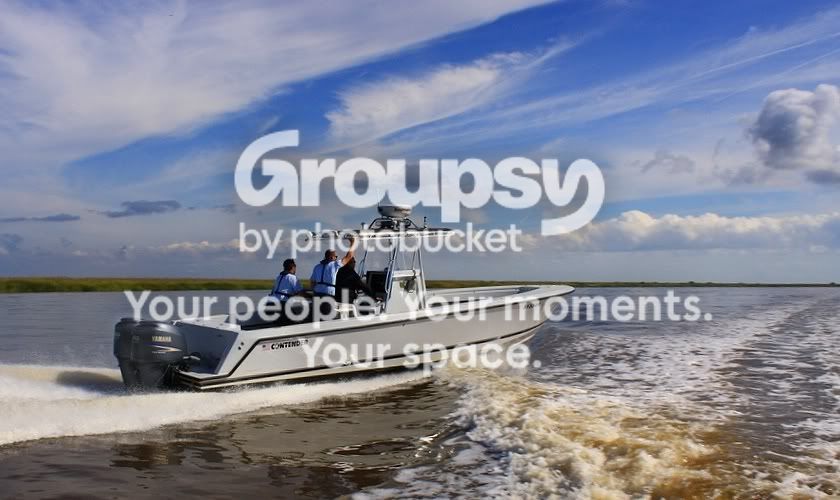
I like the first shot. It's a good capture with good exposure. I like how you incorporated the turbulent water in the foreground, and the wake of the boat. The sky is gorgeous and well exposed.
But....
The horizon is extremely tilted and centered, and the boat is smack in the center of the frame. I'm normally not comfortable editing someones images, but I felt a few minor tweaks could really spruce it up. Here's what I came up with:
First, I rotated the image 3 degrees to the left. That straightened out the horizon perfectly. However, the horizon line was still in the horizontal center of the frame, which means either the top or bottom had to be cropped in order to move it either to the top or bottom third of the frame. I like the water in the foreground, but I LOVE the sky and felt that should remain intact. So some of the water at the bottom had to go, but I feel there's still enough of it there to have an impact on the image.
The boat was still centered, so either the left or right side of the image had to be trimmed. Ideally, you don't want to capture a moving object running out of the frame. It's more interesting to show where the boat is going, so having it close to the right edge of the frame wouldn't work. The boat is facing to the right and moving from left to right, therefore it works better to have it closer to the left side of the frame. This meant cropping some of the wake behind the boat, but again, there's still enough of it visible. Cropping it this was moved the boat from being dead center in the frame, and left some open area to the right of it.
The only other thing I did was lighten the motors a bit, but that might not have even been necessary.
One thing to remember (whether you like the way I cropped it or not): Try to make a conscious effort to keep your horizon straight and compose your subject so it's not in the center of the frame. If you do this before you even press the button, that will mean less pixels you have to throw away later.






![[No title]](/data/xfmg/thumbnail/30/30876-d35f95603398bf3423b26c68d344f018.jpg?1734158870)