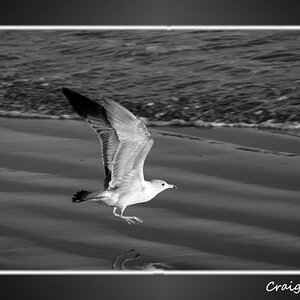
Let's see if I can try;
What is Dynamic Range? The dynamic range is the ratio between the maximum and minimum values of a physical measurement. Its definition depends on what the dynamic range refers to. For a scene: ratio between the brightest and darkest parts of the scene. For a camera: ratio of saturation to noise. More specifically, ratio of the intensity that just saturates the camera to the intensity that just lifts the camera response one standard deviation above camera noise. For a display: ratio between the maximum and minimum intensities emitted from the screen
What is an HDR image?
The Dynamic Range of real-world scenes can be quite high -- ratios of 100,000:1 are common in the natural world. An HDR (High Dynamic Range) image stores pixel values that span the whole tonal range of real-world scenes. Therefore, an HDR image is encoded in a format that allows the largest range of values, e.g. floating-point values stored with 32 bits per color channel.
Another characteristics of an HDR image is that it stores linear values. This means that the value of a pixel from an HDR image is proportional to the amount of light measured by the camera. In this sense, HDR images are scene-referred, representing the original light values captured for the scene.
Whether an image may be considered High or Low Dynamic Range depends on several factors. Most often, the distinction is made depending on the number of bits per color channel that the digitized image can hold. However, the number of bits itself may be a misleading indication of the real dynamic range that the image reproduces -- converting a Low Dynamic Range image to a higher bit depth does not change its dynamic range, of course. · 8-bit images (i.e. 24 bits per pixel for a color image) are considered Low Dynamic Range.
· 16-bit images (i.e. 48 bits per pixel for a color image) resulting from RAW conversion are still considered Low Dynamic Range, even though the range of values they can encode is much higher than for 8-bit images (65536 versus 256). Converting a RAW file involves applying a tonal curve that compresses the dynamic range of the RAW data so that the converted image shows correctly on low dynamic range monitors. The need to adapt the output image file to the dynamic range of the display is the factor that dictates how much the dynamic range is compressed, not the output bit-depth. By using 16 instead of 8 bits, you will gain precision but you will not gain dynamic range.
· 32-bit images (i.e. 96 bits per pixel for a color image) are considered High Dynamic Range. Unlike 8- and 16-bit images which can take a finite number of values, 32-bit images are coded using floating point numbers, which means the values they can take is unlimited. It is important to note, though, that storing an image in a 32-bit HDR format is a necessary condition for an HDR image but not a sufficient one. When an image comes from a single capture with a standard camera, it will remain a Low Dynamic Range image, regardless of the format used to store it.
But aren't we confusing Dynamic Range with bit depth here?
Good question. Bit depth and dynamic range are indeed separate concepts and there is no direct one to one relationship between them.
The bit depth of a capturing or displaying device gives you an indication of its dynamic range capacity, i.e. the highest dynamic range that the device would be capable of reproducing if all other constraints are eliminated. For instance, a bit-depth of 12 for a CCD tells you that the maximum dynamic range of the sensor is 4096:1, but the captured dynamic range is likely to be much less once noise is taken into account (most 12-bit sensors have on average a dynamic range around 1,000:1 only).
In the case of an image file, the bit-depth in itself does not tell much about the dynamic range captured or reproduced by the file.
First, the bit depth of an image file is not a reliable indicator of the dynamic range of a reproducing device. For instance, when a RAW file is converted into a 16-bit TIFF file in linear space, the real bit-depth -and thus maximum dynamic range- of the captured data is most probably 12-bit only, which is the bit-depth of standard digital cameras. It is just because 12 bits are not convenient for computers that the file will be stored in 16 bits, but of course it does not change the dynamic range of the information stored.
Second, the bit-depth of an image file is even less a reliable indicator of the dynamic range of the scene reproduced. When a 32-bit HDR image has been properly tone mapped, it will show the original dynamic range captured, even when it is saved in an 8-bit image format. This is why a tone mapped image is often confused with an HDR image. A tone mapped image is not an HDR image as it does not represent the original values of light captured anymore. It just reproduces the dynamic range captured on standard monitors or prints.
How do I shoot an HDR image?
Most digital cameras are only able to capture a limited dynamic range (the exposure setting determines which part of the total dynamic range will be captured). This is why HDR images are commonly created from photos of the same scene taken under different exposure levels.
Here are some recommendations for taking different exposures for the HDR image:
1. Mount your camera on a tripod
2. Set your camera to manual exposure mode. Select an appropriate aperture for your scene (e.g. f/8 or less if you need more depth of field) and the lowest ISO setting.
3. Measure the light in the brightest part of your scene (spot metering or in Av mode to point only the highlights) and note the exposure time. Do the same for the darkest shadows of your scene.
4. Determine the number and value of exposures necessary. For this, take as a basis the exposure time measured for the highlights. Multiply this number by 4 to find the next exposure with a stop spacing of 2 EV. Multiply by 4 successively for the next exposures till you pass the exposure measured for the shadows. (Note: For most daylight outdoor scenes excluding the sun, 3 exposures spaced by two EVs are often sufficient to properly cover the dynamic range).
5. You can make use of Auto-Exposure Bracketing if your camera supports it and if it allows a sufficient exposure increment and number of auto-bracketed frames to cover the dynamic range determined in step 4. Otherwise, you will have to vary the exposure times manually.
^
› Can't I just create the exposures from one RAW file?
Not really. Your RAW file contains data captured by the sensors for only one exposure. The total dynamic range you can reconstruct from one photo converted with different exposure settings can never be more than the dynamic range captured by your camera, and this is rather limited (see above).
When you are using only one exposure to capture the scene, your RAW file is already your HDR image.
Converting the RAW file to images with different exposure levels is a bit like slicing the dynamic range of the RAW into several parts. Combining the parts back into an HDR image will at best re-produce the dynamic range of the initial RAW file.
That said, if you are using a good RAW converter to derive fake exposures from a single RAW file, you will probably notice that the HDR image created from the fake exposures shows more dynamic range than the pseudo-HDR image obtained by converting the single RAW file directly. This is because your RAW converter includes a good noise reduction function, and this has an important effect on the dynamic range. You RAW converter may also include the ability to continue to retrieve highlights details when one or two of the color channels have already reached saturation.
So, a good RAW converter includes functions designed to optimize the dynamic range retrieved from the raw sensor data, but this does not change the fact that the dynamic range of a RAW file is limited to one exposure only. Unless the dynamic range of your scene is low, you will need to take more than one exposure to create an HDR image of the scene.
It's a copy and paste...but i didn't want Bi killing himself any more. The amount of misinformation floating around about HDR is staggering.








![[No title]](/data/xfmg/thumbnail/33/33338-4ae29c5eff506820d8b986c033234764.jpg?1734163228)

![[No title]](/data/xfmg/thumbnail/41/41765-153b10bab62ae8adbcc4d984fd08ed74.jpg?1734176069)