DGMPhotography
Been spending a lot of time on here!
- Joined
- Mar 23, 2012
- Messages
- 3,160
- Reaction score
- 717
- Can others edit my Photos
- Photos OK to edit
- Thread Starter 🔹
- #16
You first mention LR filters then say presets. The latest versions have "Profiles", "filter brush" and "Presets". All if which work slightly different. Which one are you referring to?
They are all under the Presets tool window. Let's not worry about semantics please.
In your post you say "I have a question for those experienced with Lightroom's new filters". "Lr filters" are located in the develop module just above the basic Basic Panel, in addition to the sliders available, they also give you the option to apply color, and make selective adjustments. Unless you are referring to the "filters" available for file management in the Library module.
"Profiles", a relativity new addition is located at the top of the basic panel and accessed by clicking on the four squares to the right to open the Profile Browser. It gives you the option of using Adobe standard profiles, your camera profiles and custom profiles (which are now being sold by third parties). Profiles determines how Adobe interprets the data in a raw photo to render on screen and affects color, saturation, contrast but doesn't change your sliders in the basic panel.
Then you refer to "The preset I used for this was Color - Matte" . "Presets" are in the develop module on the left under the drop down "Presets", which have been around for awhile, and are probably the most overused by the inexperienced. They can change everything from Basic, Tone Curve, HSL, Split Toning, Detail, Effects, even apply filters.
Each of the three editing tools above will affect your tone curve, sometimes in different ways, so knowing which term you meant was required to provide an answer to your question and not a case of semantics.
My mistake was assuming you actually wanted the correct answer, won't happen again Bud.
Take a chill pill, dude. I think most people got the idea. Sorry I didn't elaborate for you. Bud.
DGMPhotography said:Alright, I've made some adjustments based on people's feedback here.
#5. Tried cropping out the walls as per Derrel's suggestion. Not sure how I feel about it.
View attachment 168345
OKAY...55 millimeter tall woman in the original version; in the cropped version, she's 85 millimeters high, from foot to top of hair. Keep in mind, the on-screen measurements I am giving are when seen large, on a computer screen. When this image is shrunken down, to Instagram size, she will look like a grasshopper in size in the original crop. Of course, if that's what you want, by all means, include the masonry walls.
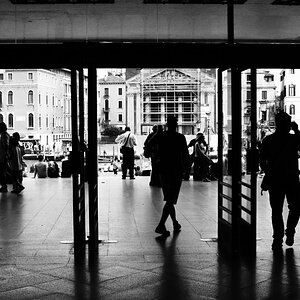
I agree a closer crop definitely looks better than my original crop! I think the last one I posted is a pretty good compromise - what do you think?


![[No title]](/data/xfmg/thumbnail/32/32175-dfc7c053c145a53c7f2585ca44f122d4.jpg?1734161047)
![[No title]](/data/xfmg/thumbnail/32/32172-e383665a8becbae2d9a6b61359dae22e.jpg?1734161047)
![[No title]](/data/xfmg/thumbnail/32/32171-96317e1f56adbfbcf5a9205247a8c2fc.jpg?1734161047)