What's new

Kind of intimidating to post my own pictures, but I'd love to hear opinions

joeysmom

TPF Noob!
Joined
Aug 12, 2009
Messages
14
Reaction score
0
Location
Buckley, WA
Can others edit my Photos
Photos OK to edit
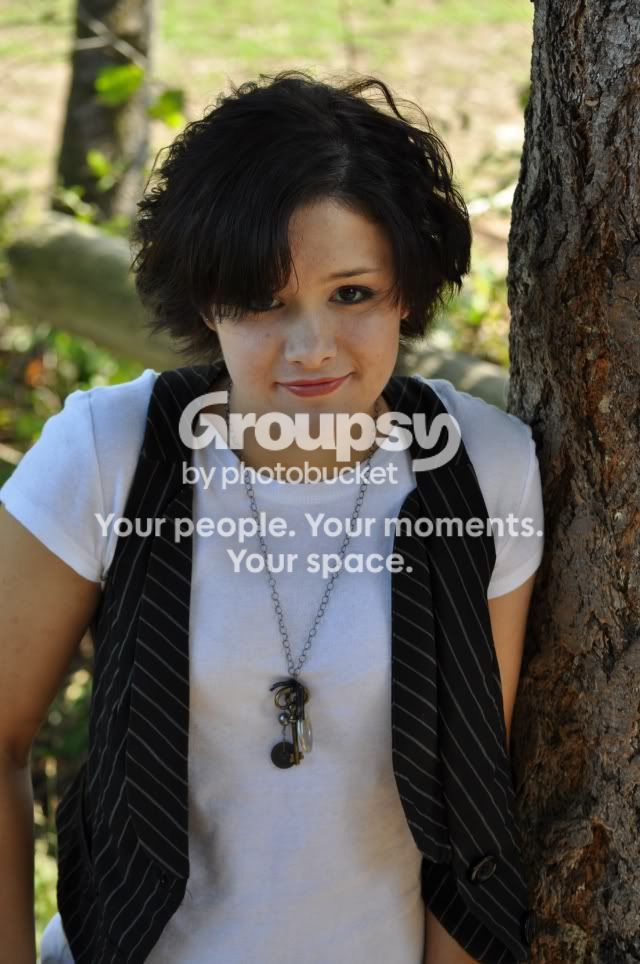
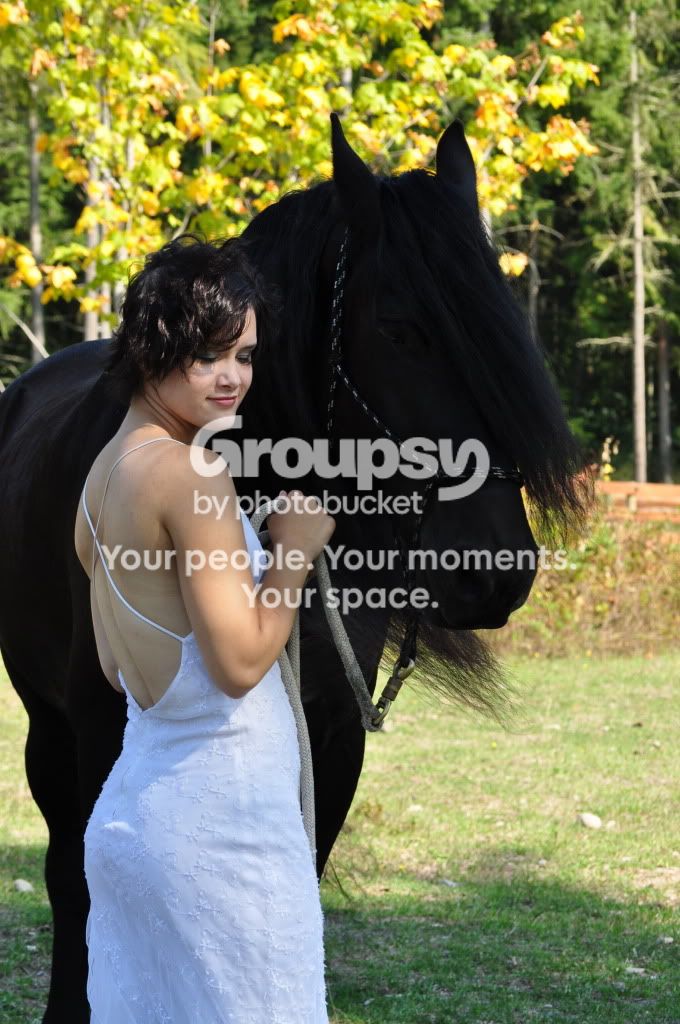
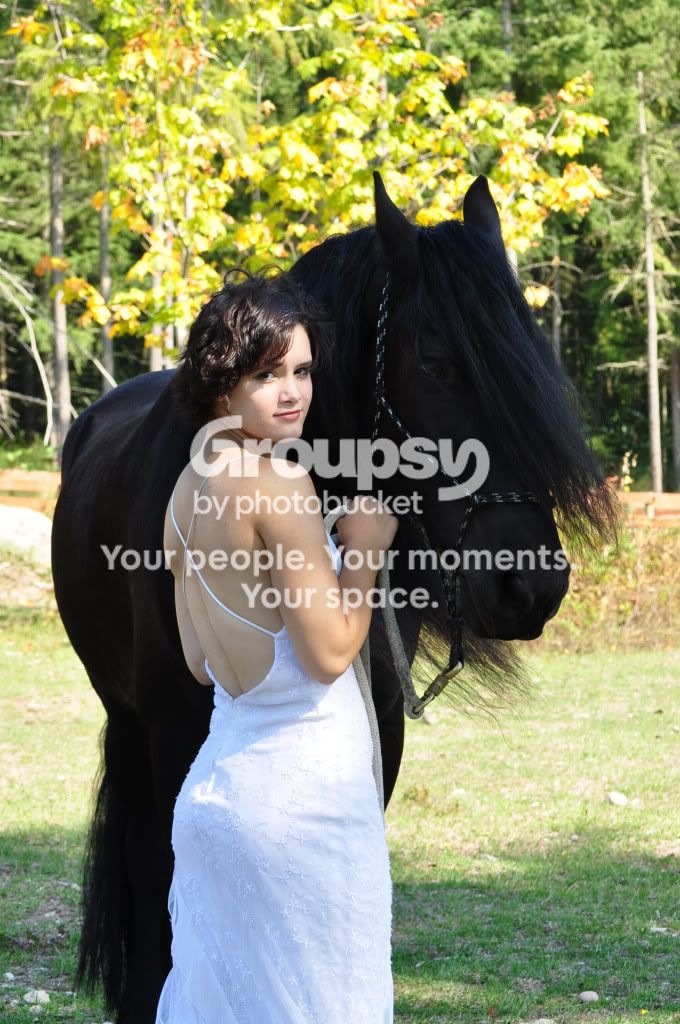
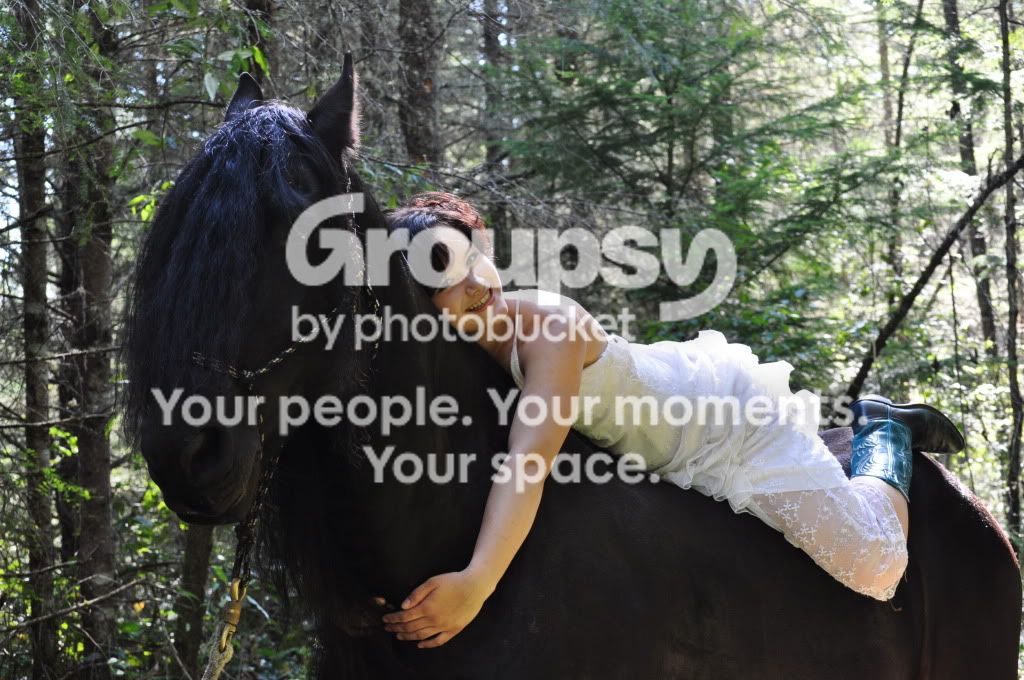
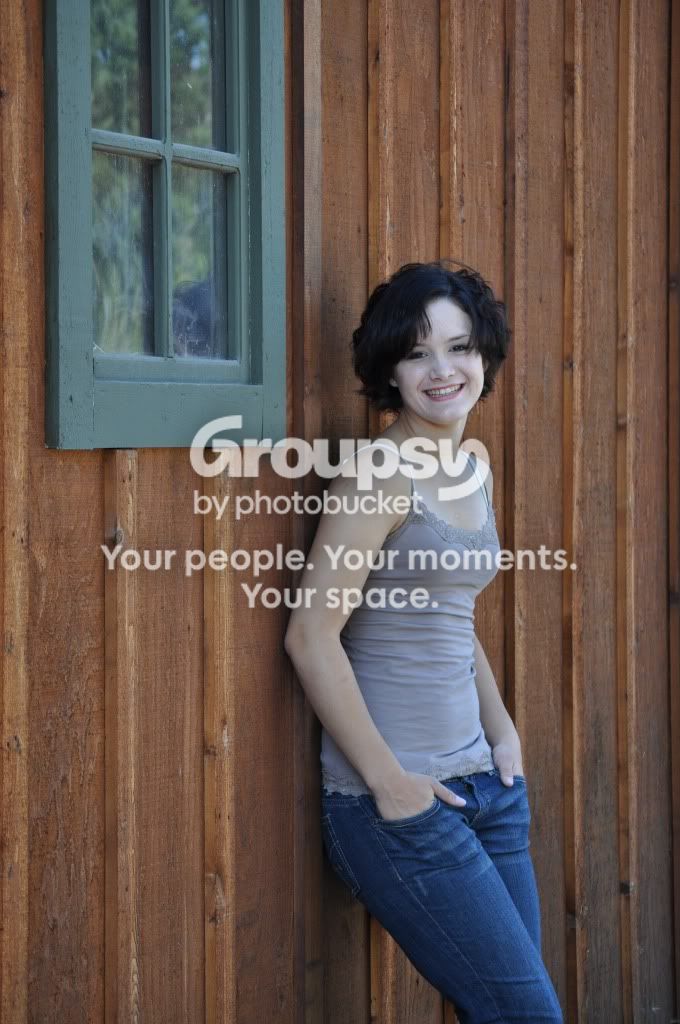
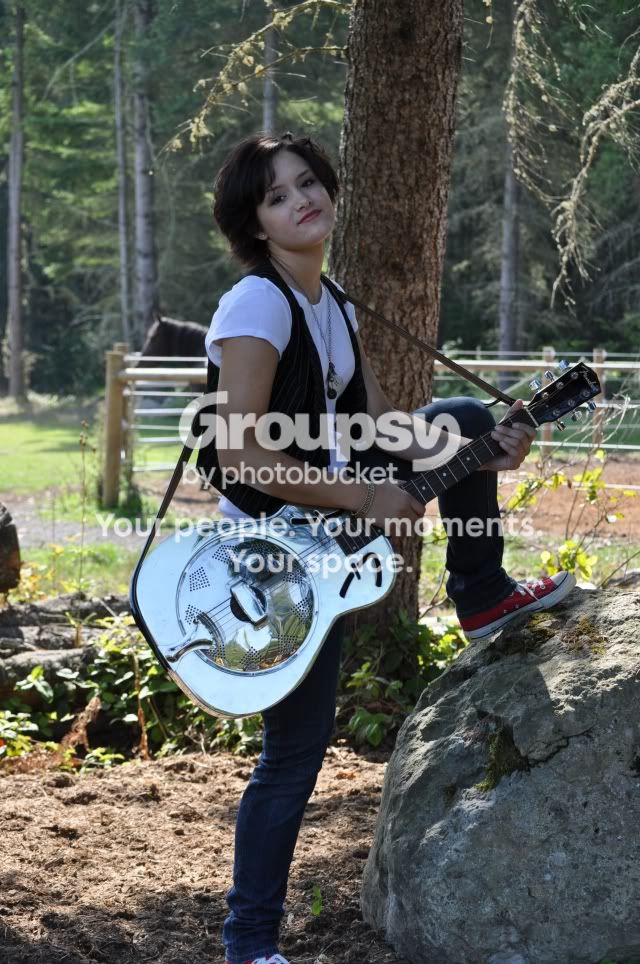
I am just a hobby photographer, and my dear hubby just bought me a new DSLR camera that I am still using as a point and shoot, since I don't know much yet. My favorite subject is my beautiful daughters and recently I did a senior photo shoot of my middle girl. I found it challenging to get good shots of two living beings!

1.
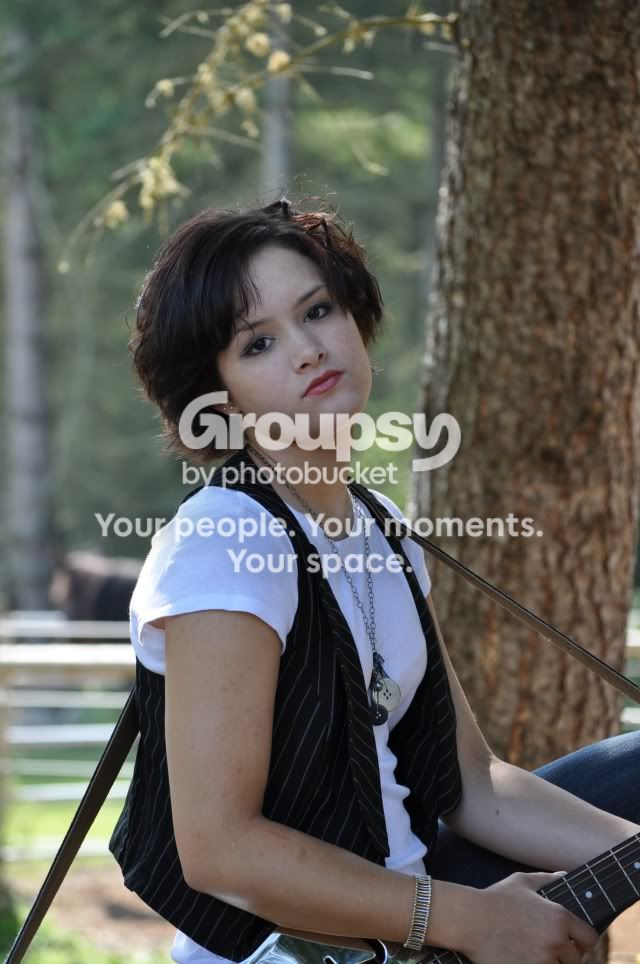
Christina3.jpg


2.
Christina7.jpg


3.
ChristinaandRachelSeniorPics9-09208.jpg


4.
chfrisocrop.jpg


5.
ChristinaandRachelSeniorPics9-09253.jpg


6.
ChristinaandRachelSeniorPics9-09106.jpg
 
Not bad!

Is that a BC Rich Warlock guitar? If so, I haven't seen one of those in years...
 
Welcome to the forum.

There is certainly some potential here but also a few things to work on.
Firstly, work on your exposure. Use the EC (exposure compensation) and experiment with more or less exposure that what the camera is giving you. In most of these shots, her face is not really as bright as it could/should be....try adjusting the exposure so that the model looks best.

Watch your composition and framing. In a couple of them, there is too much dead space above her head and I think they would look better if they were shot or cropped closer.

Lastly, think about adding some fill light. It can brighten up your model and add some nice catchlights to their eyes. You could use a reflector to bounce some light back onto them, or try using your flash.
 
It's my son's, and he let her use it while he's in the army. He bought it with E-coli settlement money he got when he turned 21! Here's another shot of it. He just told us it's a resonator.
Christina2.jpg
 
Welcome to the forum.

There is certainly some potential here but also a few things to work on.
Firstly, work on your exposure. Use the EC (exposure compensation) and experiment with more or less exposure that what the camera is giving you. In most of these shots, her face is not really as bright as it could/should be....try adjusting the exposure so that the model looks best.

Watch your composition and framing. In a couple of them, there is too much dead space above her head and I think they would look better if they were shot or cropped closer.

Lastly, think about adding some fill light. It can brighten up your model and add some nice catchlights to their eyes. You could use a reflector to bounce some light back onto them, or try using your flash.

good golly...I don't even know what all that means, but I sure would like to! Except for the dead space comment...I get that. how do I adjust the exposure and how do I add fill light??? Thank you for the advice...it is greatly appreciated.
 
First thing to do is to read your camera's manual - front to back.
Second thing to do is to read your camera's manual - front to back. ;)

You camera will have a scale displayed somewhere. Maybe on the top or back screen, but certainly in the viewfinder. Normally, in any of the auto modes, the 'needle' will be right in the middle of the scale on ...0... (zero). This means that the camera is giving you a middle exposure for what it's seeing. The problem is that the camera doesn't know it's shooting a person...it just see some bright areas and some dark areas. It's your job as the photographer to know what the most important part of the image is (the model) and adjust the exposure for that.

Somewhere in the manual, you can learn how to adjust the exposure with Exposure Compensation. This moves the 'needle' away from zero, thus giving you more or less exposure. You may find that you need to change your EC from shot to shot, as the light or background changes...so keep an eye on it.

Fill light is just any light that makes the shadows less dark. For example, if you put your subject out in bright overhead sun, the top of their head would be really bright, but there would be dark shadows in and around their eyes. You could use something like a piece of white foam board to bounce some of that sunlight back into the model's face, thus filling the shadow areas with light. You can also use your camera's flash but it does have limitations.
 
Big Mike...Let me get this straight...you want me to read my camera's manual? haha... Got it. I have skimmed it, but apparently you can tell, I have NOT read it front to back. I'm on it! Thanks so much for the help. I hope someday all this will be automatic for me. I've reached my limitation on just plain old shots, now I want to do amazing ones.
 
Many people recommend 'Understanding Exposure' by Brian Peterson, as a good book to get you started in your photographic education.
You could also check out your local library to see what they have on photography. It doesn't even matter if it's an older book that deals with film photography because the basics of exposure, composition, posing etc. are still the same and of course, light is light.
 
Not bad!

Is that a BC Rich Warlock guitar? If so, I haven't seen one of those in years...
You could tell all that from the corner of a body and a neck? !!!

Very nice photos howeve under exposed slightly, but as you said, your ahobby photographer using it as a p&S
they are acceptable however and are fairly sharp!

If she takes after her mother, you must be a beautiful woman!
 
I will read my manual and find that book at the library. It seems like I learn something new everyday...
 
I would second reading Understanding Exposure. I was pretty sure I understood how exposure worked, but he really explains it in such a way that it easily makes sense. And there's tons of photos showing exactly what he means.

Excellent choice for a beginner.
 
just purchased my copy for £13 including delivery - amazon
I did have it as a .pdf but id rather support him for his help + the pdf was bad quality :P and it feels better to have a hard copy of the book you can take anywhere

I also have scott kelbys "the digital photography book" all 3 books, but in .pdf format but im gunna buy the book when I get the money (need to keep money by for college too!!!!!)
I like having books, better than having it electronically and i am more likely to finish a book
the only upside to it electronically is, more portable (on memory stick) quicker browsing, and cleaner archiving
 
I like your ability with selective focusing.

However, you've got to do something with that black thing that kinda resembles a horse! ;-)
I'm a recent convert to RAW and I'm not trying to portray myself as an expert but this appears to be something that Lightroom-2 or Aperture or CaptureNX-2 is built for.
 
First thing to do is to read your camera's manual - front to back.
Second thing to do is to read your camera's manual - front to back. ;)

And read it again....but this time pull your camera out and sing along. :lol:

Seriously, though...you're not wasting any film, so change some settings, take a few shots, & see what happens. This is the best way to learn your camera. I've found that I learn better from my mistakes than my successes...I try to figure out what went wrong, and now have the experience to apply it to another situation.

As for just getting your DSlr....pretty good start. :thumbup:
 
I like your ability with selective focusing.

However, you've got to do something with that black thing that kinda resembles a horse! ;-)
I'm a recent convert to RAW and I'm not trying to portray myself as an expert but this appears to be something that Lightroom-2 or Aperture or CaptureNX-2 is built for.

I just realized that you haven't yet read the camera manual. Ignore my suggestion for the time being.
 

Create an account or login to comment

You must be a member in order to leave a comment

Create account

Create an account on our community. It's easy!

Log in

Already have an account? Log in here.

New Topics

Back
Top Bottom