What's new

Looking to avoid mistakes of the past. Camera Purchase.

OP: A demonstration, if I may.
Here are three copies of the same image. One has been set to 72 dpi, one is at 150 dpi and one is 300 dpi. Each copy was resized from the original 1946 x 2927 pixels in Lightroom.
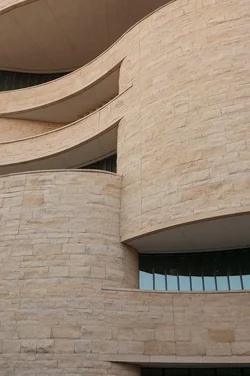
$smai_72.webp $smai_150.webp $smai_300.webp

As you can see, there is no difference between the images - quality, or otherwise.
 
Images produced by cameras do not have the same need for a DPI value. They're not scanned, and so have no actual physical dimensions to relate to. The "PPI" value that you see is simply a default value inserted by the camera or by the software you're using. It's completely meaningless.

Well. kind of. Sensors do have physical dimensions, and theirfor sensor pixels DO have physical size, which can be measured in dots/pixels per inch. In fact, when you buy a sensor, in particular linear sensors, you get this figure. But in this case we're not talking about physical pixels which you can put under a microscope and "see". We're talking about dimensionless pixels which have no size until they're printed ... or put on a screen.

Another way to think of this is say, when you zoom in on an image. When you "zoom in" the picture becomes larger relative to the physical space it occupies - the screen. Eventually, however, the individual pixel is represented by a space large enough that it can be resolved individually. The same idea applies with a printer. You're not making any new pixels, thus making the image "bigger" when you zoom in, only using more physical space to represent the individual "picture elements" i.e. pixels.
 
Oh. You're talking about documents, I was thinking negatives.

As far as "adding to confusion" I firmly believe advise should be given accurately. PPI does have value in the physical world, just not in the digital file itself.

It's important to understand the concept that the word "pixel" and "resolution" have fuzzy definitions.
 
Once again, go to Photoshop and open an image from the camera in question. Go to images and then to image size.

Look in the middle of the box where it says resolution. IF it says 72 and the dimensions in the document size are in the 8X10 inches range (4x6-10x14) you have a problem. If the dimensions are about 4 times that you're good, the printer will (should) work it out.

If you are publishing to the web you want 72 dpi and the document size to be measured in pixels.

I'd still want to know why Photoshop was loading the shots from that camera differently from others though.
 
^^ the camera is capable of setting the ppi, just as any other software can. I'm pretty sure they do this so that it is easily integrated into their consumer printer workflow, allowing the default print size to be around 5x7, that way inexperienced, casual photographers don't need to worry about configuring ppi and still get a relatively large photograph with adequate pixel pitch.
 
^^ the camera is capable of setting the ppi, just as any other software can. I'm pretty sure they do this so that it is easily integrated into their consumer printer workflow, allowing the default print size to be around 5x7, that way inexperienced, casual photographers don't need to worry about configuring ppi and still get a relatively large photograph with adequate pixel pitch.


Well! I guess he needs to go into his camera and fix it then.

Interesting that P&S cameras do this, I've never owned one and didn't know.

Thanks for the info though.
 
I doubt very much that this is something you set in camera. I think they figure if you know enough about photography to mess with the ppi setting, then you'd know how to anway - and if you don't then this is a safeguard to ensure the highest possible quality on any printer capable of at least 5x7" prints. Most P&S don't, like I said, I don't even think most cameras record any ppi into their files.
 
^^ the camera is capable of setting the ppi, just as any other software can. I'm pretty sure they do this so that it is easily integrated into their consumer printer workflow, allowing the default print size to be around 5x7, that way inexperienced, casual photographers don't need to worry about configuring ppi and still get a relatively large photograph with adequate pixel pitch.

I am looking at the Kodak and one of my canons here and I have nowhere in there to set the ppi in camera. I can change the quality of images, but not the ppi
 
Yeah. I am sure that if that is what is going on, it's a default setting that can't be messed with so not to cause confusion. It's a non-issue of you are familiar with the concept, but if you're not, it's better to have a ppi preset to 480 than 72.
 
Sooooo, now that we've solved your resolution issues. What kind of camera do you want to purchase? Do you want an entry level DSLR or do you want a bridge camera that you won't have to invest in a bunch of lenses for?
A dslr is only the first step in that category. There is MUCh that gets added to that minimal investment in the body. However, the quality and the abilities with it definitely make it worth the investment. Especially if you are going to go further than just snapping pictures.

A bridge camera has the controls of the DSLR while including all of the possible shooting range in one lens. You will pay THOUSANDS of dollars to get a zoom that is equal to that Kodak in a DSLR. Just for the lens. The all in one DSLR is for the shooter who wants to go beyond auto, but doesn't want to invest in a system or doesn't want to go further than snapping pictures for a small hobby.
 

Create an account or login to comment

You must be a member in order to leave a comment

Create account

Create an account on our community. It's easy!

Log in

Already have an account? Log in here.

New Topics

Back
Top Bottom