What's new

My first go with people

jaxx419

TPF Noob!
Joined
Jan 8, 2012
Messages
428
Reaction score
35
Location
East Texas
Can others edit my Photos
Photos OK to edit
I normally take photos of animals, flowers, trees, still items, etc.. with that said --- A co-worker asked me to take photos of her wedding. She said if I didn't take them all she would have is whatever photos her family took. So, I figured I'd at least try to capture some better quality photos (non-iphone photos) if anything and it would be good practice for me. (I didn't charge her anything.)

The setting was difficult for me... it was a 6:30PM ceremony and cake wedding at a lake with the sun setting somewhere behind us, we couldn't even see the sunset because we were down at the bottom of a hill and for some reason the lake always looks hazy with a gray sky. There were houses and terrible backgrounds everywhere I turned. The only decent background was infront of the water & sky which turned out terrible in all my photos. My co-worker is happy with the photos so far, I guess that's what matters in the case. I did the best I could with what I had and the location. I'm still going through some 300 photos, but these are my favorites so far.

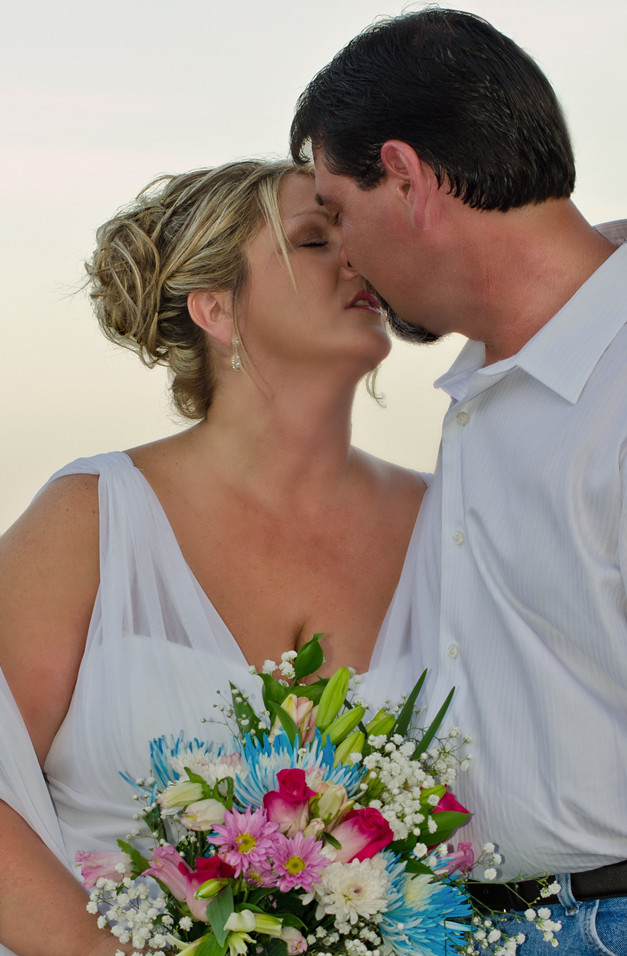
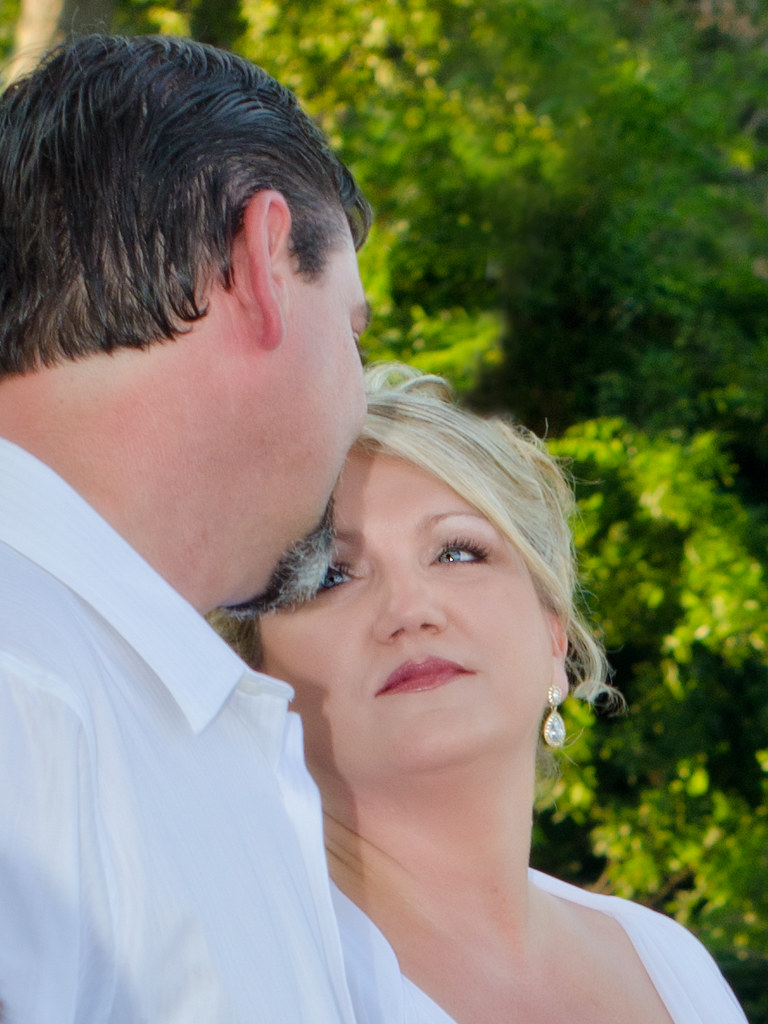
1.) during the ceremony... cloned out a pole that was going through the bride's head.
7173107961_3451bd48a1_b.jpg


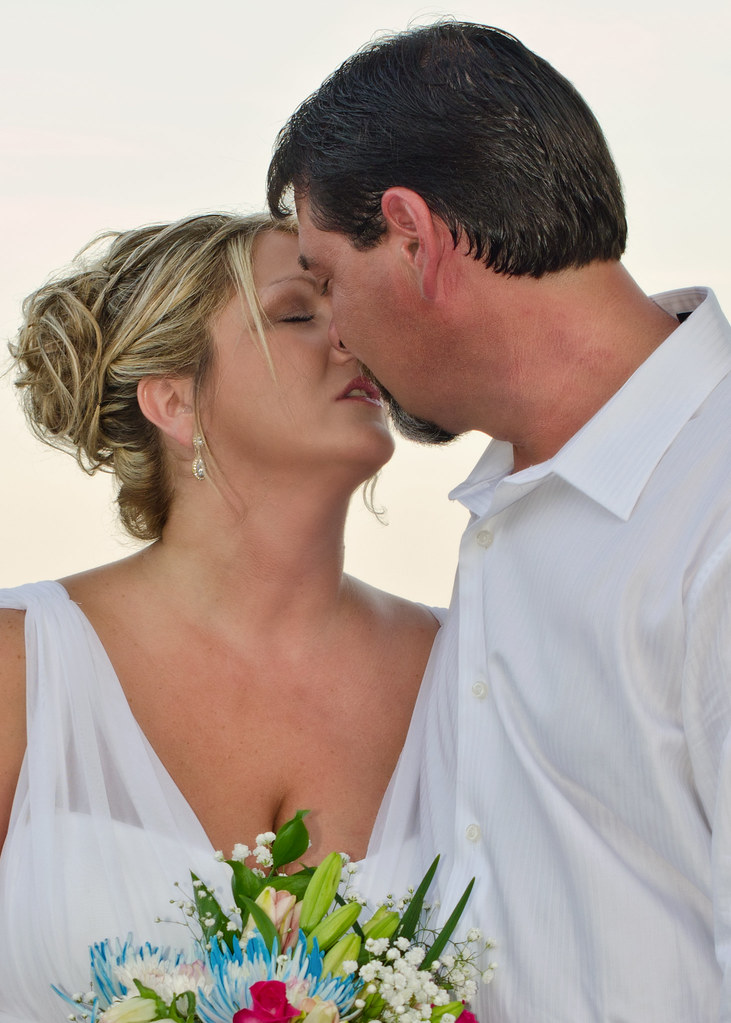
2.)
7358175176_a6d76d9c95_b.jpg


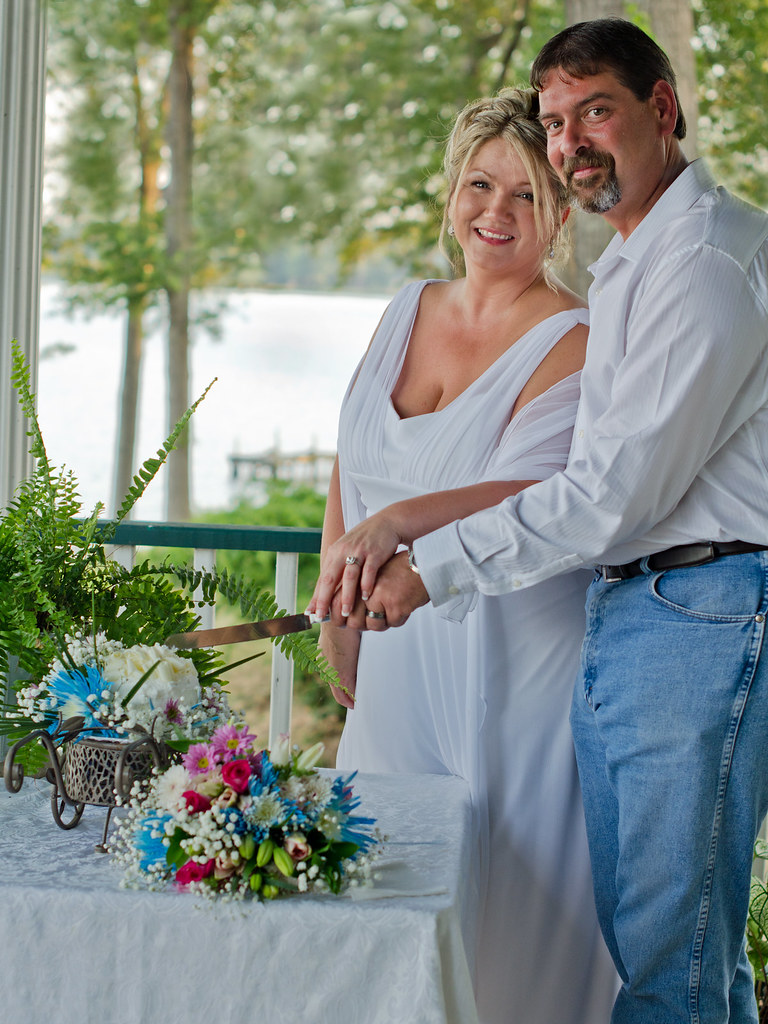
3.) filled in the trees where a ton of blown out sky was ruining the photo. any tips on how I can fix the water in the backgorund would be great... i don't like the water in the background, any tips on how to fix it?
7173011821_a5bbc9b137_b.jpg


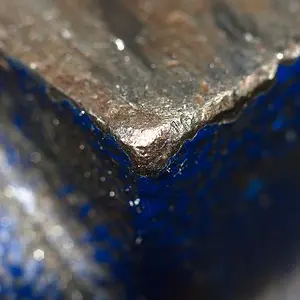
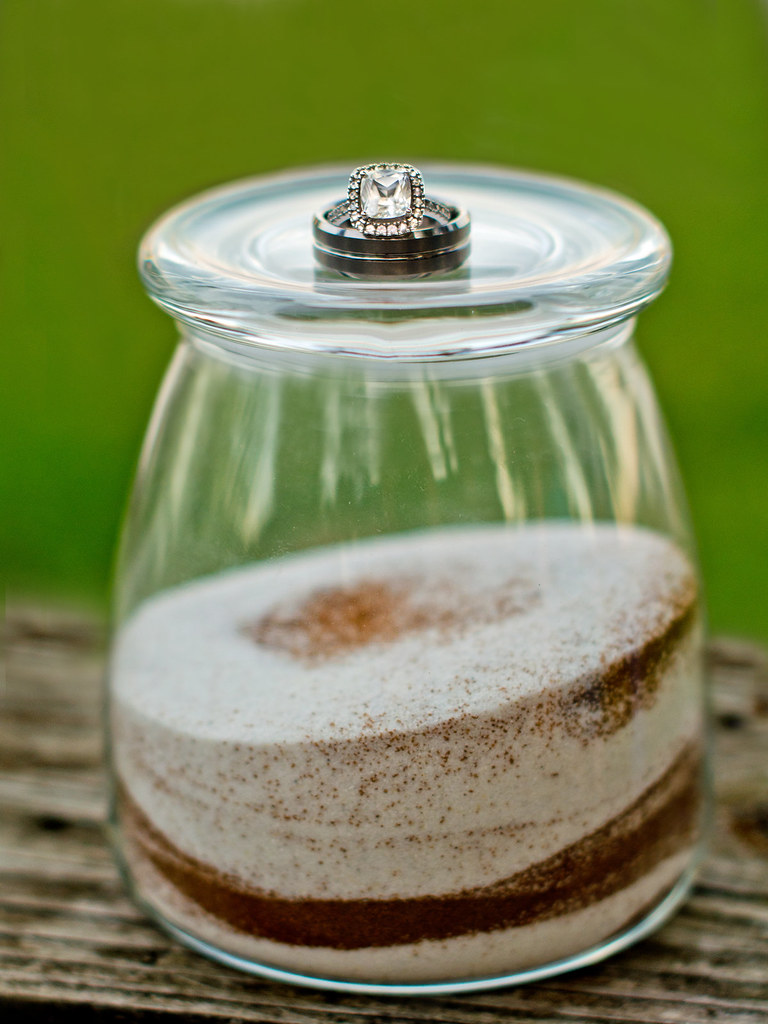
4.) sand from the bride/groom/kids -- my favorite, probably because there were no people involved. lol
7358165142_e423896287_b.jpg
 
Last edited:
Photo #3 is really good! I don't see any reason why you would try to 'fix' it, because it doesn't seem broke. Great job!

Photo #2 has great potential in post processing, with a few small adjustments. It needs more fill lighting. Also, the cropping was a bit awkward because it placed the couple to the right of the photo, it cut off the bride's elbow, and it cut the bouquet in half. I think you would've gotten a nicer composition if you framed the portrait wider and longer. Now, in order to center the couple properly, remove dead spaces, and add balance, I think a closer crop is necessary. I did my own edit of the photo with a different crop and a lighting adjustment. I hope you like it.

$7358175176_a6d76d9c95_b copy.webp

Thanks for sharing, and keep on snapping!
 
Thank you!! I feel better just with your one response. I do like your crop much better. I'll go back at the original an see what it looked like and try to figure out why I cropped it like I did.

As for #2.. I think a lot of my backgrounds always look blown out. There definitely were blown out parts in this photo that I fixed up by making the trees much fuller so the sky was hidden . I think it works. Guess since the sky was blown I thought the water would be too.

Edit-- the original on #2 was more full length and showed her whole arm. Think I cropped it in because she's self conscious about her body so I didn't want to leave if full length and I wanted to focus on their facial expression/emotion. Going back to the raw to add more fill light and fix the crop.
 
Last edited:
In photo #2, the sky was blown out, but that's okay in this situation. As we both know, the sky only cooperates with us when it wants to... In this case, I think it's better for the sky to be completely blown out, rather than turn out a blotchy grey-ish pattern. You got a razor sharp focus on the bride and groom, and that's the important part, in my humble opinion. If you're really set on maximizing the final result for that photo, I think you might want to try to even out the skin tones on the bride. Her skin looks nearly flawless, with a beautiful jawline and cheekbones, but there is a patch of skin on her neck from the bottom of her ear down to her shoulder that looks slightly pale grey and discolored when compared to the rest of her face and chest. All in all though, you put in a strong effort, and I think photo #2 has great potential.
 
Is this any better?
7358843376_314f38816d_b.jpg
 
Regarding photo #1, I hate to say this, but I think you just simply missed the shot. The expsosure on the bride was stunning (especially the catch lights in her dreamy eyes), but your flash didn't do you any favors. The groom casts a harsh shadow over the bride's face, and that would be really hard to clone out while still maintaing a natural look. Also, the pose didn't work... It looks like the groom's beard is about to poke the bride's right eye out.

Photo #4 was a good concept. However, judging from the incredibly shallow depth of field (I'm guessing you had your aperture open to 1.8), you missed the focus on the ring. I'm also not fond of the green background, but that's just my opinion. Luckily for you, this is a shot that can be tried again if you're not afraid to tell the couple that you'd like a do-over to improve the photo. If you do try again, use a tripod, plan the lighting and backdrop ahead of time, and stop down the aperture for a sharper focus on the ring.
 
Thanks again. The ring shot was shot at 2.5 with a 50mm 1.4* lens. I know better than to shoot wide open. ;) I agree a tripod would have helped... It's on my list of things to get. There was what I would consider blow out water on the top portion of the photo so I brought the green grass all the way up. I'm sure they would let me reshoot this if I wanted though.

The groom was tired of photos and when i wanted a ring photos he slapped them on the jar and called it the perfect spot.
 
Last edited:
Now that you pointed out the beard in #1 , I agree. I loved the look in her eyes though. Groom was saying his vows.

Edit-- Actually... Just before the vows because they aren't turned towards each other.
 
Last edited:
Is the groom seriously wearing denim at his own wedding?
 
If you need help with any more of the photos, don't hesitate to ask. I'm not a pro, but I think I have a few good ideas, and I like doing this stuff.

By the way, let me re-inforce the positive... Photo #3 is just so darn good! If I was the groom, I'd put it on canvas, frame it, and display it proudly somewhere in my house.
 
Not that I should have to explain for the bride and groom, but it was a second wedding for both of them and they wanted a simple wedding at the lake.
 
I like 2 and 3. and your comment on that last photo having no people in it. lolol.

I know it's been said, but first thing that hit me was the beard in the eye. Such a close shot though...almost had it.
 
michael9000000 said:
If you need help with any more of the photos, don't hesitate to ask. I'm not a pro, but I think I have a few good ideas, and I like doing this stuff.

By the way, let me re-inforce the positive... Photo #3 is just so darn good! If I was the groom, I'd put it on canvas, frame it, and display it proudly somewhere in my house.

Thanks!! I know you don't like number 1 but when my coworker saw me editing it during my lunch break she wanted the file. Her husband surprised her and the next day by bringing a framed print out of it to her at lunch the next day. I know it's not technically correct, but they like it.

I'm not a pro either but really hard on myself and want to do the best I can for her since they will have them forever.
 
Going through and just found a replacement for #1! Maybe not as much catchlight in her eyes but his beard isn't in her eyeball, and there aren't any shadows on her face. Will post a bit later.
 

Create an account or login to comment

You must be a member in order to leave a comment

Create account

Create an account on our community. It's easy!

Log in

Already have an account? Log in here.

Back
Top Bottom