What's new

My images are flat?

Framedlight

TPF Noob!
Joined
Jun 19, 2015
Messages
4
Reaction score
0
Can others edit my Photos
Photos OK to edit
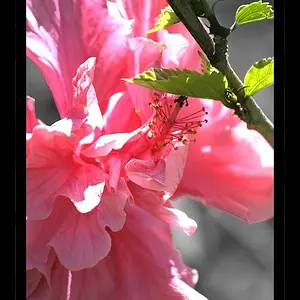
I havn't been able to put my finger on it, but I know realized that my photos are kind of flat. There's no depth. I don't know if I should change my settings or get a new lens? I have a Canon 1100D and a tamron which is very long.

Lars Ingar framedlight Instagram photos and videos

The one with the snapback has somewhat depth.
Any tips?
 
1) I don't recommend trying to fix things with GAS.
2) pick one shot and post it directly here.
3) the shadows and dark areas can add depth, don't be afraid of the dark.
 
The first two shots appear to have been over-exposed in the camera, by a pretty high degree. Over-exposure washes out the sky detail, and makes things look, well, either burned out or "flat". A bit more work on getting the optimal exposure would help. If you can, try shooting in raw mode, or RW + JPEG, and work at making better pictures by processing the .CR2 raw files in the Canon DPP software...take the .CR2s and make a good JPEG file, and THEN apply the Instagram filters!!! The results will look great on Instagram.
 
1) I don't recommend trying to fix things with GAS.
2) pick one shot and post it directly here.
3) the shadows and dark areas can add depth, don't be afraid of the dark.

What is GAS?
Yeah, that will help, buut I don't know how to explain it. You can't really "dive into" my pictures. It's like a stone brick, but when I watch others photos it's like I can live in there.
 
My guess is because the light is bad to start - and you don't know how to edit to best advantage.
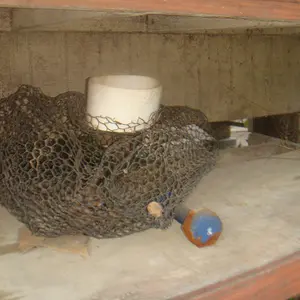
Post a large image (>1200 pixels on the long side) of any of those indicated below - and maybe we can show you a couple of things.

upload_2015-6-19_20-29-50.webp
 
I looked at all your Instagram pics...shooting in snowfields on gray-sky days = FLAT light with TONS of fill, meaning alomost no shadows, and "flat", or omni-directional light. Solution: move out of Finland. lol.

Shooting in the woods in areas of open shade = the same flat, directionless lighting. Your issue in all of the IG shots that I saw was the same issue time and time again: flat lighting conditions, over and over. You need to shoot at times when there is at least some directionality to the lighting, to get some shadows, and some depth clues. Maybe shoot some side-lighted stiff, and use some flash fill-in. Try some "crisper" lighting, when the sun is up at 1,2,3,4,5 PM.
 
I looked at all your Instagram pics...shooting in snowfields on gray-sky days = FLAT light with TONS of fill, meaning alomost no shadows, and "flat", or omni-directional light. Solution: move out of Finland. lol.

Shooting in the woods in areas of open shade = the same flat, directionless lighting. Your issue in all of the IG shots that I saw was the same issue time and time again: flat lighting conditions, over and over. You need to shoot at times when there is at least some directionality to the lighting, to get some shadows, and some depth clues. Maybe shoot some side-lighted stiff, and use some flash fill-in. Try some "crisper" lighting, when the sun is up at 1,2,3,4,5 PM.
Thank you! I think this is it. Ill plan my shooting sessions a little better next time, hahah.
 
Lots of things combine to flatten this out.
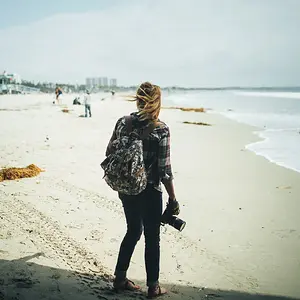
very flat light, marginal shutter speed so there probably is a bit of motion blur, very cold bluish cast on everything, not sharpened, probably not the sweet spot of the lens for sharpness.
I sharpened only the figure a bit, removed as much blur as PS would without artifact, warmed up the figure a bit so she stood out from the bluish background and added a bit of saturation.


upload_2015-6-20_6-58-30.webp


2qkqpv8lllllll.webp


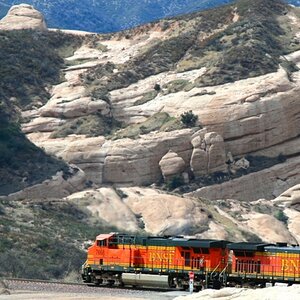
There should be more detail in this shot than there is, perhaps the flare off the lens is reducing it.
The shutter speed is probably on the edge of being too slow for a casual handhold of people/animals.


upload_2015-6-20_7-5-21.webp

20iz23nll.webp
 

Attachments

  • upload_2015-6-20_6-58-12.webp
    upload_2015-6-20_6-58-12.webp
    6.3 KB · Views: 122
  • upload_2015-6-20_7-3-59.webp
    upload_2015-6-20_7-3-59.webp
    6.7 KB · Views: 128
  • upload_2015-6-20_7-4-14.webp
    upload_2015-6-20_7-4-14.webp
    6.7 KB · Views: 146
Last edited:
The total bright spot for all of these is you have a great eye and creativity and just have to get by some technical hurdles and you will be producing wonderful images.
 
Light quality and direction is what gives photographs a sense of depth.
Learn how to use flash and reflected light to your advantage.

Using flash lets us, with a single shutter release, control the ambient light exposure separately from the flash exposure.

Having your subject somewhat brighter than the background, creating a 'lighting ratio', makes your subject stand out more by giving the subject more 'visual weight'.
lighting ratio - Bing
visual weight - Bing

Direction & Quality of Light: Your Key to Better Portrait Photography Anywhere
Lighting & Design for Portrait Photography: Direction & Quality of Light
Off-Camera Flash: Techniques for Digital Photographers
On-Camera Flash Techniques for Digital Wedding and Portrait Photography
 
Some of the "flat" can just go away with minor adjustments. Here's a real tiny adjustment in PS.
28c13de.webp
 

Create an account or login to comment

You must be a member in order to leave a comment

Create account

Create an account on our community. It's easy!

Log in

Already have an account? Log in here.

Back
Top Bottom