What's new

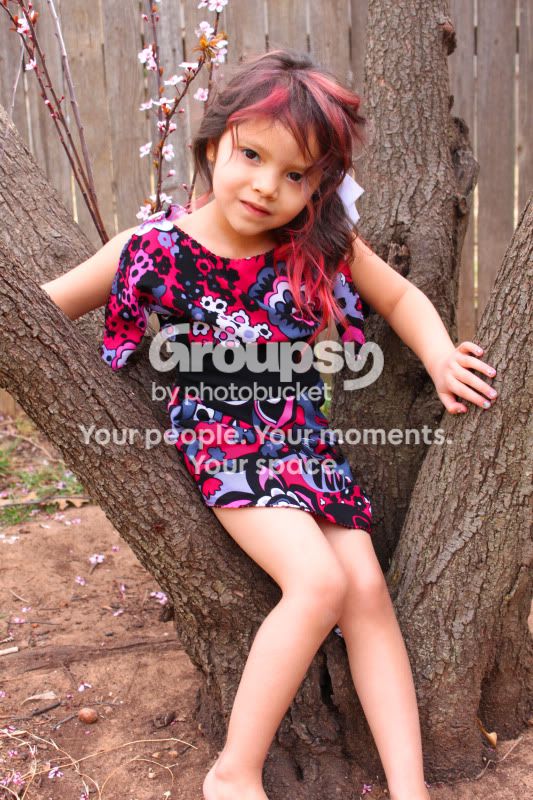
My niece...C&C please

amandalee

TPF Noob!
Joined
Jun 9, 2011
Messages
208
Reaction score
12
Location
Lubbock
Can others edit my Photos
Photos OK to edit
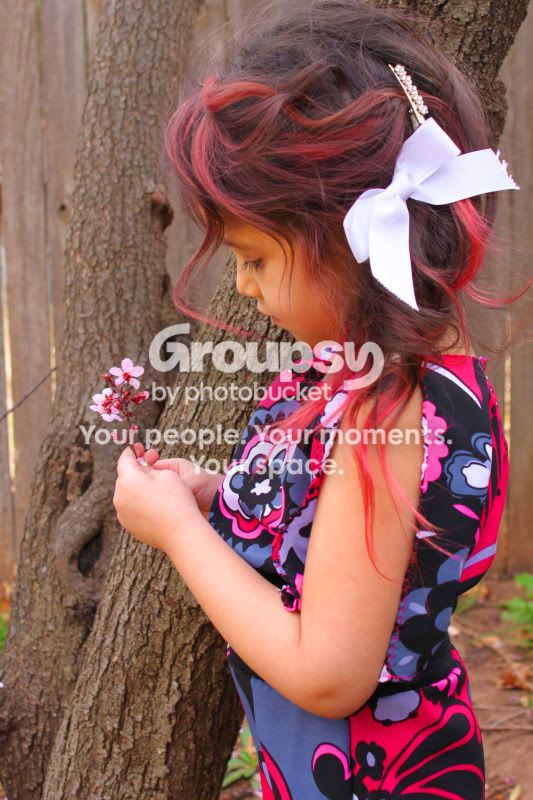
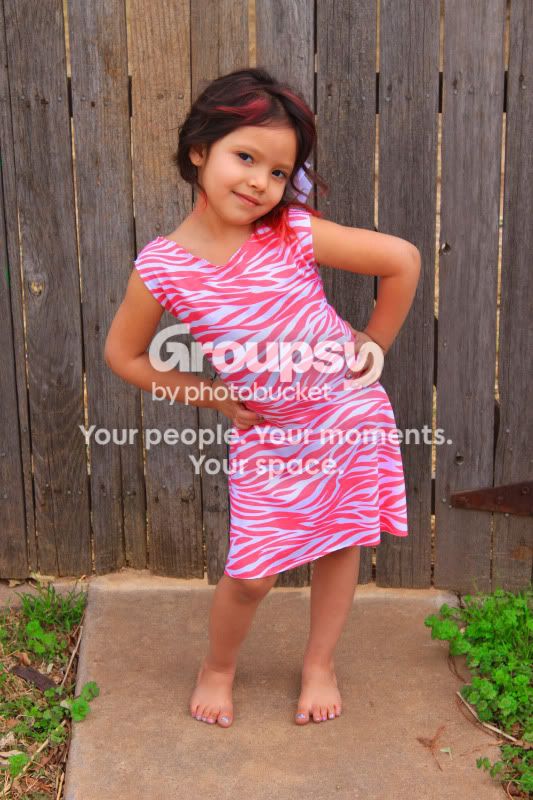
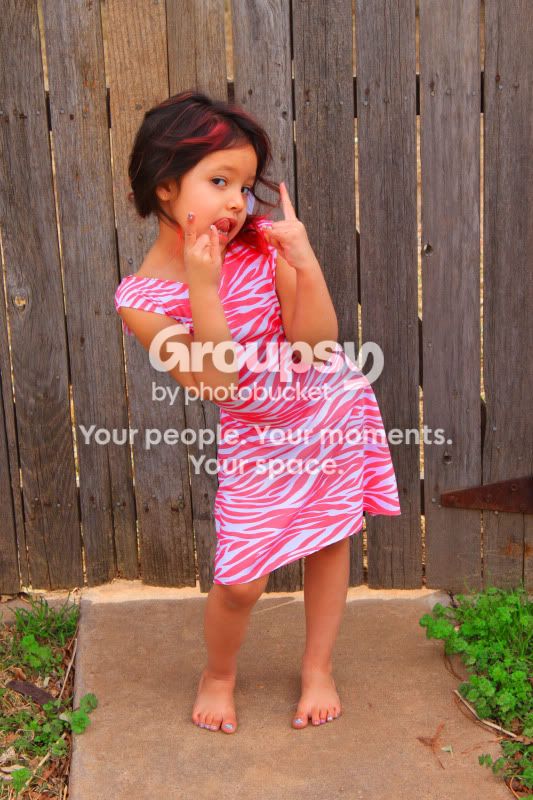
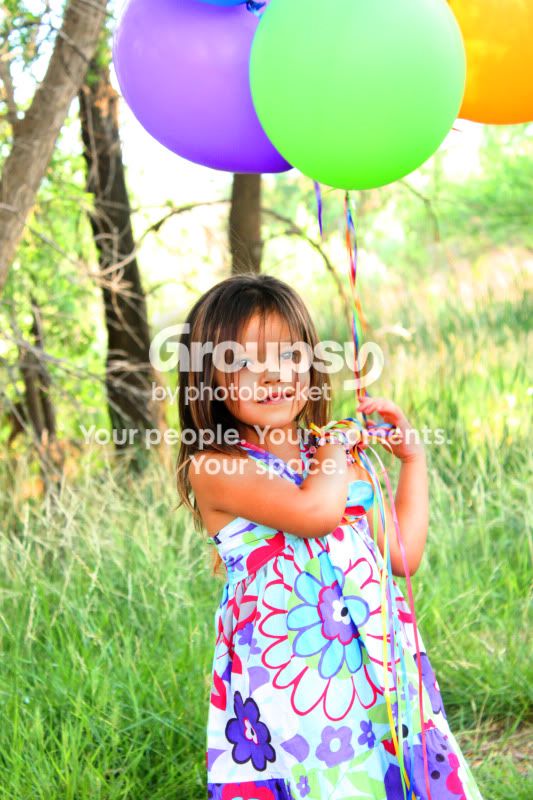
Ive heard that taking pictures of family is decieving because you think they are cute anyways... so am I being decieved?

1
dresses018copy.jpg

2
dresses020copy.jpg

3
dresses026copy.jpg

4
dresses005copy.jpg

5
dresses002copy.jpg

6
dresses003copy.jpg

7
dresses006copy.jpg


What could I do to make them better?
 
No, you are not deceived, your niece is definitely cute and I really like photo 3:thumbup:
 
Thank you! She is my favorite little model!
 
Looks like you had a great time!
 
We did! Is there anything you think I could do to improve?
 
She's really cute!

IMHO, the focus is a bit soft.
 
Cut off limbs, soft focuses, weird pinkish tint in some... orangish tint in others :(
She is a cute little girl... but they just look like snapshots.
 
Cut off limbs, soft focuses, weird pinkish tint in some... orangish tint in others :(
She is a cute little girl... but they just look like snapshots.

How can I get more professional looking pictures?
 
The pics are very cute I agree the focus a bit soft I would work with your focus settings... What type of camera are you using? Or lens? They are kind of snap shot ish ... Maybe work closer crops and a better focus with a softer more blurred back ground might help them look more polished! Keep up the good work!
 
How can I fix this?

There are a lot of factors like ISO speed, shutter speed, aperture, lens quality, photographer's skills. Slow shutter speed will cause slight blurriness. Low ISO without enough light will cause the camera to select slow shutter speed (if you use auto mode). Wide open aperture typically result in soft focus in cheaper lenses also. Then of course, if you didn't watch the focus light in your view finder and took a shot before that, then the camera didn't get optimal focus. I don't know much about Canon but my Nikons have a exposure "bar" that will tell you if it's under or over. You can set the camera in manual mode, then play with the ISO, shutter speed, and aperture settings. I shoot mostly aperture priority so my setting for ISO is between 100-800, aperture between 5.6-11 (varies greatly depends on lens quality) and let the camera pick the shutter speed. I'd watch for the exposure bar in the view finder and adjust accordingly. I try to use the lowest ISO speed and the smallest aperture (highest number) allowed for lighting condition. You just got to remember not to go too high on the aperture which will cause diffraction.

I'm a newbie, so I'm sure many others on here will give you more pointers. Just go out there and experiment with many different settings and read the exif data after. It's digital, you're not wasting film! Don't overwhelm yourself work on one thing at a time.

:)
 
Thanks! I actually went out today with her again to try and mess with it in Manual and AP mode... I think I got some good ones but I they still look soft to me... I'm using a Canon Rebel T1i with the kit lens that came with it... (all I can afford at the moment) Is there a lense that you would recommend for a better picture?
 
Here are some from today
1
bellaboo191copy.jpg

2
bellaboo204copy.jpg

3
bellaboo209copy.jpg


I still feel like these are soft pictures... I'm really not sure how to change this... they were the sharpest out of the group and I was switching between manual and AP...suggestions?
 
Her hair is super cute, little rocker. :) Cute girl, first batch of photos is adorable...snapshot-ish..but cute! Number 2 in the first set is a winner.
 
Here are some from today
I still feel like these are soft pictures... I'm really not sure how to change this... they were the sharpest out of the group and I was switching between manual and AP...suggestions?

You just gotta play with the settings and figure out which is best for your camera, lens, and lighting condition. I may be talking out of my a*s here but some lenses can be slow in focusing which make the more difficult to take pictures of moving objects. You need to watch that focus light and give it a second to focus correctly. Also watch your focus area.
 

Create an account or login to comment

You must be a member in order to leave a comment

Create account

Create an account on our community. It's easy!

Log in

Already have an account? Log in here.

New Topics

Back
Top Bottom