[PhotoME]
PhotoME version: 0.79R17 (Build 856)
[Overview]
URL:
http://www.thephotoforum.com/forum/...4311-need-help-well-everything-dsc_0126bw.jpg
File type: JPEG
File size: 636.8 KB
Creation date: 5/18/2013 11:14
Last modification: 5/18/2013 19:18
Make: NIKON CORPORATION (
Nikon | Home)
Camera: NIKON D3000
Software: Adobe Photoshop CS6 (Windows)
Dimension: 1975 x 2765 px (5.5 MP)
Focal length: 22 mm (equiv. 33 mm)
Aperture: F3.8
Exposure time: 1/200"
ISO speed rating: 640/29°
Program: Shutter priority
Metering Mode: Center-weighted average
White Balance: Manual
Flash: Flash fired, compulsory flash mode, return light detected
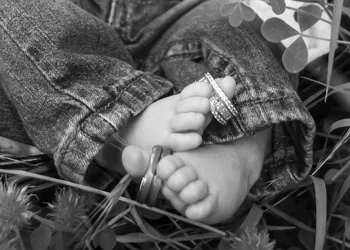
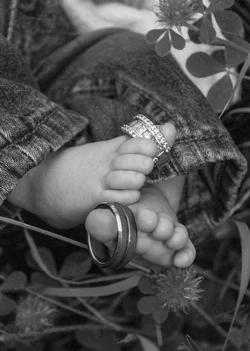
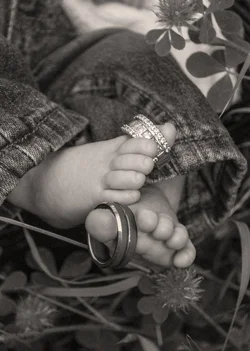
#1 22mm?? Wide angle lenses have a lot of inherent DOF... even at 3.8, DOF is still not going to allow much blur. Try a 50mm at 1.8 or 2.8
#2 Wide angles cause perspective distortion... and 22mm would cause a LOT! That is why it looks so freaky!
Perspective Distortion Effects Planned or Accidental
#3 Why ISO 640 when using flash? ISO 100 would be much better... and with flash, you don't need the higher ISO.. especially on what looks like a well lit day.










![[No title]](/data/xfmg/thumbnail/34/34115-73b827c6a6db1413dcead11e4caaae69.jpg?1734164571)
![[No title]](/data/xfmg/thumbnail/30/30881-c36788e79b12973b7bf57c94b46961e9.jpg?1734158883)





![[No title]](/data/xfmg/thumbnail/37/37602-1ef8dbb1c2d0e4ff347ee65d328c3603.jpg?1734170730)