What's new

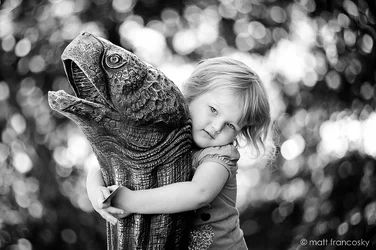
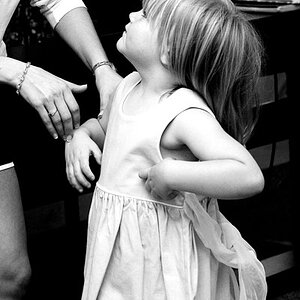
One of my oldest daughter at the zoo.....

mrpink

No longer a newbie, moving up!
Joined
Jan 8, 2010
Messages
1,962
Reaction score
328
Location
Cincinnati, Ohio
Can others edit my Photos
Photos OK to edit
Not sure whether or not the background adds or completely subtracts from the photo. It is strong. Thought I would see what the thoughts are here....
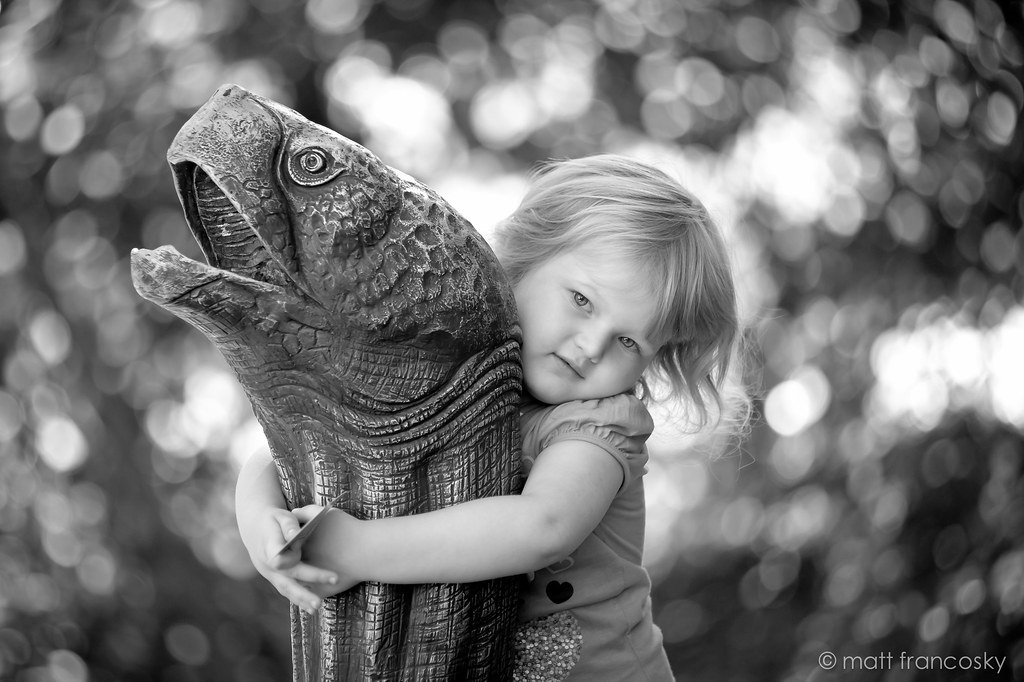

_DSC5431 by Matt Francosky, on Flickr


D700 & 80-200 2.8


p!nK
 
That background is a tad strong. Personally I would try to bring the highlights down a little. And maybe crop some of the dead space off the right of the photo. In saying that though, it is a beautiful photo of your daughter!

Just my 2 cents. :D
 
I don't mind the background. To me it draws your eye right to the center (where the bright part is) which happens to be right where your sweet daughter's face is! I think it could use more contrast. I did a quick edit (added contrast + curves adjustment). I really love this photo, great work!

edit to add. If anything, clone out the big white spot on the right edge (center) of the photo.
 

Attachments

  • $7993030021_4b6de27821_b-2.webp
    $7993030021_4b6de27821_b-2.webp
    163.8 KB · Views: 206
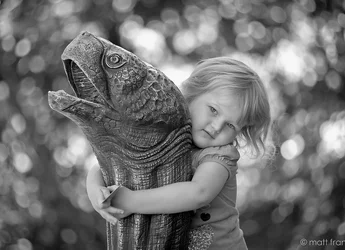
This might just be a case of me needing to calibrate my monitor. But I upped the contrast only slightly, brought the highlights down, touched up the eyes, oh and the crop I mentioned.


$20120917-7993030021_4b6de27821_b.webp
 
This might just be a case of me needing to calibrate my monitor. But I upped the contrast only slightly, brought the highlights down, touched up the eyes, oh and the crop I mentioned.


View attachment 20587

by bringing the highlights down, you made her face grey.
 
I'd be tempted to crop a little bit off the right hand side and just a teensy bit off of the top, to place her a little bit more off to the right of the frame. I don't like that one, big patch of bokeh balls there on the far,far right edge, at the mid-level of the frame...those need to go I think. The rest of the background is strong, but is quite bokeh...I mean it's quite okay...it's kind of a thing...a bokeh thing...
 
All good suggestions. Here is my re-edit.


_DSC5431-2 by Matt Francosky, on Flickr

Did a quick wal-mart test print and it looked pretty good. Looking at maybe a canvas wrap or something for it.


p!nK
 
Looks good! Did you clone in a bokeh ball in the upper left corner for the final edit??? Anyway, toning down those few bright, almost pure white patches in the background REALLY helped bring the emphasis to her! Nice shootin! SOMEDAY, this will be a treasured family portrait of her at a young age.
 
Looks good! Did you clone in a bokeh ball in the upper left corner for the final edit??? Anyway, toning down those few bright, almost pure white patches in the background REALLY helped bring the emphasis to her! Nice shootin! SOMEDAY, this will be a treasured family portrait of her at a young age.

No clone stamping on this one. All I did was a quick crop adjustment. Pulled the highlights down a fair bit, added some fill light to brighten her face back up. Bumped the contrast. Burned the bright spot on the right. Pulled the clarity down on the background.


Yeah. I am sure this one will come out often throughout her life. Thanks again.


p!nK
 
Your right paigew it did, I need to calibrate I think. Nice work on the edit mrpink. It will be treasured for sure.!

:mrgreen:
 
I love the bokehliciousness in the background, draws your attention right to your daughter, great photo and the composition works wonders!
 

Create an account or login to comment

You must be a member in order to leave a comment

Create account

Create an account on our community. It's easy!

Log in

Already have an account? Log in here.

New Topics

Back
Top Bottom