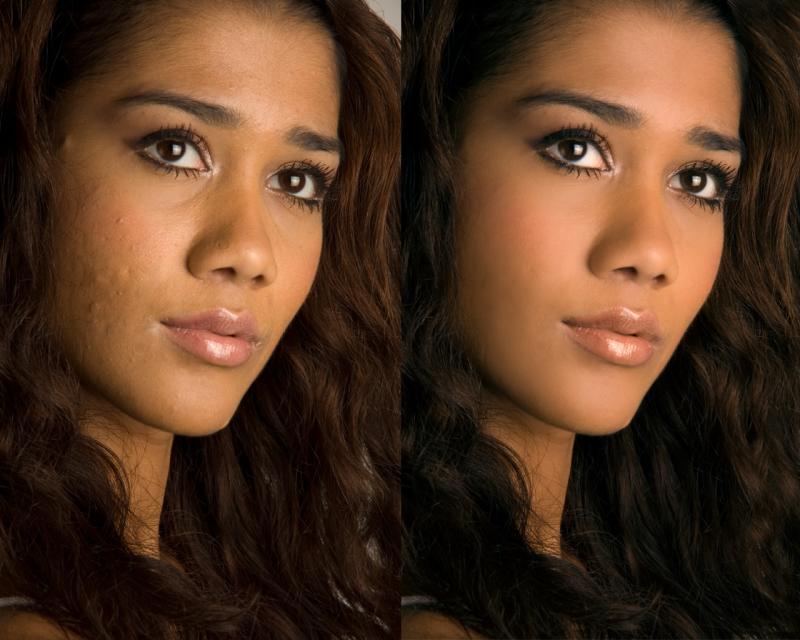
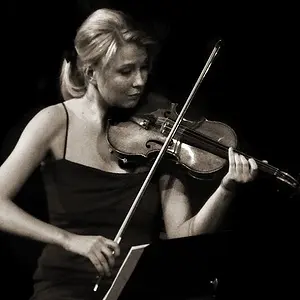
Wow, turned out very well. Care to give a brief explanation on how you went about the touchups?
Hey! Sorry! I totally forgot about this thread. With homework and all.
I used Photoshop, obviously. Haha. I started with changing the colour balance of the entire photo, concentrating more on her skin tone. It's amazing how much that would help with the overall results.
Then went on to the healing brush tool. Took away more prominent blemishes. This won't help with the overall smoothening of the skin, it just makes the skin clear looking, in a sense.
Here's the magic. Use the quick mask tool, and have the entire face selected, excpet for the eyes, nostrils and mouth. Get out of the quick mask tool, and press command + J. This will duplicate the selected areas.
Next, on the new layer, use gaussian blur set at 60. After which, go the the layers panel and set your opacity as desired. I think around 25% to 30%, depends on the picture. You don't wanna dover do it.
Last but not least, go back to the original layer, and use the burn tool set at about 15% strength, and burn the eyelashes and lids a little, that will make the eyes pop. Also you the dodge tool to brighten up the iris.
And... you're done!
Hope that helps.