Select and Mask.
0. Open Photoshop. Choose Select and Mask.
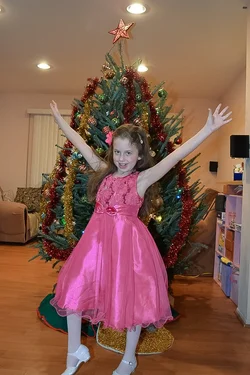
Step 1. Quick select brush, Choose the girl and any tree, without selecting any background.
Step 2. Refine Edge brush, all the way aroung the photo where subject and background mix.
Step 3. Press OK.
Step 3. Create Fill Layer, choose black. Put fill layer under Mask layer.
Step 4. Save as.
There were a few hard areas, this photo is more of an advanced selecting image as it is easy for the refine edge brush to act funny, may be my cpu. . I find if During step 2, Refining edge, if I choose another brush, then come back to refine edge, it will choose large parts of the photo.
The hand on the left needed some manual painting, tree on the bottom right, and the star. 2 Minutes if your fast. 30 minutes for me. Hours for a total beginner, watch a few tutorials
EDIT;I just noticed the arm, easy fix... these operations its all about attention to detail.
View attachment 135513


 . I need to get more serious with PS.