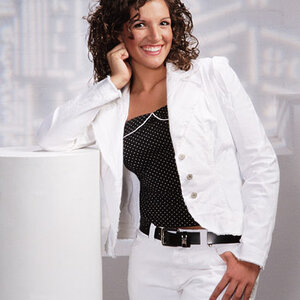
DW told me she married me for better or worse, in sickness and in health, but no where in there were the words "to be your model". LOL As always your technical abilities and the model are great.
Expanding on the above comments, I'm personally not a fan of squared off shoulders on a woman. Turning the shoulders slightly in relation to the camera has a more pleasing effect. On the processing on my non-profiled tablet the skin tones are coming off as lacking contrast, with gray overtone.
Softness or hardness of the light is determined by the size of the light in relation to the subject. Move a given light source closer it becomes softer, further and it becomes harder. When using my 40" octa, as a key I find about 3'-4' about right for a head/shoulder shot. With a 22" beauty dish it's considerably closer. I did some experimenting on distance awhile back posting the results here
An Excersice On the Effect Of Distance which you might find interesting.
Skin blotches sounds more like under exposure then the distance. Skin blemishes can also be accentuated by having your light to far to the side so that its raking across. When you meter, you should be using the incident meter (with dome) pointed toward whichever light you're setting key/fill/kicker metering individually to the desired setting. Once you're satisfied with each, then take a final reading with all the lights on, with the incident meter under her chin and pointed toward the camera, that's your camera exposure setting. At that point I use my histogram to adjust the overall exposure to get a full exposure by raising/lowering the power of all the lights.







![[No title]](/data/xfmg/thumbnail/37/37660-eb4529b6ea38a042c4e9b64866178d7b.jpg?1734170816)